
 Need help?
Do you have a question about the Stack-On PDS-1500-B and is the answer not in the manual?
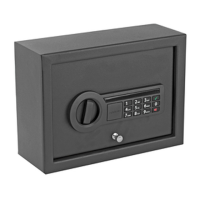
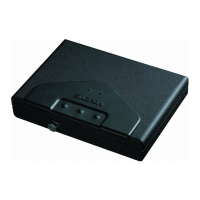
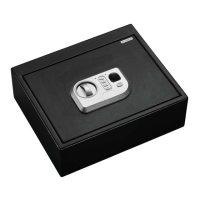
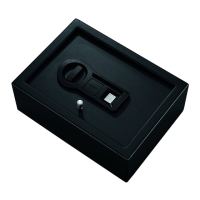
This document describes the Stack-On PDS-1500-B, a steel safe designed for securing valuables. The safe features a fingerprint recognition system for access, along with a traditional key lock for backup. It is designed to be mounted in a drawer or other secure location.
The primary function of the Stack-On PDS-1500-B is to provide secure storage for valuables. Access to the safe is primarily granted through a fingerprint recognition system, allowing for quick and convenient entry without the need for keys or combinations. A traditional key lock is also provided as a backup access method in case of battery failure or issues with the fingerprint scanner. The safe is designed to be mounted to a secure surface, such as inside a drawer, to prevent unauthorized removal.
To lock the safe, close the door and turn the knob to the left to the 12:00 position. Important Note on Locking: Because the locking mechanism is deactivated for approximately 3 to 6 seconds after the fingerprint is entered, wait a minimum of 6 seconds from the time you have successfully scanned your finger to lock the safe. Always ensure the knob is turned completely to the left to the 12:00 position during the locking process; otherwise, the locking mechanism will not engage.
This safe must be mounted into a drawer. For optimal safety and security, the safe should be installed in an isolated, dry, and secure area. Warning: The safe should always be kept out of the reach of children.
This safe must be mounted into a drawer. Failure to do so will compromise the safety and security of the safe.
To clear the memory of all recorded fingerprints, locate the reset button on the inside of the door and press this button for about 5 seconds until the green light flashes 10 times with 10 beeps (if the sound is turned on). All recorded scans will be erased. Important Note: For security, you must record a fingerprint after clearing the memory. Failure to do so will compromise the safety and security of the safe.
The biometric scanner may be cleaned with household glass cleaner and a cotton cloth.
In the event of lost keys, a replacement key can be requested. Verification of ownership is required. Procedure for Key Replacement:
Keep keys in a secure place, away from children. Keep this record of your serial number in a secure place separate from your safe. To order a replacement key set, follow the instructions on the attached form.



 To Next Page
 General