40544-1507
3
18
OPENING THE SAFE USING
YOUR COMBINATION
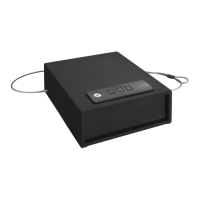
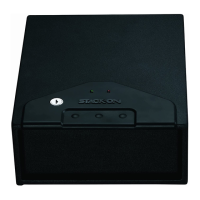
Enter your combination using the buons. e
buons will light up green and there will be one
“beep” for every entry (if the sound is turned on). If
you entered the correct combination, the buons will
ash green and the door will open. If the combination
is incorrect the safe will beep 3 times (if the sound is
turned on) and the red light will ash 3 times.
NOTE: You will have 2 seconds between individual
entries before the safe assumes you have entered your
complete combination.
To close the safe, push the door closed until locked.
TURNING THE KEYPAD SOUND
OFF/ON
You can turn o the "Beep" sound of the keypad by
pressing all the buons at the same time and
holding for 3 seconds until the green light ashes.
To turn the "Beep" sound on, press the le and
middle buon at the same time and hold for 3
seconds until the green light ashes.
If an incorrect security code is entered 3 times the
safe will beep 5 times (if the sound is turned on) and
the red light will ash 5 times resulting in the safe
being automatically locked out for 60 seconds before
you can try your code again. e safe will beep one
times (if the sound is turned on) and the green light
will ash once when the lockout period is over.
If an incorrect security code is entered 1 additional
time the safe will beep 5 times (if the sound is turned
on) and the red light will ash 5 times resulting in the
safe being automatically locked out for 5 minutes
before the code can be tried again. e safe will beep
one times (if the sound is turned on) and the green
light will ash once when the lockout period is over.
Your safe comes with the "Beep" sound turned on.



 To Next Page