3. Problems and Solutions
3.1 If filament does not come out of the nozzle (Fix for EC 401)
Follow the on-screen instructions and start the auto recovery process. After the recovery process if problem
persists follow the below steps.
1
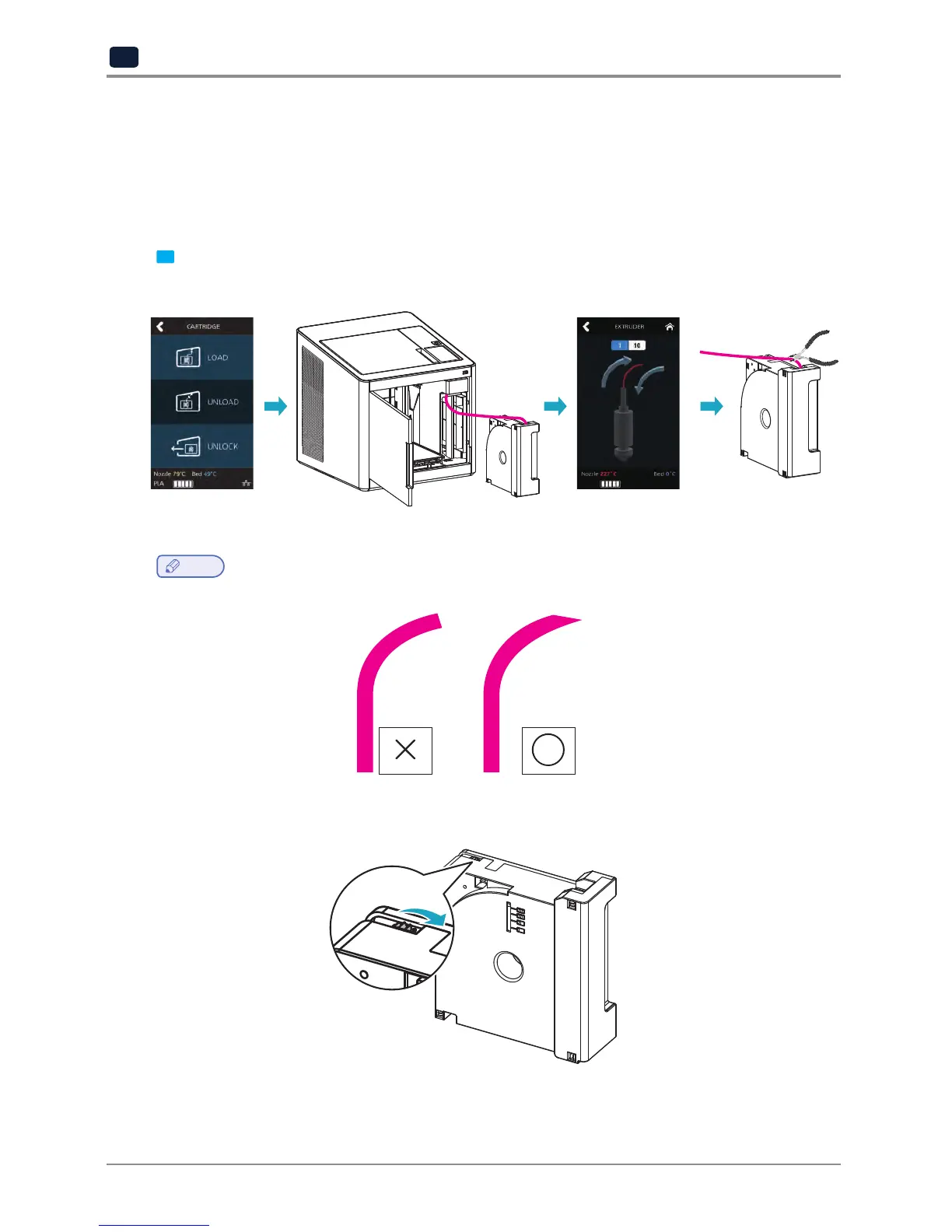
Initiate cartridge unlock. Remove the cartridge from the printer. Use the extruder jog mode to remove the
filament. Cut the removed filament, (Use below image as reference) re-install the cartridge and run LOAD.
Note
Cutting Filament Tip
-
Cut the filament in the way the cut end is sharp as shown below. It makes the filament run through easier.
-
After unloading, turn the cartridge gears for the filament to come out, cut the dented part (approx
50~60cm) this makes the LOAD easier.


 To Next Page