3
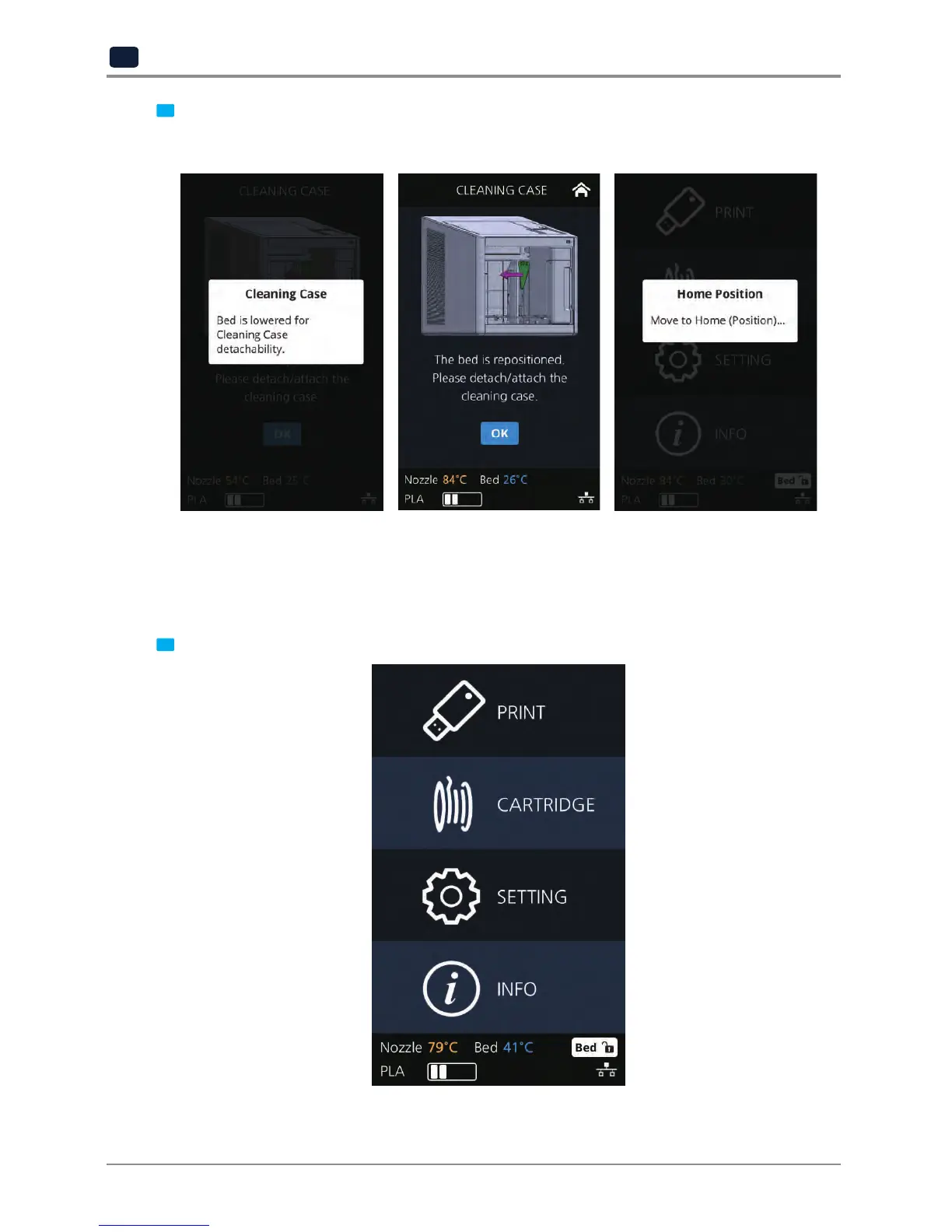
Entering Cleaning Case, the nozzle will automatically position itself to the left side to be visible and
accessible. Like shown in the image, empty the CASE, press [OK] when done and user will be returned to
the settings screen.
NETWORK
This is a menu to configure users network setting. IP address can be set up manually or automatically via DHCP
setting. Wifi network is also supported.
1
From home screen press [SETTING].


 To Next Page