3
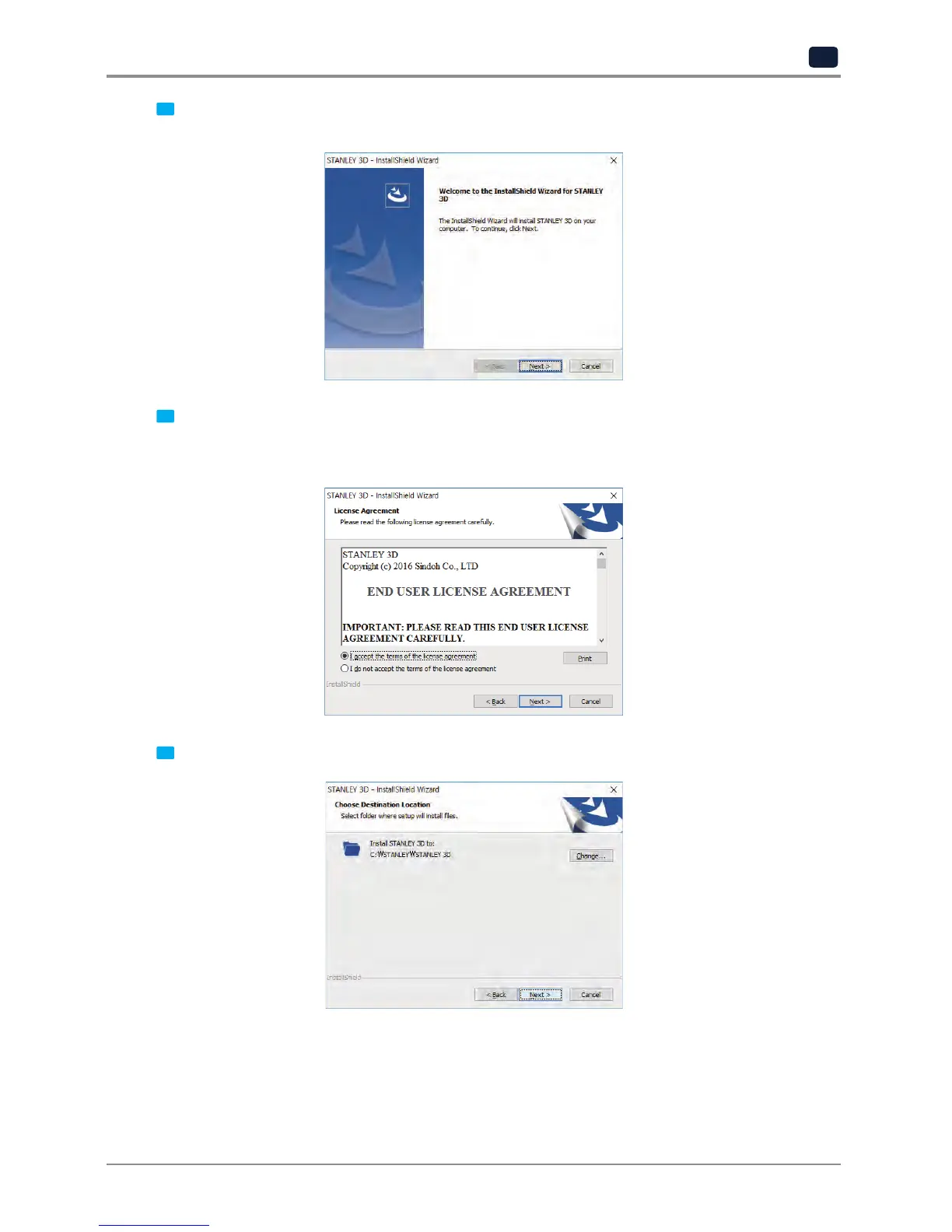
When installation of the file is complete, a pop-up window shows up as picture below. Press [Next] button
to initiate the installation of STANLEY 3D program.
4
A window that shows the End User License Agreement will appear as shown below.
The [Next] button will be activated upon accepting the terms of the license agreement.
Please be sure to read the terms and conditions before installation of the software.
5
Choose the destination location of the file and press [Next] to proceed.


 To Next Page