2
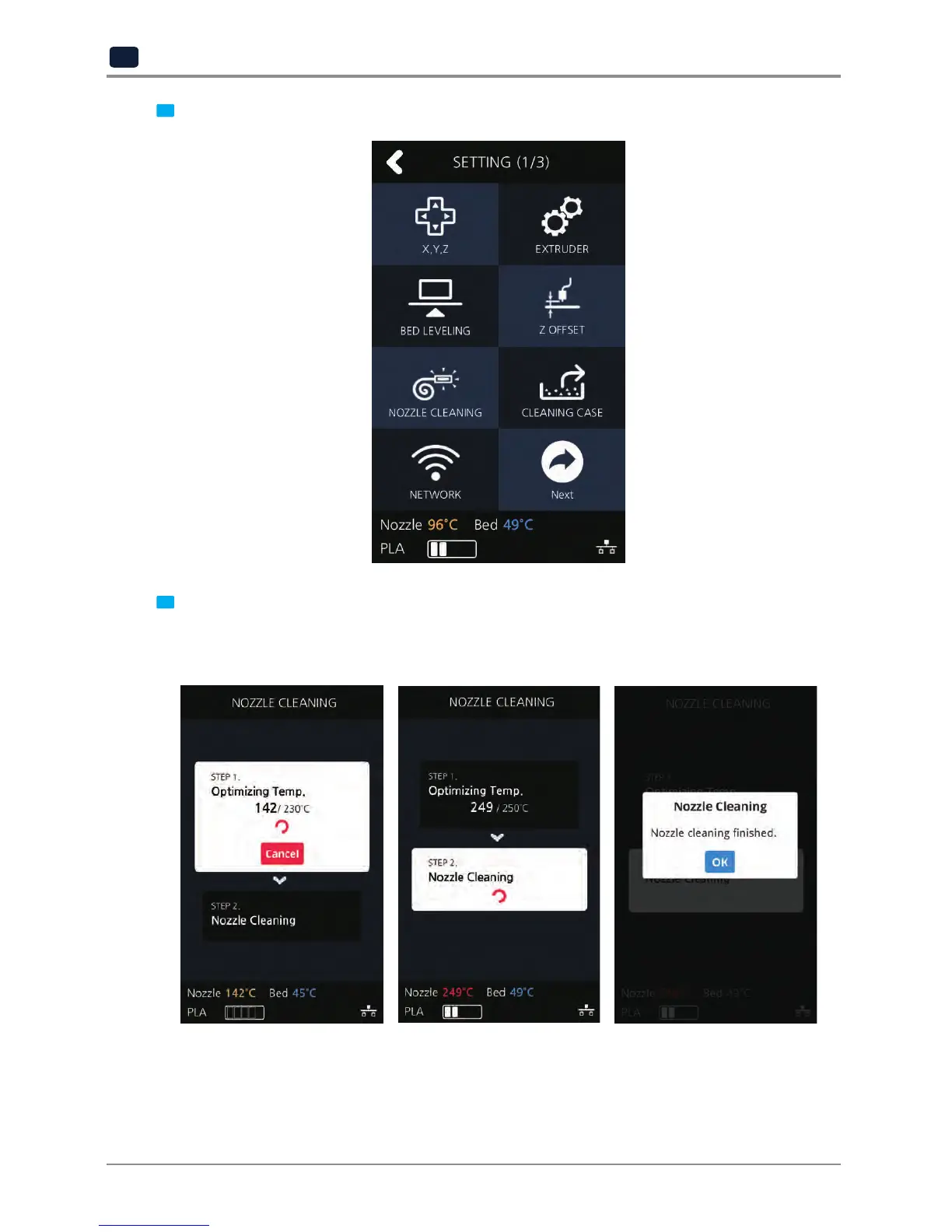
Press the [NOZZLE CLEANING] button to access nozzle cleaning settings.
3
In order to get rid of filament residue, the nozzle needs to be heated.
When the specified temperature is reached, it moves on to the next step to remove filament residue.
Once finished message will appear press [OK], printer will return to the settings screen.


 To Next Page