12 | P a g e
5.1 Reading Tags
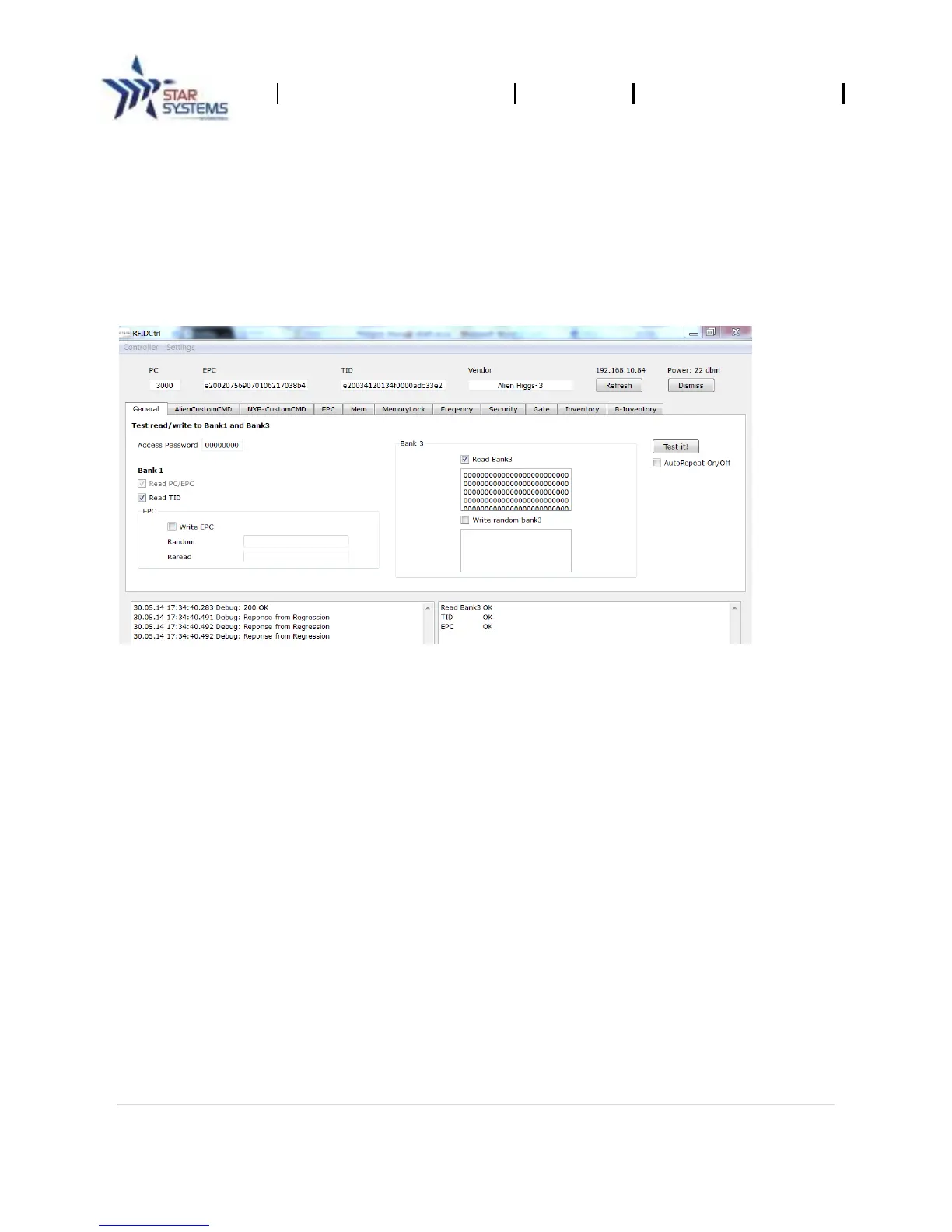
The Reader Control Tool allows you to read information from a ISO18000 – 6C RFID tag.
To Read Data
1. Put a RFID tag within the read-zone of the reader.
2. In Reader Control Tool select the "General" tab.
3. Set the read options (see below).
4. Click the "Test it!” button to read a tag.
Read Options
Read TID
Read Bank3 (user data)
AutoRepeat
Read Multiple Tags (inventory mode)
1. In Reader Control Tool select the "Inventory" tab.
2. Click the "SingleRound" button to read once or Click the “Polling” button to read
continuously.


 To Next Page