Procyon Reader User Manual
Last modified: 02/09/2015
6 | P a g e
4.3 Connecting To The Reader
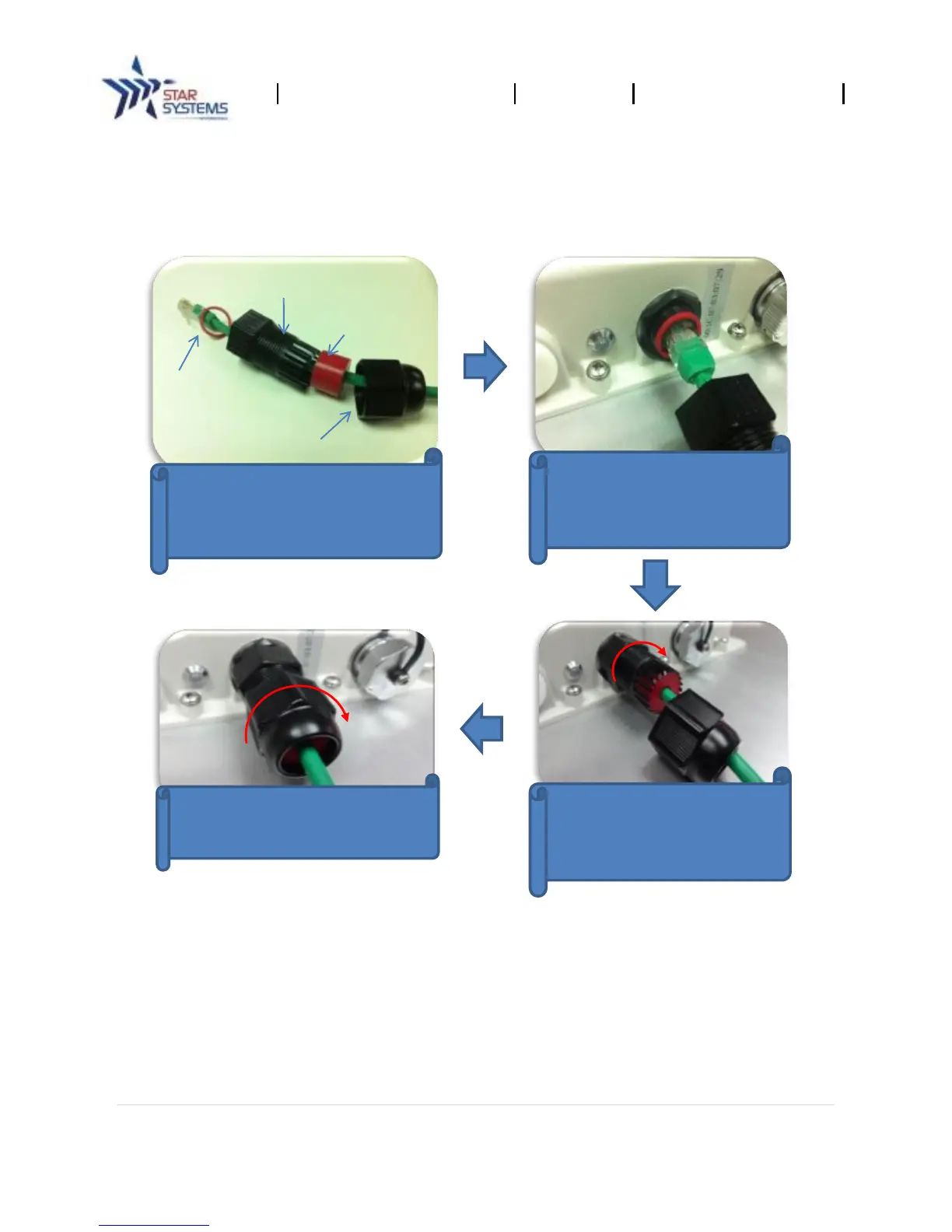
Procedure for connecting the Ethernet cable to the Procyon:
The reader may be setup through two methods: via the PoE switch or by connecting directly to the
host computer.
By PoE Switch
1. Connect the reader to a PoE switch with a full feature category 5e Ethernet cable.
2. Connect the host computer to the PoE switch via an Ethernet cable (see diagram on pg. 5).
Install waterproof cable shield
components around the Cat5e
Connect the Cat5e cable to
connector. Ensure the rubber
O-ring is placed properly as
shown.
shield to reader’s connector
by turning it clockwise along
Lock the 2
nd
stage cable shield to
the 1
st
stage cable shield by


 To Next Page