16 | P a g e
3. Click on “Save.”
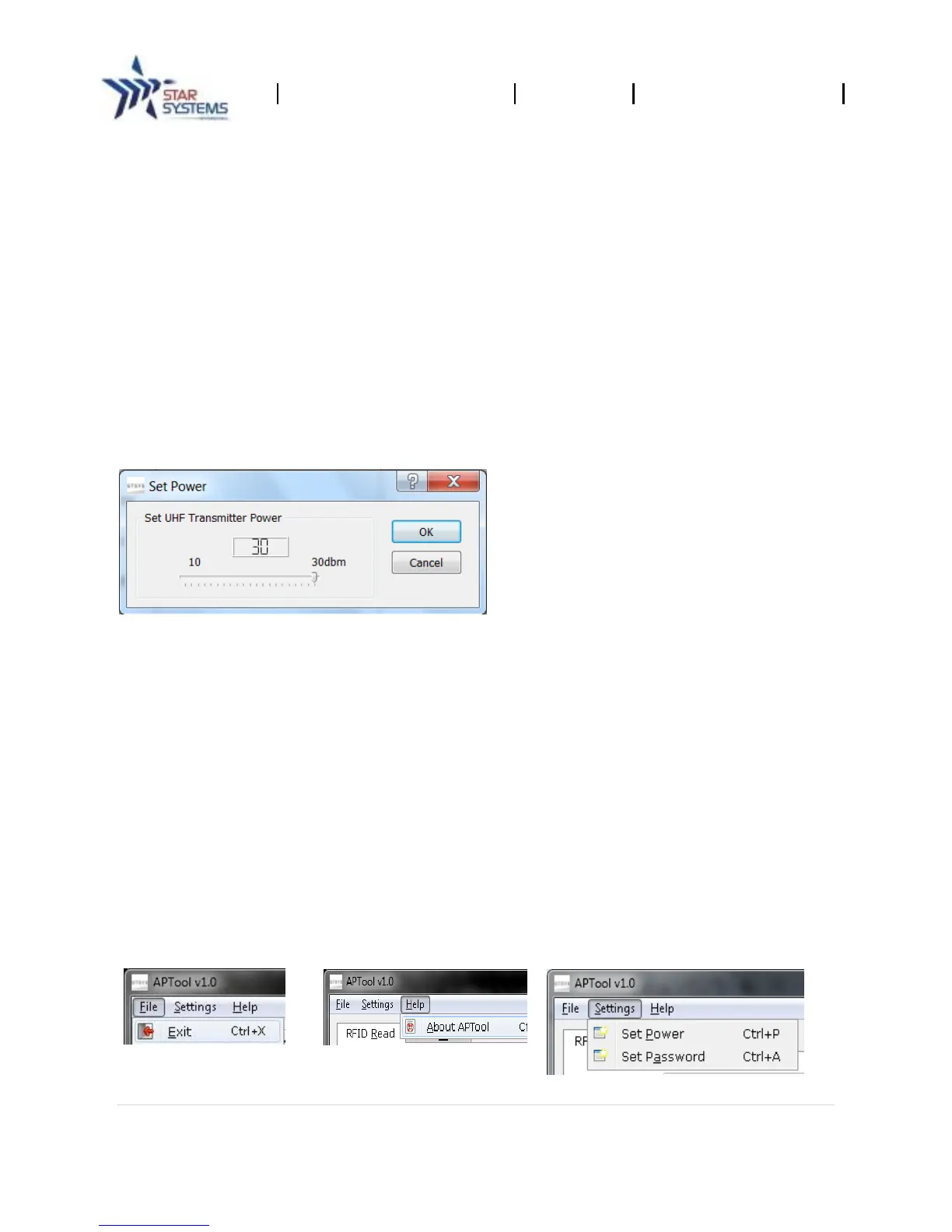
5.4 Set Power Dialogue
Depending on the environment and the RFID tag in use, you need to adjust the power setting of the
reader's amplifier to read and write successfully.
Set Power Level
Note: High power values may not necessarily give a positive effect to the read/write results –
it is recommended to move in small increments from low (min) to high (max) power values to
find the optimal setting.
1. Select “Settings->Set Power” from the top menu bar.
2. Use the slide bar to set the power level.
3. Click on “OK.”
Output Power Range
Min = 10 dbm.
Max = 30 dbm.
Stepping = 1 dbm.
5.5 Menu
Reader Control Tool menu and shortcuts.
5.6 Main Menu
Reader Control Tool comes with 3 menu items:
File: * Exit application.
Settings: * Set Power, * Set Password.
Help: * About.


 To Next Page