15 | P a g e
Troubleshooting
If the write fails:
Power setting may be too low.
Please refer to pages 16–14 to adjust the power settings.
Tag may be password protected.
Please refer to page 15.
5.3 Set Password Dialogue
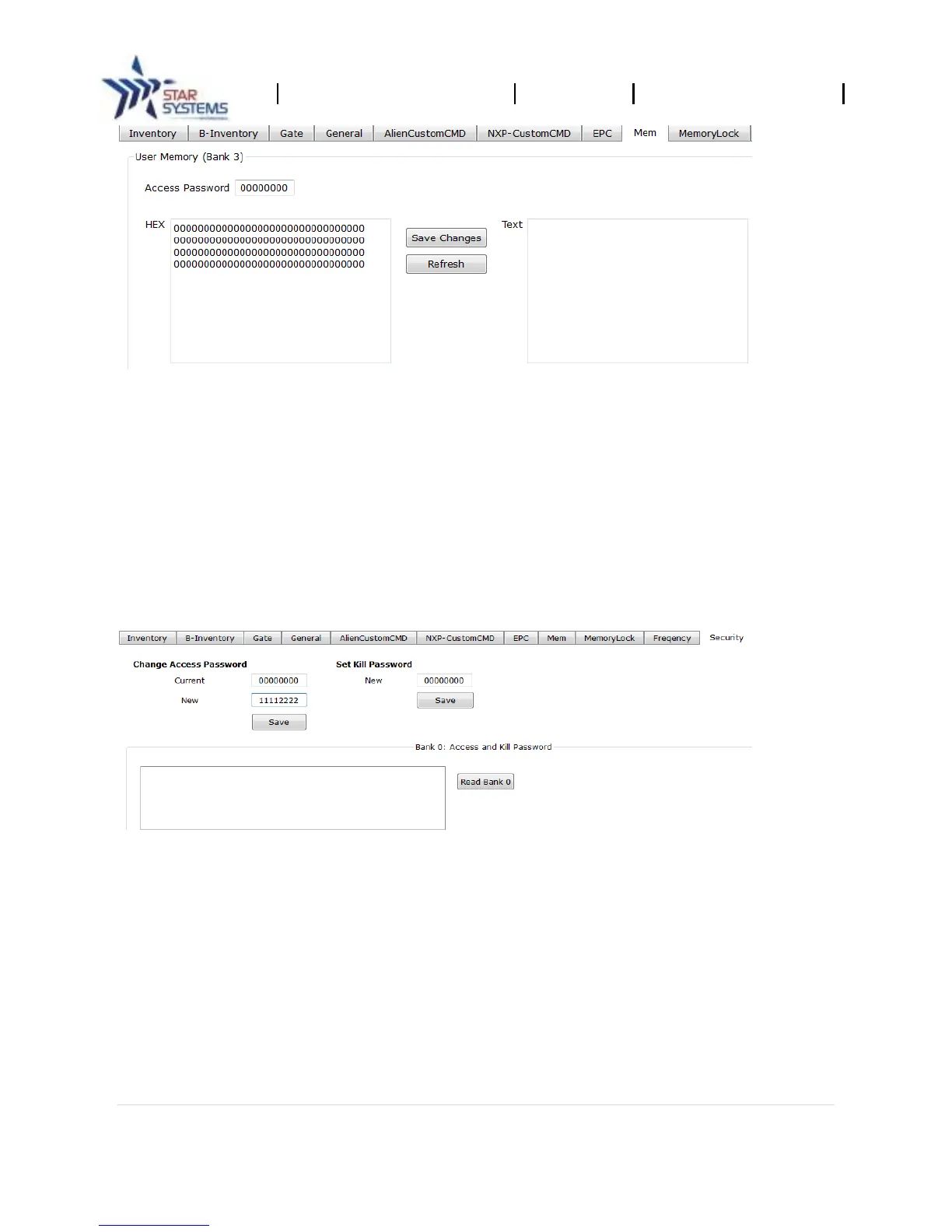
The EPC/Gen2 RFID tags have a feature to protect information with a password. The “Security” tab
allows you set a password while reading or writing onto a RFID tag.
Note: Password input is in hexadecimal charters (0-9, a-f) with a length of 8. The default
value is 00000000.
Password Setup
1. Select “Security” tab.
2. Type a 8 character hexadecimal password in the “New” password field.
3. Click on “Save.”
Password Reset (to default)
1. Select “Security” tab.
2. Type “00000000” into the input line.


 To Next Page