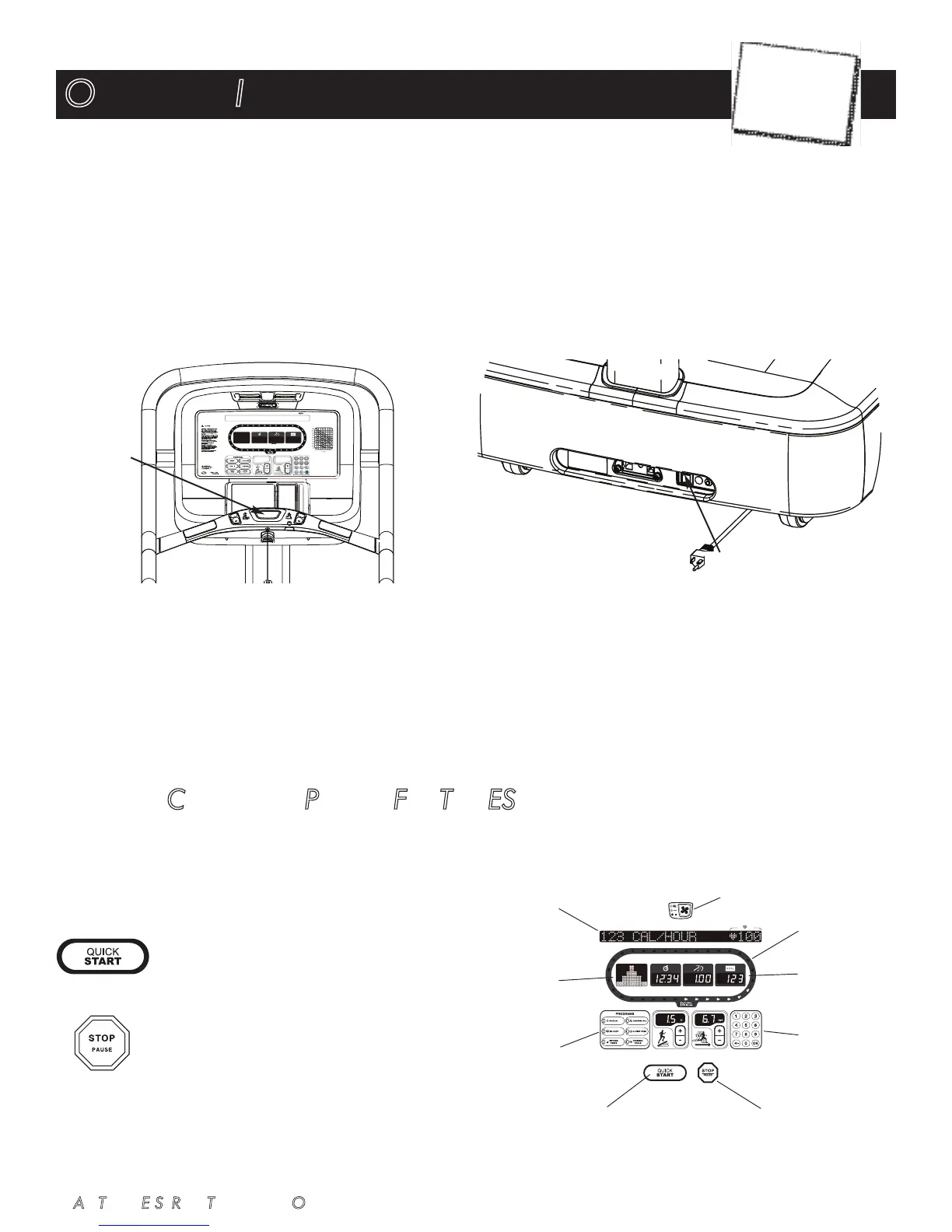
Operating the STAR TRAC E SERIES TREADMILL is very easy. Simply step onto the running belt, press QUICK START, and begin walk-
ing or running naturally.
Learning the features and incorporating the STAR TRAC E SERIES TREADMILL into your members’ fitness programs is just as easy.
In this chapter, you will learn the display function and how to get the most out of every STAR TRAC E SERIES TREADMILL workout.
IMPORTANT: Before operating the treadmill, you must be familiar with the following equipment limitations and safety features.
I
Maximum Weight: Your STAR TRAC E SERIES Treadmill is designed for a maximum user weight of 500 lbs/226 kg. DO NOT
exceed the maximum user weight.
I
Emergency Stop: In case of emergency, press the STOP on the Hot Bar or pull the safety lanyard on the Hot Bar.
I
Immobilizing the Running Belt: To power the unit, set the ON/OFF power breaker to the ON position. To turn the unit off, set the
ON/OFF power breaker to the OFF position. When the unit is turned off, movement of the running belt is prevented.
I
Safety Lockout Feature: Allows you to lock out the treadmill. When the treadmill is locked, the display shows the message
"TREADMILL LOCKED, ENTER ID TO UNLOCK". The user must press "0", enter a 5-digit ID number (default=12345), then press
ENTER to unlock the treadmill. The treadmill will then operate as normal (NOTE: The treadmill will lock back up if it is idle for 30
seconds). Use the LOCK OUT option in MAINTENANCE SETTINGS to enable/disable the lock out feature; use the LOCKOUT ID
option to change the default ID (see Chapter 8).
D
ISPLAY CONTROL PANEL FEATURES
Your STAR TRAC E SERIES TREADMILL is equipped to provide
you and your users unlimited exercise opportunities. Experiment with
its features to find the right combination for your fitness regimen. The
Display panel shown to the right provides the operating controls and
display elements described in the following paragraphs:
QUICK START Key: Starts your treadmill running
belt moving using a default weight of 155 pounds
and a time limit of 99 minutes. QUICK START will
allow you to manually operation of the treadmill
too. The QUICK START key also serves as an
“Enter” key in programming modes.
STOP Key: Pauses your treadmill when pressed
once. Ends your workout when pressed twice.
OPERATING INSTRUCTIONS













 To Next Page