After having used your STAR TRAC E SERIES TREADMILL for many workouts, you may wish to change some of its settings.
M
ANAGER MODE
The Manager Mode allows you to query and modify the basic settings of your treadmill. To enter Manager Mode:
1. Press and hold the , , and keys together.
2. A beep will sound and “MANAGER MODE” will display momentarily in the Information Window.
3. Release the keys. “MCI VX.XX CKSM XXXX” will display in the Information Window.
NOTE: The system will automatically exit Manager Mode if no key is pressed for 30 seconds.
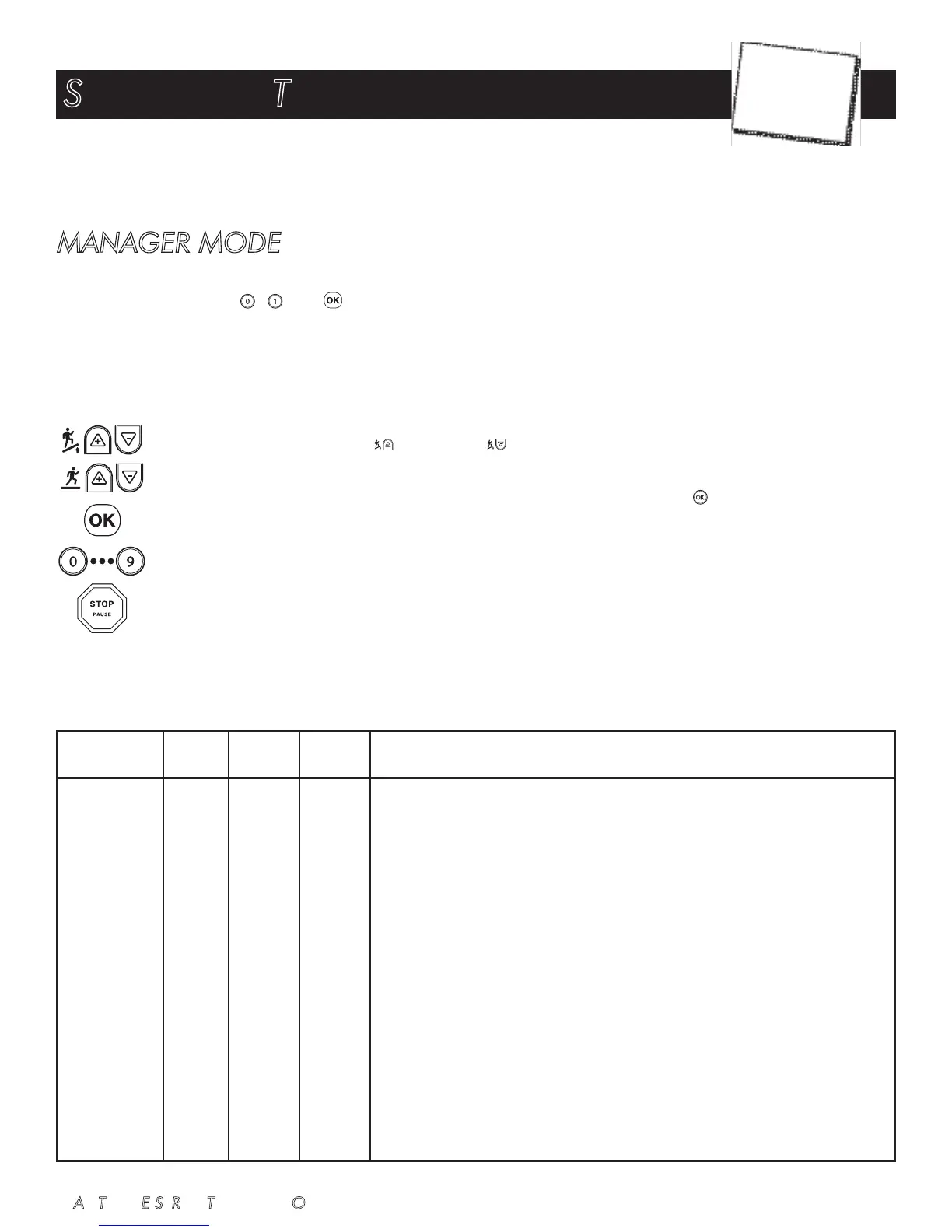
The following keys are available in MANAGER MODE:
Incline Keys: Displays the next and previous parameter, respectively. Keys will repeat if held.
Speed Keys: Adjust the value of the displayed parameter up and down, respectively, in increments of 1 unit or 0.01
unit, as appropriate for the parameter. These keys do not save the new value - see Key below.
OK Key: Updates (saves) the value of the displayed parameter in Flash memory. Alternatively, the START key may be
used (see above).
Number/Program Select Keys: Enter new data item values for numeric parameters.
Stop Key: Exits Manager Mode and restarts the treadmill greeting.
The items that you may display and change with the previous keys are:
SETTINGS AND TESTING
STAR TRAC E SERIES TREADMILL OWNER’S MANUAL 37
Lowest Default Highest
Item Value Value Value Meaning
MC1 V X.XX N/A N/A N/A Display’s primary processor software version and checksum.
MC2 V X.XX N/A N/A N/A Display’s secondary processor software version and checksum.
SERIAL NO 0 0 65,535 Treadmill serial number.
UNITS - English - English = units of pounds, miles, hours, minutes, seconds, feet, inches;
Metric = units of kilograms, kilometers, hours, minutes, seconds, centimeters.
TIME 5 99 99 Maximum time in minuts allowed for program, including warm-up.
WEIGHT 1 155/70 500/226 Default (to user), typical weight in lb (UNITS=English), or kg (UNITS=Metric).
LANGUAGE - English - Language in English, Dutch, French, German, Portuguese, Spanish, Swedish,
Italian or Katakana.
METS OFF OFF ON ON=METS display enabled.
OFF=METS display disabled.
PAUSE 30 45 120 Pause duration during a program, in seconds, either 30, 45, 60, 90 or 120.
AUTO FAN OFF ON ON Turns ON the fan 1 minute into the program.
ELEVATION OFF ON ON ON=Elevation function enabled.
OFF=Elevation function disabled.
CHAPTER
6













 To Next Page