Audio settings for Group Telepresence
Audio settings for Group Telepresence
The StarLeaf Portal allows configuration of Group Telepresence audio settings.
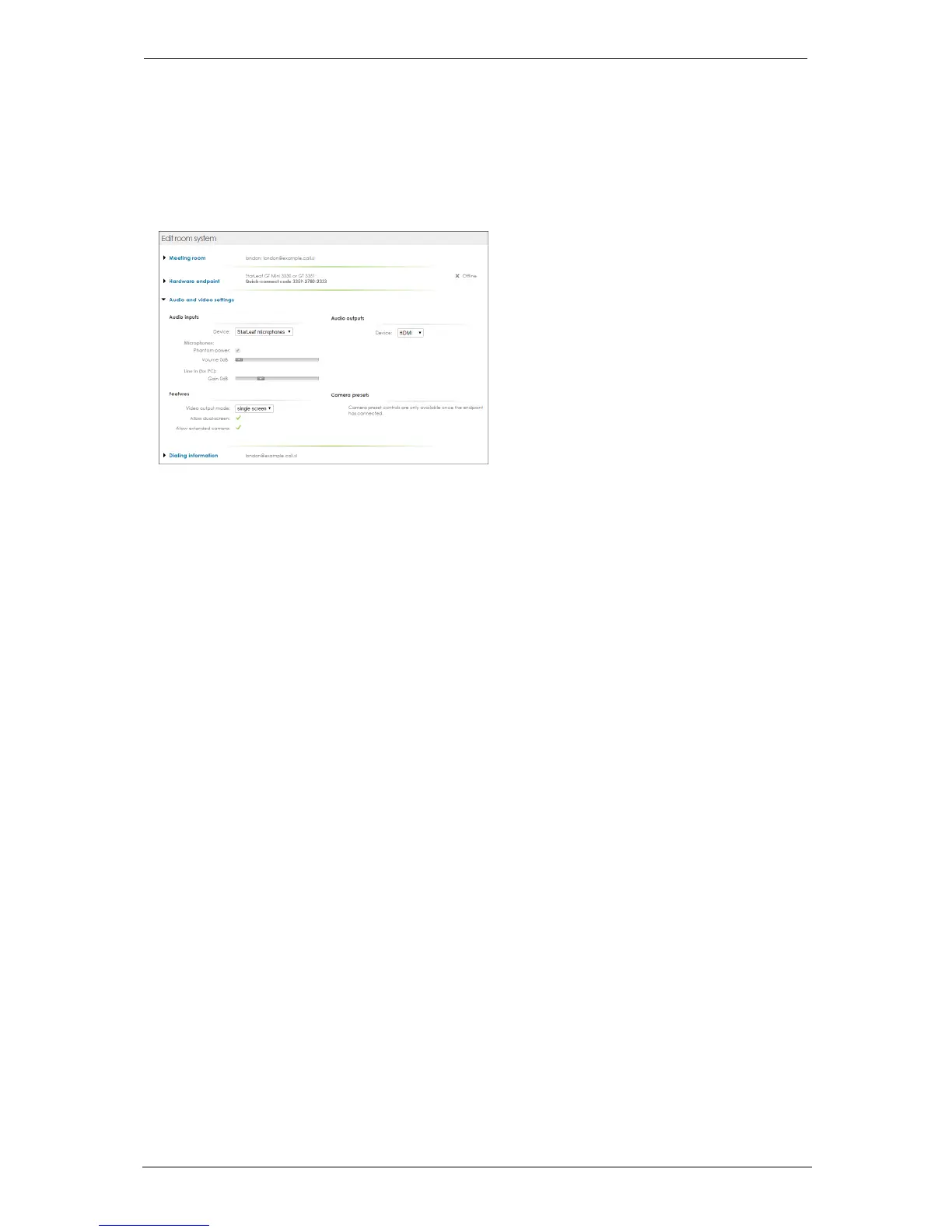
To view audio settings, log in to the Portal and view the room system page for the Group
Telepresence system. The audio settings are in the section: Audio and video settings
shown below:
Microphone settings
StarLeaf microphones
If you are using StarLeaf microphones, choose Audio inputs > Device > StarLeaf
microphones. Do not alter other settings unless there is a particular problem:
n
Phantom power is required and cannot be configured for StarLeaf microphones.
n
Volume 0dB: The volume setting adjusts the loudness of the people who are in the
same room as the microphone, as heard by the other participants in the call. The
recommended setting is 0dB or 6dB. Only use 12dB in very large rooms or under
guidance from StarLeaf Support.
3rd party XLR microphones
If you are using 3rd party XLR microphones, choose Audio inputs > Device > 3rd-party
microphones.
n
Phantom power: Phantom power is a way of providing power to a microphone. The
StarLeaf GT Mini 3330 and Group Telepresence 3351 both offer phantom power through
each of its XLR connectors for use by active microphones, such as the StarLeaf
Microphone. The phantom power supply can be enabled or disabled here. It is
compatible with active microphones, which are designed for 48V phantom power. If
you are using a third-party microphone, refer to your microphone's documentation to
discover whether or not you need to provide phantom power
n
Volume: The volume setting adjusts the loudness of the people who are in the same
room as the microphone, as heard by the other participants in the call. For the volume,
the recommended setting is 0dB or 6dB. Only use 12dB in very large rooms or under
guidance from StarLeaf technical support
n
Gain: Using this setting alters the gain on the XLR connectors on the Group
Telepresence system
StarLeaf GT Mini, 01 February 2018 Page 18 of 31



 To Next Page