StarLeaf
Controller
Only
USB 2
USB 1
PoE
PoE++
Network
Power
DATA PWR
OUT
DATA IN
StarLeaf
Controller
Only
Network
Use with any Group Telepresence or GT Mini system.
Note: Do not use crossover network cables
(Included w
i
th Co
n
ference Pho
n
e)
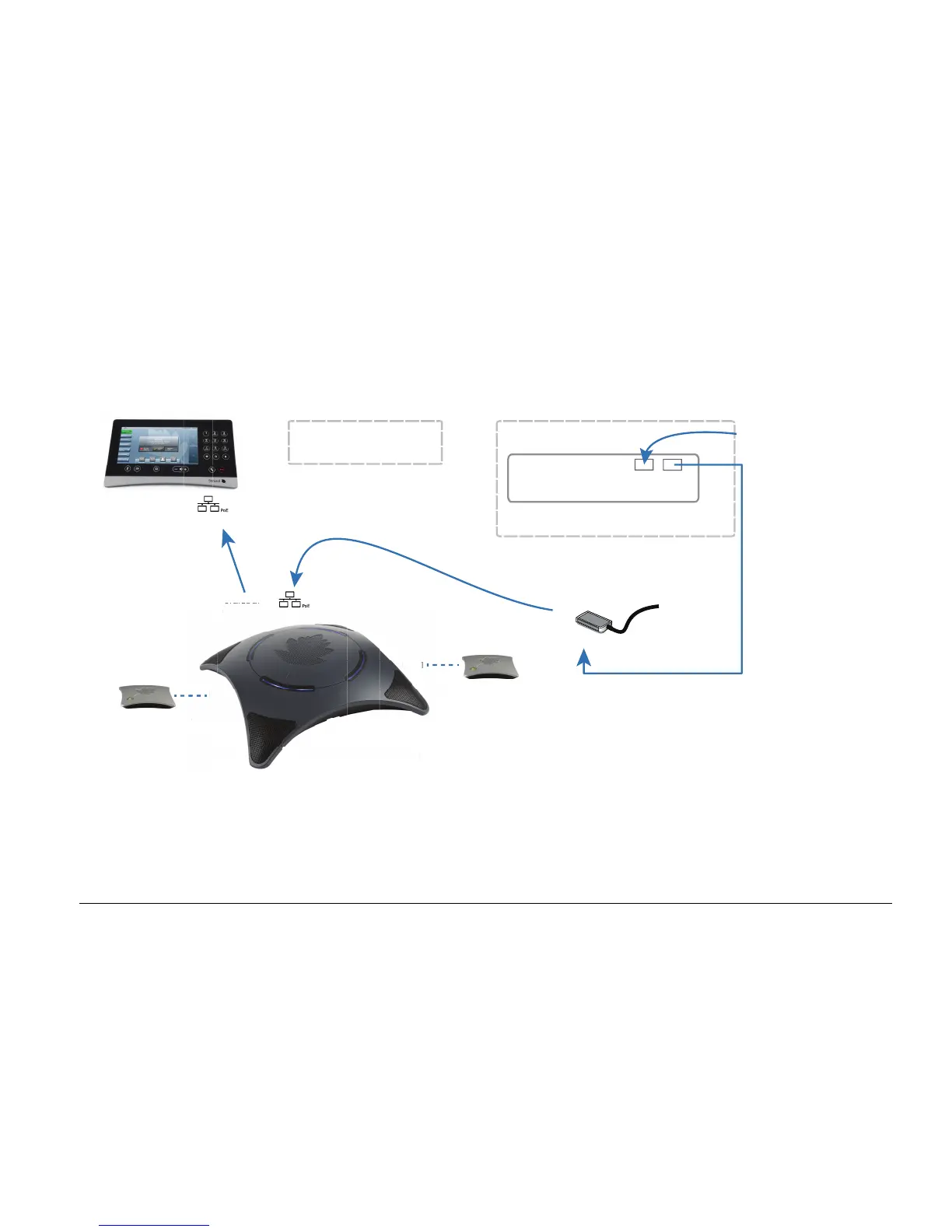
Room system and network connection
Touch 2035
PoE++ Power Injector
Conference Phone 2220
The recommended distance
between Touch 2035 and
Conference Phone 2220 is
at least 50cm (20”).
Tip: Mute/Unmute the
Conference Phone by touching the
illuminated panels
Microphone 0155
(Optional)
The recommended minimum
distance between a Microphone 0155
and Conference Phone 2220 is
at least 1.2m (4’).
Microphone 0155
(Optional)



 To Next Page