6
Installing the Remote Extender
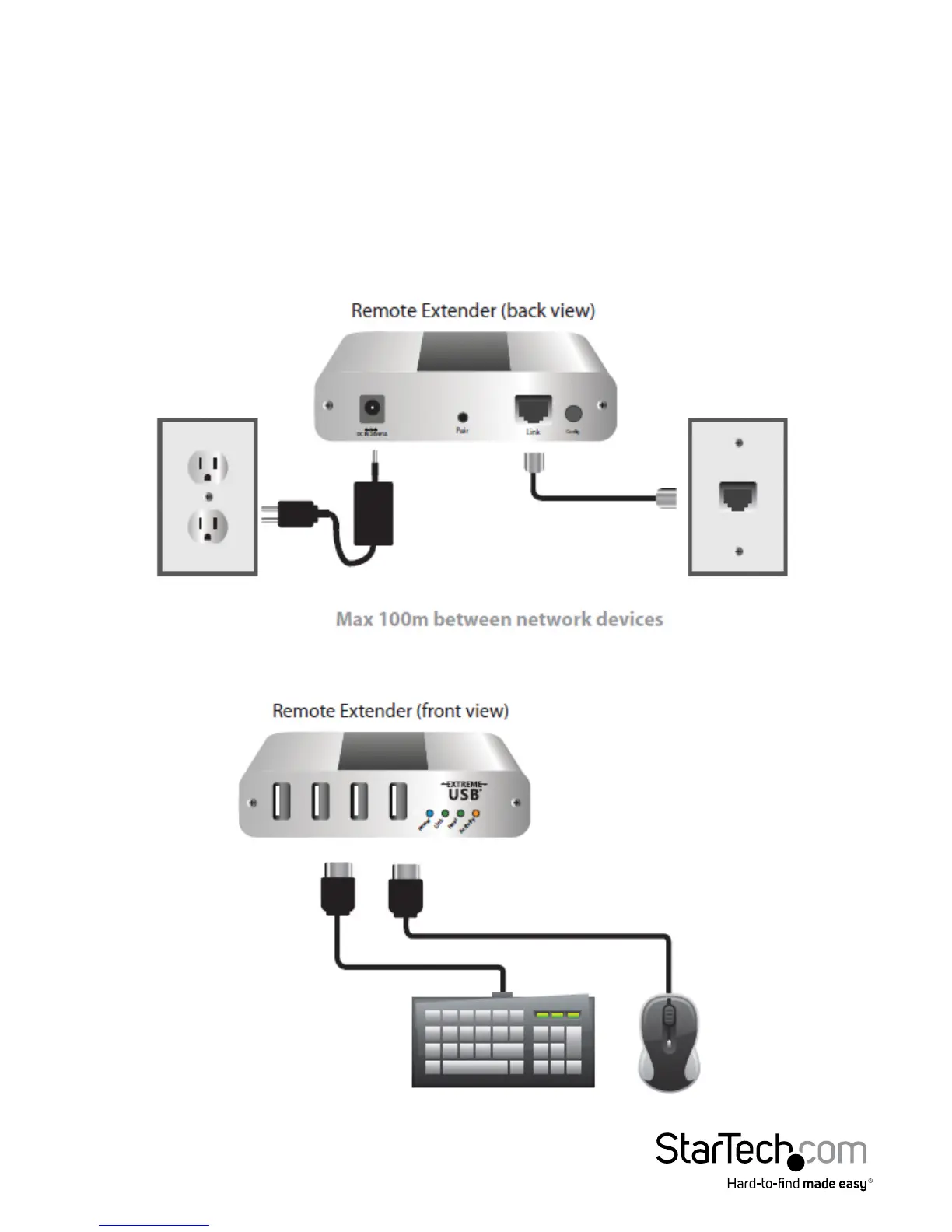
1. Connect a Cat 5e (or better) cable (not provided) into a network switch or wall
network port connected to a switch.
2. Connect the opposite end of the Ethernet cable into the Link port of the Remote
Extender
3. Place the Remote Extender near the USB device(s).
4. Connect the provided power adapter to an available AC power outlet, and to the
Power port of the Remote Extender.
5. Attach your USB device(s) to the Remote Extender.


 To Next Page