6 CI1 Operation Manual
Introduction
English
Introduction
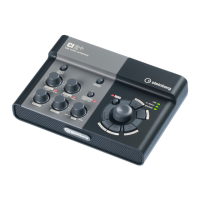
Thank you for your purchase of the USB AUDIO INTERFACE CI1. The CI1 is a highly intuitive, indis-
pensable aid in recording. Simply install the included software, then connect the CI1 to your com-
puter via USB-and enjoy a simple yet powerful environment for complete music production.
Please read the Operation Manual (this book) so that you can take full advantage of its superlative
features and enjoy trouble-free operation for years to come. Also keep it in a safe place for future
reference.
Features
USB bus-powered
The CI1 can be simply connected to a USB ter-
minal on your computer and can operate on
USB bus power.
Phantom power (+48V) can be
used
Phantom power can be supplied to two analog
input jacks (XLR type).
Compatible with Core Audio
(Mac OS X) and ASIO/WDM
(Windows)
Using with a Core Audio/ASIO compatible DAW
software application such as Cubase helps to
reduce latency (sound delay).
Sequel LE/WaveLab LE DAW
Software Supplied
Sequel LE/WaveLab LE software, included in
this package, offers versatile, high-performance
hard-disk recording capability, editing, sound
shaping, and mastering.
Package Contents
The CI1 package contains the following items.
After opening the CI1 package, make sure that
it includes all of the items listed below.
•CI1
• CI1 Operation Manual (this book)
• TOOLS for CI1 CD-ROM
• STEINBERG SOFTWARE PACKAGE FOR CI1
DVD-ROM
•USB Cable
NOTE
For Sequel LE/WaveLab LE, documentation is sup-
plied as a file. You can open this file by selecting the
corresponding option on the [Help] menu of Sequel
LE/WaveLab LE.
To view PDF files, you need to install Adobe Reader on
your computer. You can download the latest version of
Adobe Reader at the following website.
http://www.adobe.com/products/reader/



 To Next Page