CI1 Operation Manual 9
The Controls and Connectors
English
The Controls and Connectors
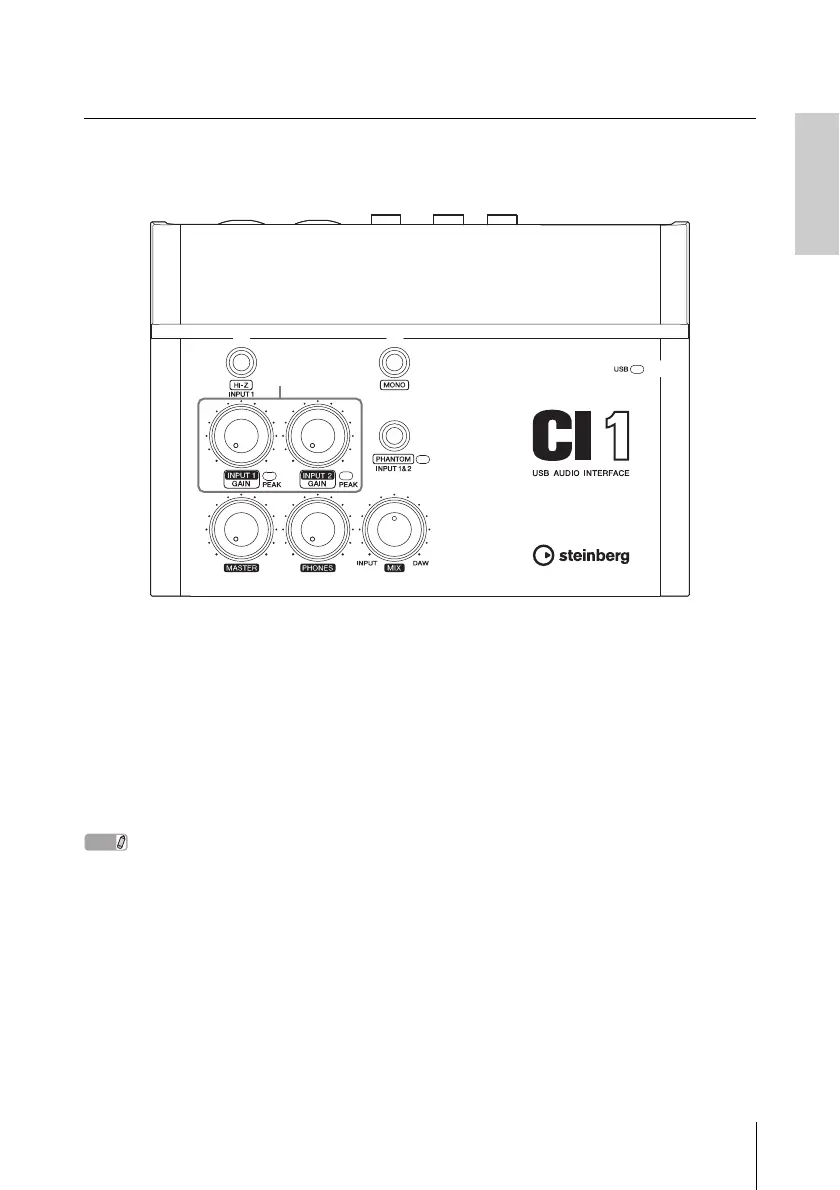
Front Panel
1 [HI-Z INPUT 1] button
This button switches the HI-Z on (O)/off (N)
for the analog input jack 1. When directly con-
necting an electric guitar or electric bass that
has passive pickups and no built-in preamp to
the analog input jack 1, turn the [HI-Z] button
on.
• Use an unbalanced phone cable when you connect
an electric guitar or electric bass and turn the [HI-Z]
button on. If you use a balanced cable or an XLR
cable in such a case, this device will not work cor-
rectly.
• If no device is connected to analog input jack 1, turn
this button off. Otherwise noise may occur.
2 [MONO] button
This button allows analog input jacks 1 and 2 to
be used either as separate mono channels or as
a stereo pair. When the button is on (O), analog
input jacks 1 and 2 function as independent
mono channels feeding both the L and R LINE
OUT jacks. It is used to monitor the sound of
the microphone or guitar connected to the ana-
log input jack 1 in the center of the monitor
speakers. When the button is off (N), analog in-
put jack 1 and 2 function as a stereo pair: the
analog input jack 1 signal feeds the L LINE
OUT jack and the analog input jack 2 signal
feeds the R LINE OUT jack. Switching this but-
ton on/off does not affect the signal sent to the
computer.



 To Next Page