Software
UR-RT4 / UR-RT2 Operation Manual 18
3 REV-X Time
Adjusts the reverb time of REV-X. This parameter links to
Room Size. The adjustable range varies depending on the
REV-X type.
4 REV-X Send Source Select
Indicates the send source signal which is sent to REV-X.
The UR-RT2 is Mix 1 L/R only.
5 REV-X Send Source
Indicates the signal which is sent to REV-X.
6 REV-X Return Level
Indicates the return level of REV-X.
7 REV-X Return Level Knob
Adjusts the return level of the selected (highlighted)
signal.
Range: - ∞ dB − +6.00 dB
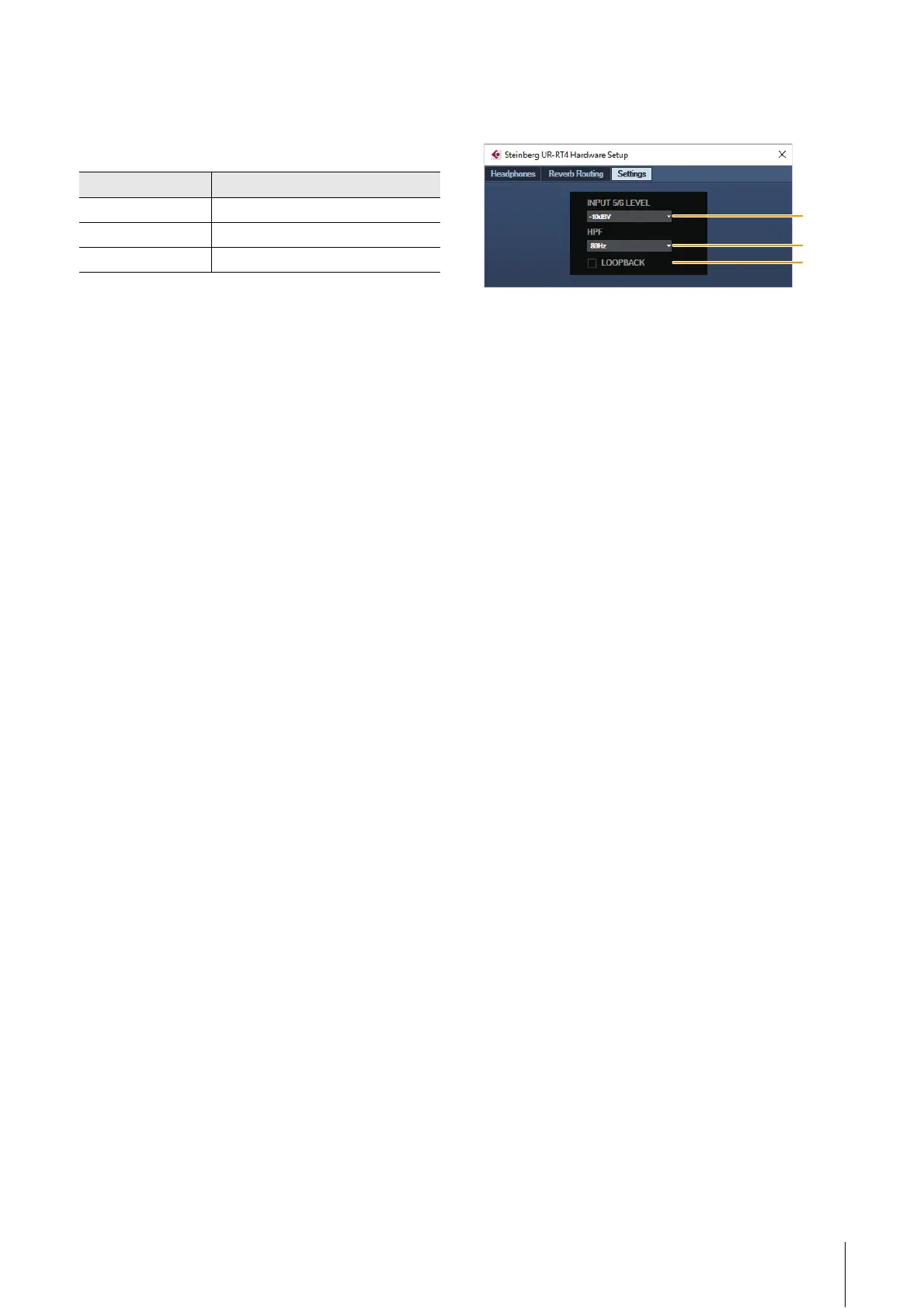
Settings Windows
This window is for configuring the device settings.
1 INPUT 5/6 LEVEL {INPUT 3/4 LEVEL}
Selects the input signal of [LINE INPUT 5/6] {INPUT 3/4
LEVEL}.
Options: +4dBu, -10dBV
2 HPF
Selects the cutoff frequency of the high pass filter (not
available on [LINE INPUT 5/6] { [LINE INPUT 3/4] } ).
Options: 120Hz, 100Hz, 80Hz, 60Hz, 40Hz
3 LOOPBACK
Turns the Loopback function on (lit) and off (unlit).
Refer to the “LOOPBACK” in the section “dspMixFx UR-
RT” (page 15).
REV-X type Range
Hall 0.103 sec − 31.0 sec
Room 0.152 sec − 45.3 sec
Plate 0.176 sec − 52.0 sec
1
2
3



 To Next Page