Before Turning on the Power
UR44 Getting Started 3
English
Before Turning on the
Power
Using the UR44 with an
iPad
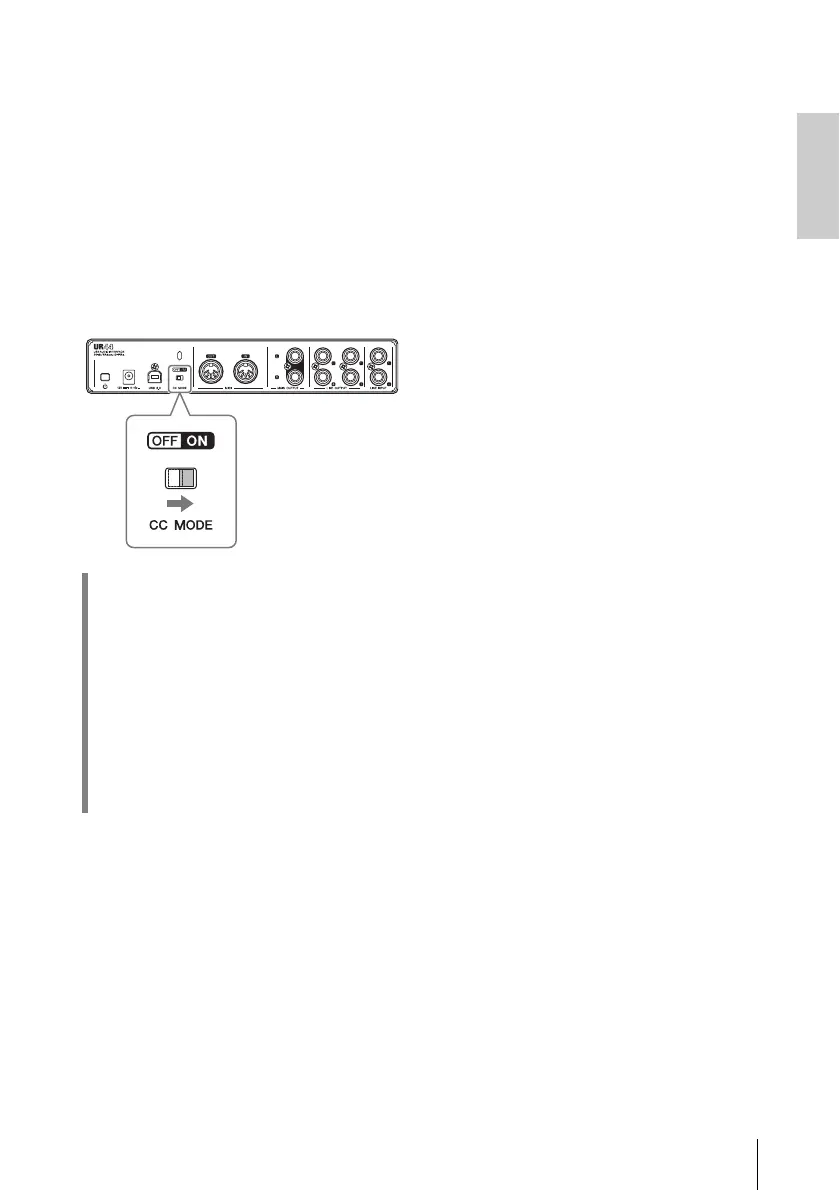
Turn the [CC MODE] switch on.
NOTE
• Switching the [CC MODE] switch is not
necessary when connecting the device to
the computer. A computer can be used
with CC Mode set to either ON or OFF.
• Apple iPad Camera Connection Kit or
Lightning to USB Camera Adapter are
required when connecting the UR44 with
an iPad. For instructions on using the
UR44 with an iPad, refer to the operation
manual.
• For the latest information on compatible
iOS devices, refer to the Steinberg
Website below.
http://www.steinberg.net/
After making the settings above, refer
to the “Supplying power” to connect
the power cable with the UR44.
Please note that the installing TOOLS
for UR44 is not necessary when
connecting the device to an iPad.
HINT
Class Compliant mode
In Class Compliant mode, the UR44
works with the iPad through the
Apple iPad Camera Connection Kit. It
can be used with iOS compatible
music production applications such
as Steinberg Cubasis for convenient
high-quality recording anywhere, at
any time.



 To Next Page