Page 4 | Stellar
®
Large OTR Service Crane Owner’s Manual
Using the Radio Remote:
To operate the crane using the radio remote control:
1. Make certain that the red e-stop button is in the up position (disengaged). On some
models (17000/23000/28000), toggle the Remote/Manual switch to “Remote”. On other
models (9000/13500), toggle the Crane/Stabilizer switch to “Crane” and the Crane
Manual/Crane Remote switch to “Crane Remote”.
2. To start up the remote control, follow the instructions provided in the remote control
manufacturer’s manual.
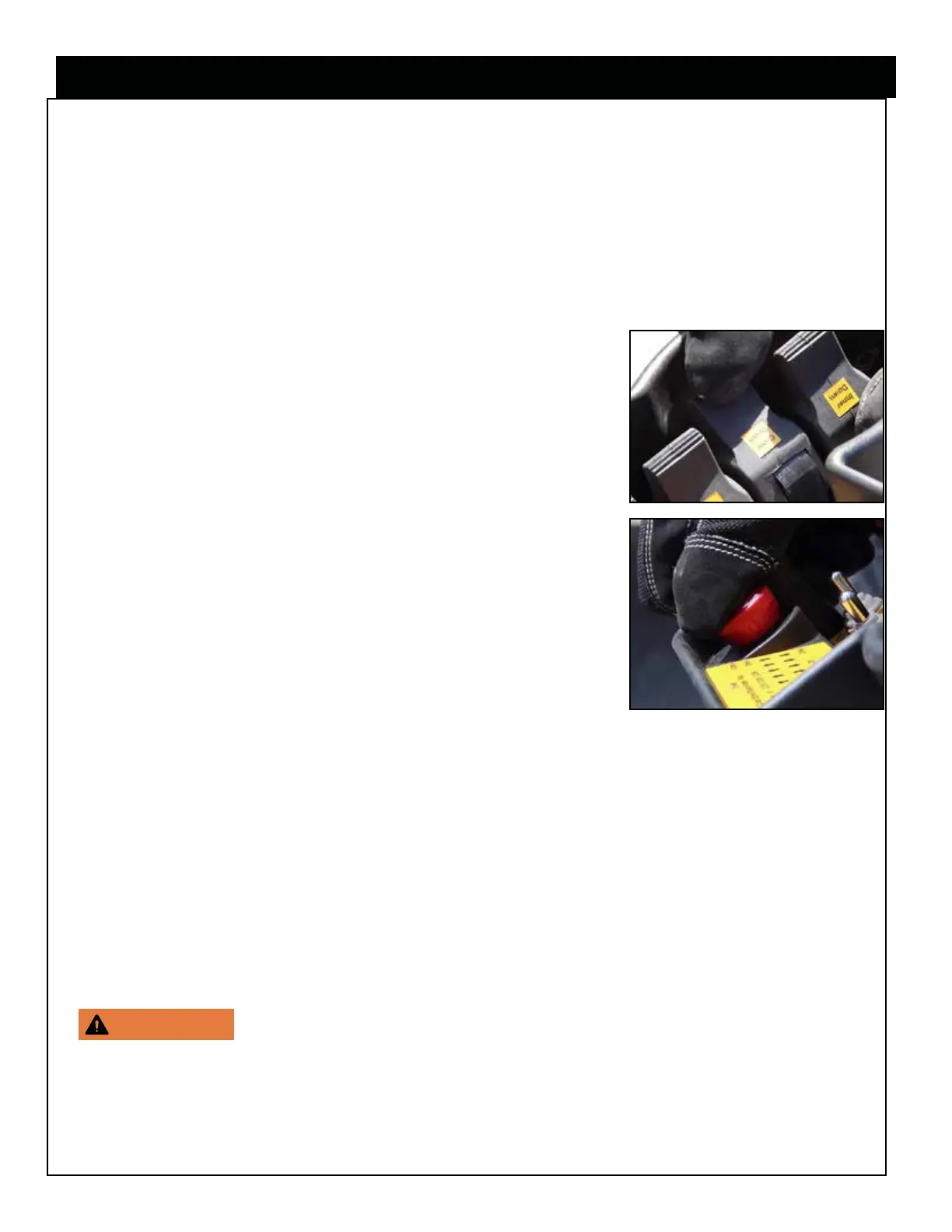
4. To operate the crane, activate and hold the desired paddle
(See Radio Remote Control page for details). The remote
control units for these models operate the crane functions
proportionally by controlling the oil ow entering the control
valve when a specic paddle is activated. The more
you engage the paddle, the faster the crane function will
operate.
Note: The Radio remote control is equipped with an
emergency stop button. If you encounter a situation that you
need to stop the crane functionality immediately, press down
on the red Emergency Stop button.
Operating the Crane:
1. Slowly activate the main boom paddle up to un-stow the crane from travel position.
2. Once the crane is un-stowed, proceed with operating the proper paddles to perform
the service.
Lifting the load:
Consider the following:
• When performing a lift, have the load as close to the ground as possible.
• Never exceed manufacturer’s capacity charts and ratings. These
ratings are based on the machine’s hydraulic, mechanical, and structural design rather
than stability. If there is a tire manipulator attached to your crane, use the manipulator
load chart, as the weight of the unit must be taken into account.
• Center the crane directly over the load to avoid side loading.
Step 5: Operate the crane.



 To Next Page