26 Flex36 Owner’s Manual
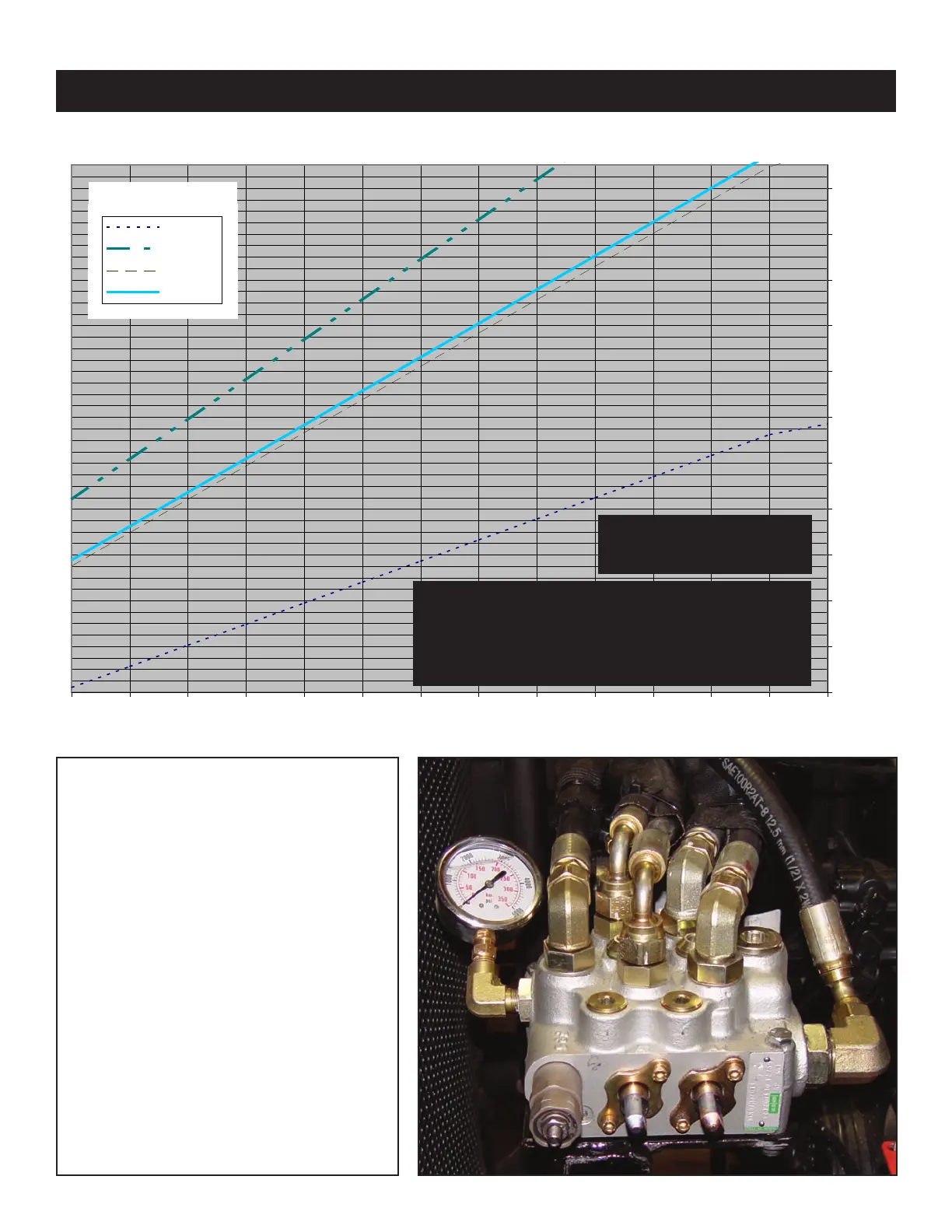
Setting System Relief Pressure
1. Engage the PTO. Run truck at
1300 RPM.
2. Push the red (lift) lever until the
boom bottoms out. Keep pushing
the lever forward until the pressure
is set.
3. Release the jam nut using a 13
mm wrench.
4. Adjust the system r
elief pressure
using 4 mm allen wrench.
5. Once system pressure is set,
tighten the jam nut to lock system
pressure. No per
manent thread
lock may be used
Instruction Overview:
See next page for details.
4500
5500
6500
7500
8500
9500
10500
11500
12500
13500
14500
15500
2000 2200 2400 2600 2800 3000 3200 3400 3600 3800 4000 4200 4400
SYSTEM RELIEF PRESSURE (P.S.I.)
4500
5500
6500
7500
8500
9500
10500
1
1500
12500
13500
14500
15500
2000 2200 2400 2600 2800 3000 3200 3400 3600 3800 4000 4200 4400
SYSTEM RELIEF PRESSURE (P.S.I.)
Table 1.1*
Never Exceed the
Maximum
Pressure of 4200 psi.
Never adjust System Relief Pressure to allow Loader
Capacity to exceed chassis GVW and always per-
form a weight distribution before installation and
after System Relief Pressure adjustments to confirm
Loader Capacity and chassis compatibility.



 To Next Page