17
4 STARTING THE FIRST 3D PRINT PROCESS
Stay alert, watch what you are doing and use common sense when operating a power tool.
Do not use a power tool while you are tired and / or under the influence of drugs, alcohol or
medication. A moment of inattention while operating power tools may result in serious personal
injury.
Use personal protective equipment. Always wear eye protection. Protective equipment will
reduce personal injuries.
Prior to first usage, read the manual of your STEPCRAFT 3D print head thoroughly and
carefully, making sure you have understood everything.
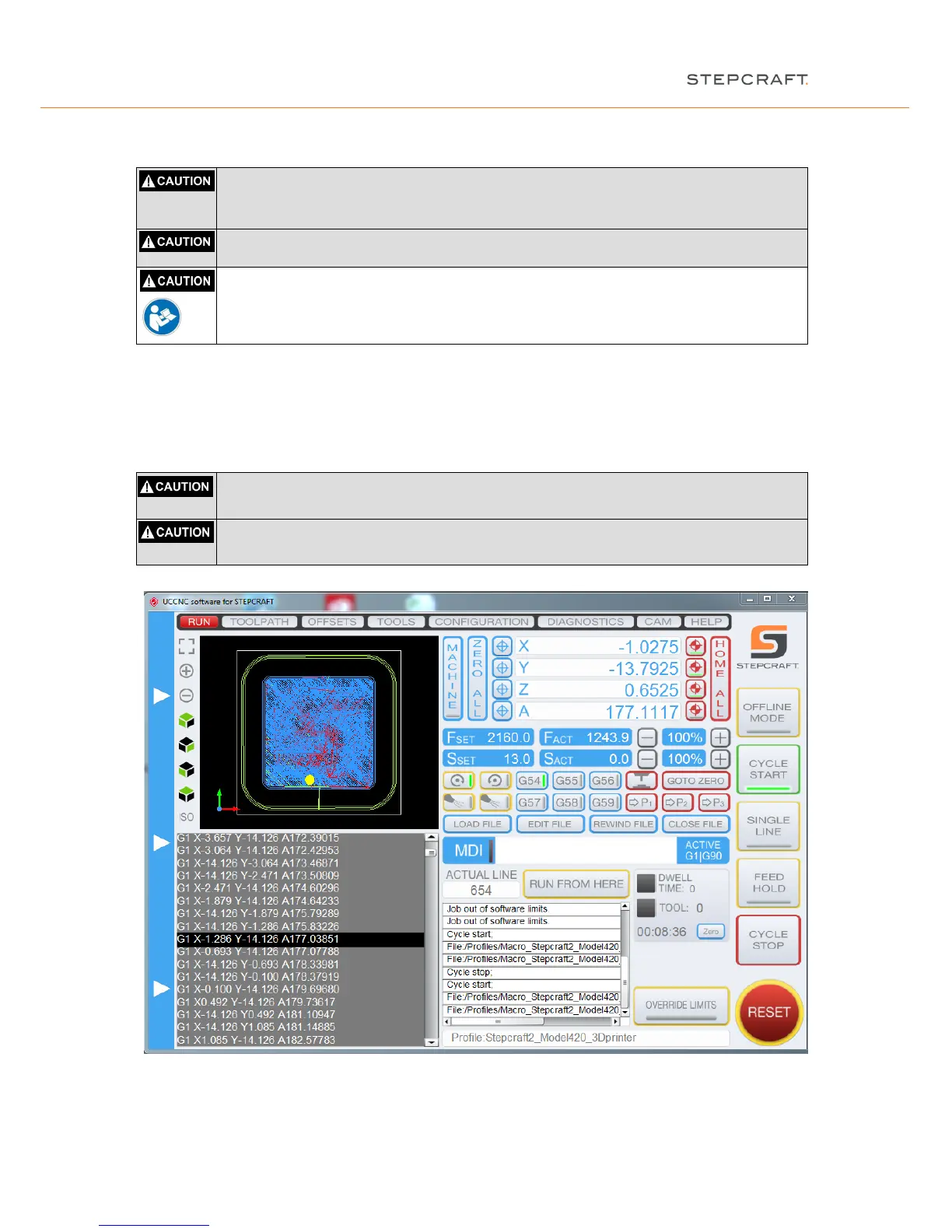
Speed will be automatically controlled by UCCNC. Be aware that the temperature of the 3D print head is
controlled manually and you have to switch off the control unit after the job has been finished.
Now press the “cycle start” button.
The machine moves from the workpiece zero point X = 0.000 and Y = 0.000 to the start point of the first outline
down to Z = 0.300. The manufacturing starts.
Do not reach inside the working area of the 3D print head while it is in operation. Contact
with the moving parts during operation may result in poor build quality, equipment damage or
personal injury.
Do not leave the 3D print head unattended during operation. Use of 3D print head by persons
unfamiliar with these warnings and instructions may result in equipment or property damage and
personal injury.
After completing the work process, the system automatically moves to the workpiece zero point (X, Y) and to the
top Z-axis position. Turn off the 3D print head and move the gantry to the rear end of the desktop system.


 To Next Page