2.5 MANUAL TEST
Please refer to item 2.7 if you are already familiar with the manual jog menu of UCCNC.
If the STEPCRAFT is in status 1/1, it can now be moved manually.
NOTICE: Furthermore, the proper assembly of the machine, according to assembly instruction, is an essential
requirement. Additionally, you need to ensure that the lead screws and the linear axes are greased according to
the maintenance plan of the STEPCRAFT.
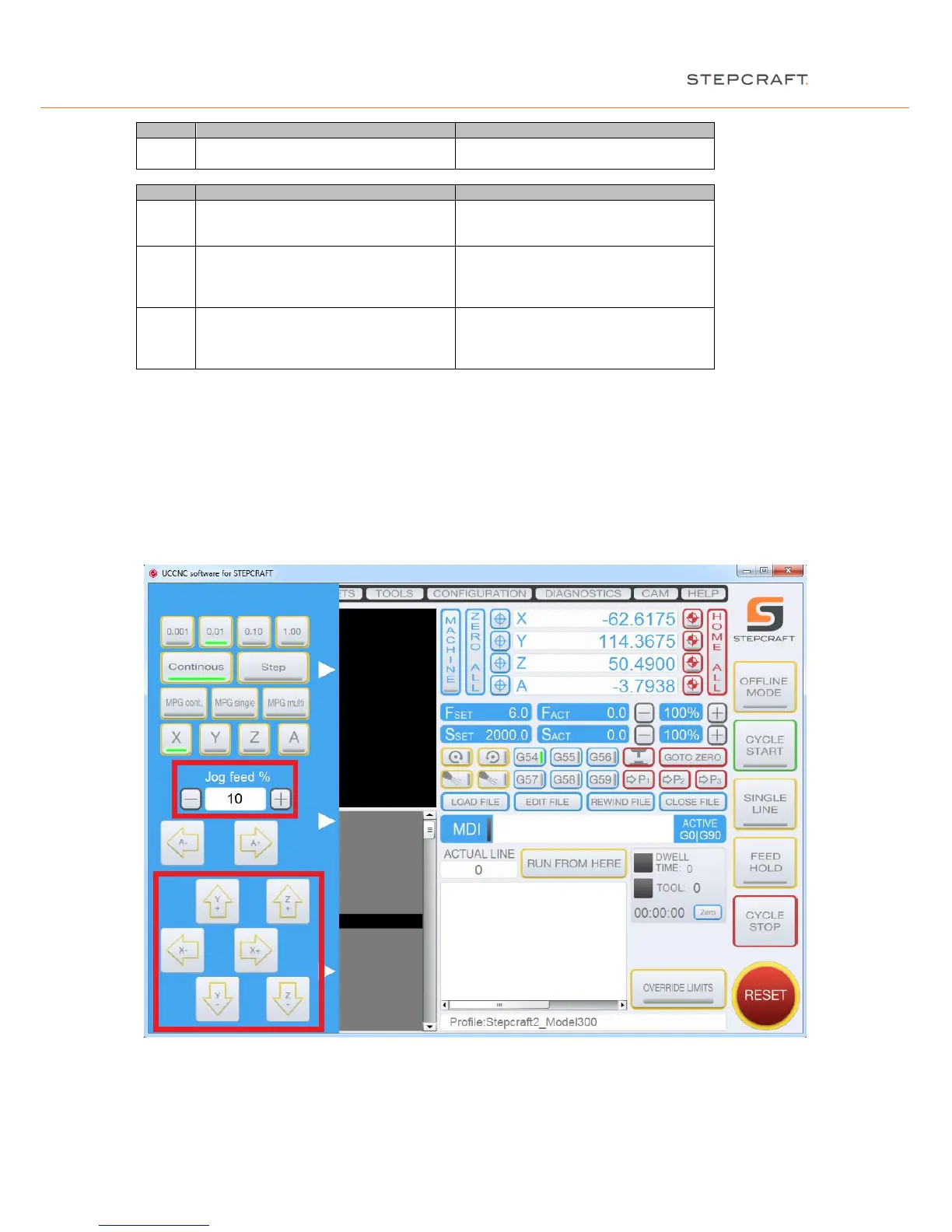
Now open the manual jog menu by moving the mouse pointer to the left side of the main screen:
Move the cursor to the arrow keys and place the machine carefully in the middle of the workspace of the system.
To increase the moving speed you can adjust the jog feed.
Jog feed 10% = 300 mm/s
Jog feed 100% = 3,000 mm/s


 To Next Page