There are two types of radar speed traps: fixed and mobile. The SpotList Alerting described on page 9 can warn you about the fixed radar
locations. Stinger’s Radar Alerting feature*, however, can expertly alert you to both types of radar traps: fixed and mobile. Your Stinger DSI
can utilise the Spectrum Analyzer with patch antenna to recognize police radars at often double the distance that some radar detectors
manage to achieve.
Note: Some countries have taken away your freedom to use the radar alerting functionality. If you travel to a country where radar alerting
is permitted, you can download the appropriate Stinger Operating Software. To assist you with this, please use the Stinger Desktop
application for your Mac or PC (see page 16). On returning to the country where Radar Alerting is not permitted, you can erase this
function again by pressing the OFF button (in the top right corner) and then the ERASE button (the rightmost of the lower four function
buttons). See Page 4 for the ERASE function description.
Radar Alerting offers a choice of three different preferred screens (which you can indicate in Settings > Preferred Screen):
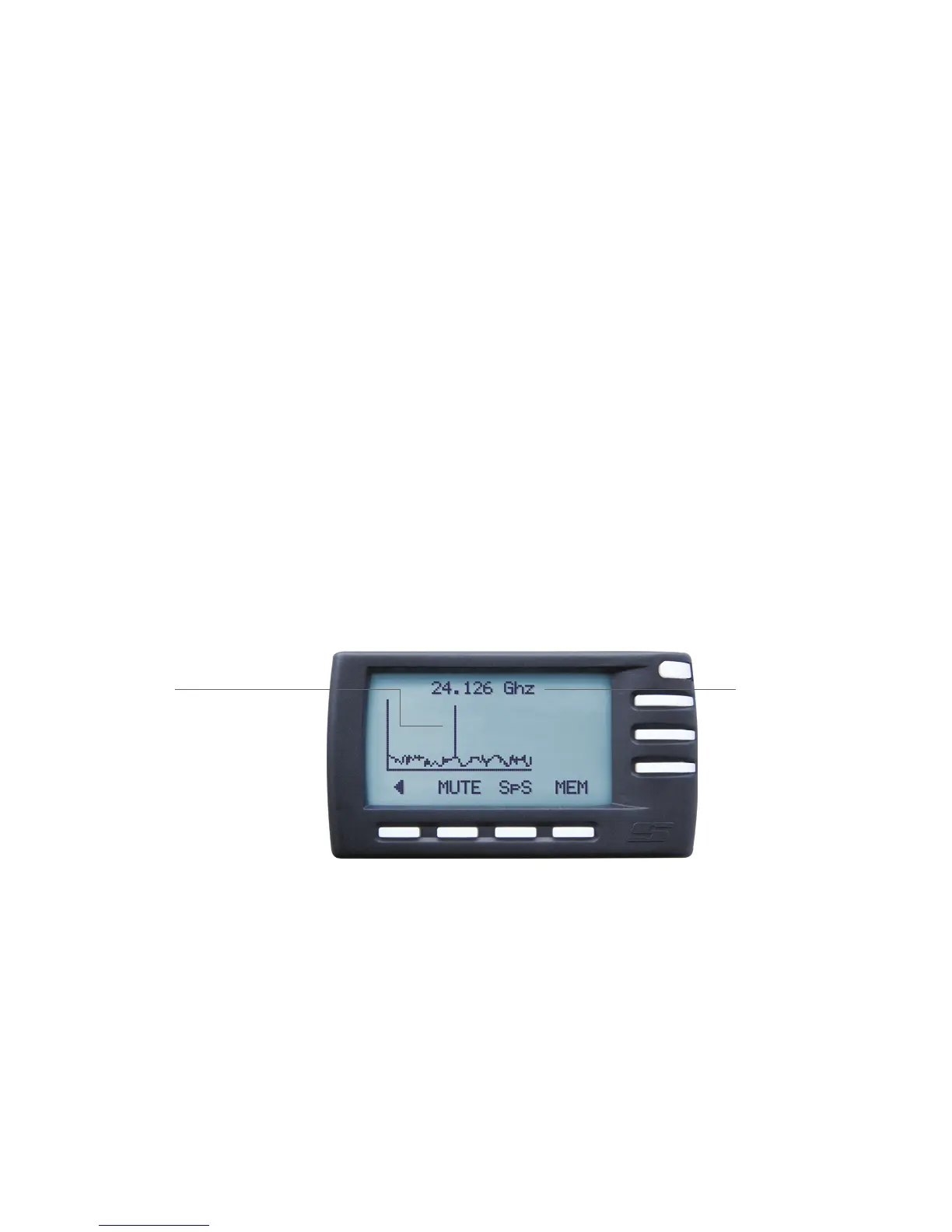
The signal strength
The higher the peak displayed by the Spectrum
Analysis screen, the stronger the signal. The
stronger the signal, the more likely it is to be an
actual trap. Also, the closer to the center of the
graph the peak is, the more likely it is to be police
radar. In this example, it appears to be an actual
speed trap for two reasons: peak height and
signal location.
Spectrum Analysis screen
Exact frequency
Your DSI indicates the exact
radar frequency here – in this
case, 24.126 GHz.
Radar speed traps: Fixed and mobile units
10
*Available where allowed


 To Next Page