Section Alerting warns you of Section Control checks (a.k.a. SPECS or ‘automated VASCAR’) and guides you through them. These checks
use cameras above the road to record your car at point A, regardless of your speed. This is repeated at the end of the route at point B. The
central system therefore knows how long it took you to drive from A to B and will automatically calculate your average speed. The DSI
takes you through the Section Control check with various screens. You will always be aware of when a route begins, what the approximate
remaining length of the route is and what your average speed is at that time.
Be careful: many Section Control checks now also measure your average speed over sub-sections of a route. To offer full information
your Stinger will treat each sub-section as an individual Section Control location.
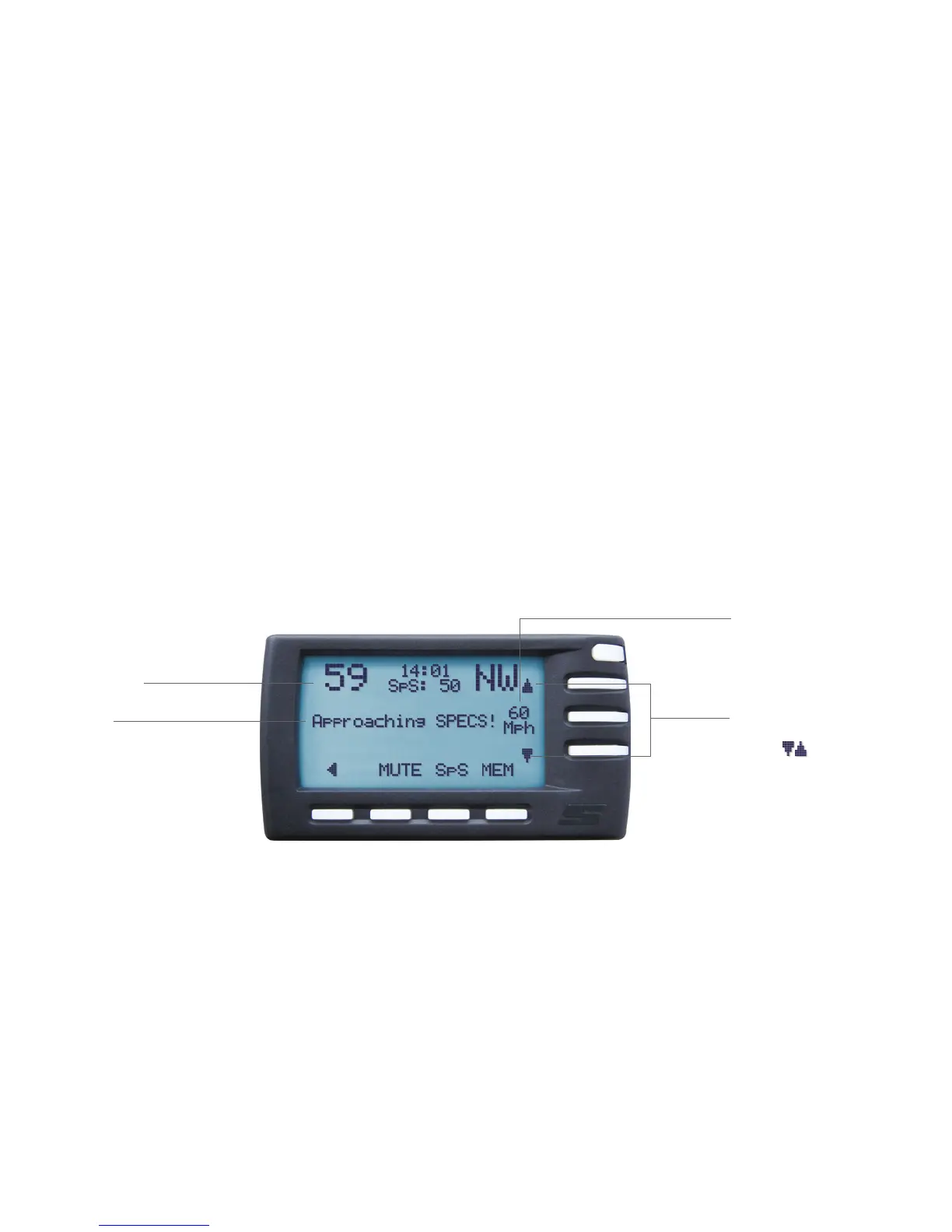
On the Pilot screen, which provides clear visual support, you will see the following screens in the event of a Section Control check:
Current speed
Warning
You will receive a warning when
you approach a Section Control
check.
Speed limit
The speed limit stored in your
Stinger for the particular location.
Notice
Adjust speed
You can adjust the speed limit
using the
Section control
12


 To Next Page