FalseList*
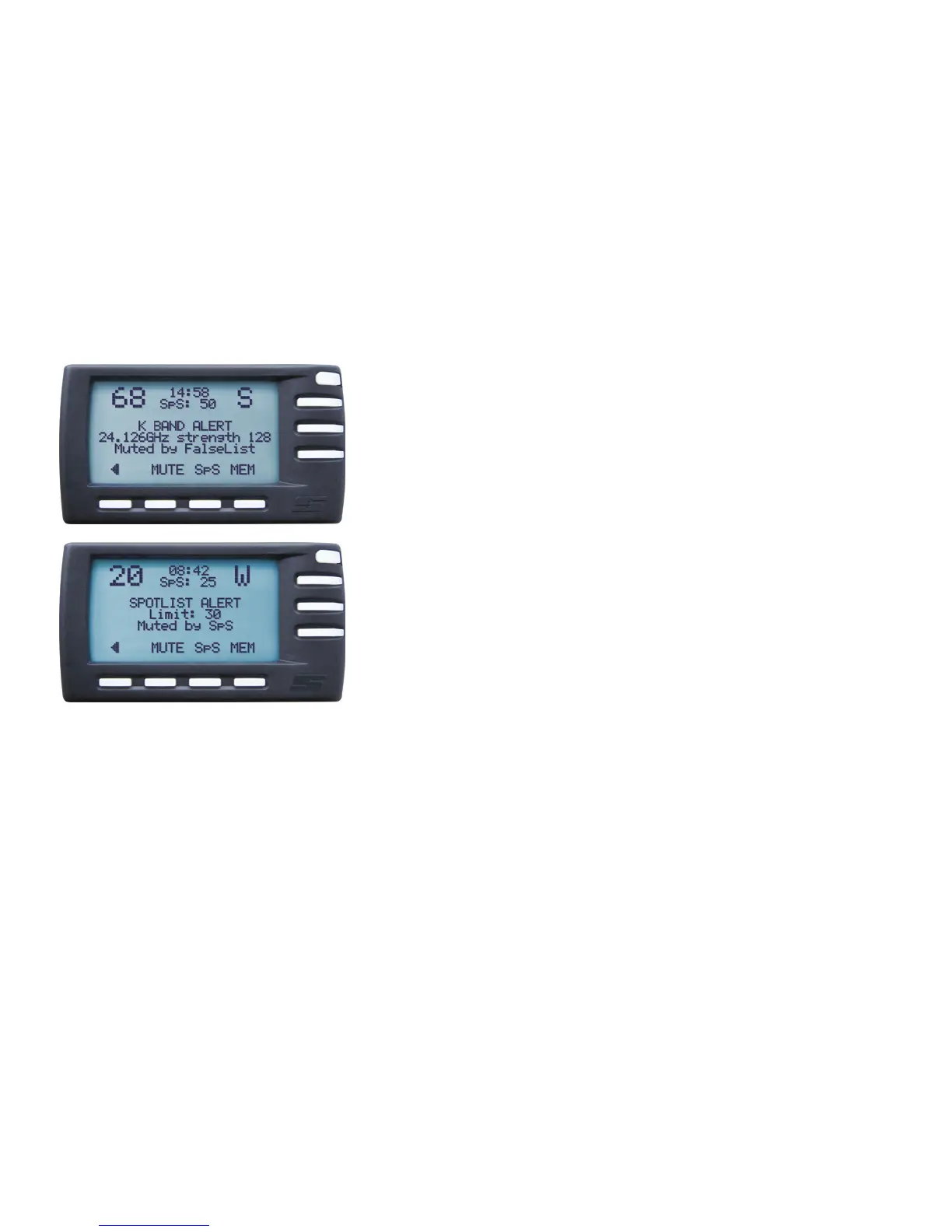
If you receive a false alarm (such as from automatic doors at petrol stations), simply
press the MEM button and you will see a message that this specific signal at this specific
location will be stored in the FalseList database. If you drive past the location again,
you will no longer hear an audio alarm; you will still see a warning on your display
however, indicating that the alarm has been suppressed by FalseList. Your DSI will
still sound an audio alarm in case of a real speed trap at the same location, since the
‘fingerprint’ for that signal will usually differ from the one in the FalseList database.
SpeedSense (SpS)
Of course you could receive an audio alert when you are not likely to exceed any
speed limits. You could for instance be stuck in traffic, be looking for your way
around a business park or simply be searching for a parking spot at a shopping center.
SpeedSense eliminates these by simply letting you indicate the speed below which the
DSI will not give audible warnings.
The accompanying pilot screen indicates that the SpeedSense (SpS) value is 25. Below
25 km/h, therefore, the DSI will not produce audio alerts (but it will indicate them on
your Memory Display screen), keeping things nice and quiet in your car.
You can configure SpeedSense on your DSI under Main Menu > Settings > SpeedSense, in which you can set a ‘high’ and a ‘low’
SpeedSense value. The high value is meant for motorways, the low one for secondary roads (many people set the high value at or around
100 km/h and the low value at or around 50 km/h). If you turn on ‘auto switch’ in the SpeedSense settings, your DSI will automatically
switch from the high to the low value as soon as your actual speed reaches the low SpeedSense value. If you do not turn ‘auto switch’ on,
you will be able to switch from the high to the low value only by pressing the SpS button. Switching up from the low SpeedSense value
to the high value can only be done using the SpS button, whether ‘auto switch’ is on or not.
Suppressing false alerts
16
*Available where allowed


 To Next Page