Many countries within the E.U., and elsewhere, have their own, unique regulations
when it comes to drivers being alerted for or protected from speed traps. Depending
on the country, citizens may or may not have the freedom to receive information
concerning speed traps and to be alerted accordingly. In some countries radar
can be freely picked up, in others it’s made illegal. The freedom to pick up the
information from laser guns, also differs on a per country basis.
In order to offer its products to car drivers throughout the so called “common
market’ of the E.U., and elsewhere, Stinger in certain markets only supplies
versions of the DSI that are incapable of certain functionalities. Radar Alerting and
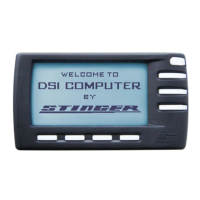
Laser Alerting are not available on this version. When powered up this version of
the Stinger DSI can be easily recognized in the Pilot screen by means of the text
“RADAR ALERTING NOT POSSIBLE”.
Please remember it is your responsibility to know and abide by the law. Therefore,
always thoroughly check local legislation before first using your Stinger DSI. If you are
driving in a country where you do have the freedom to use Radar Alerting and/or Laser
Alerting, you can download and install the software appropriate for that country.
Of course you can later delete this (new) functionality with the touch of a button, in order to easily and completely stay in compliance of
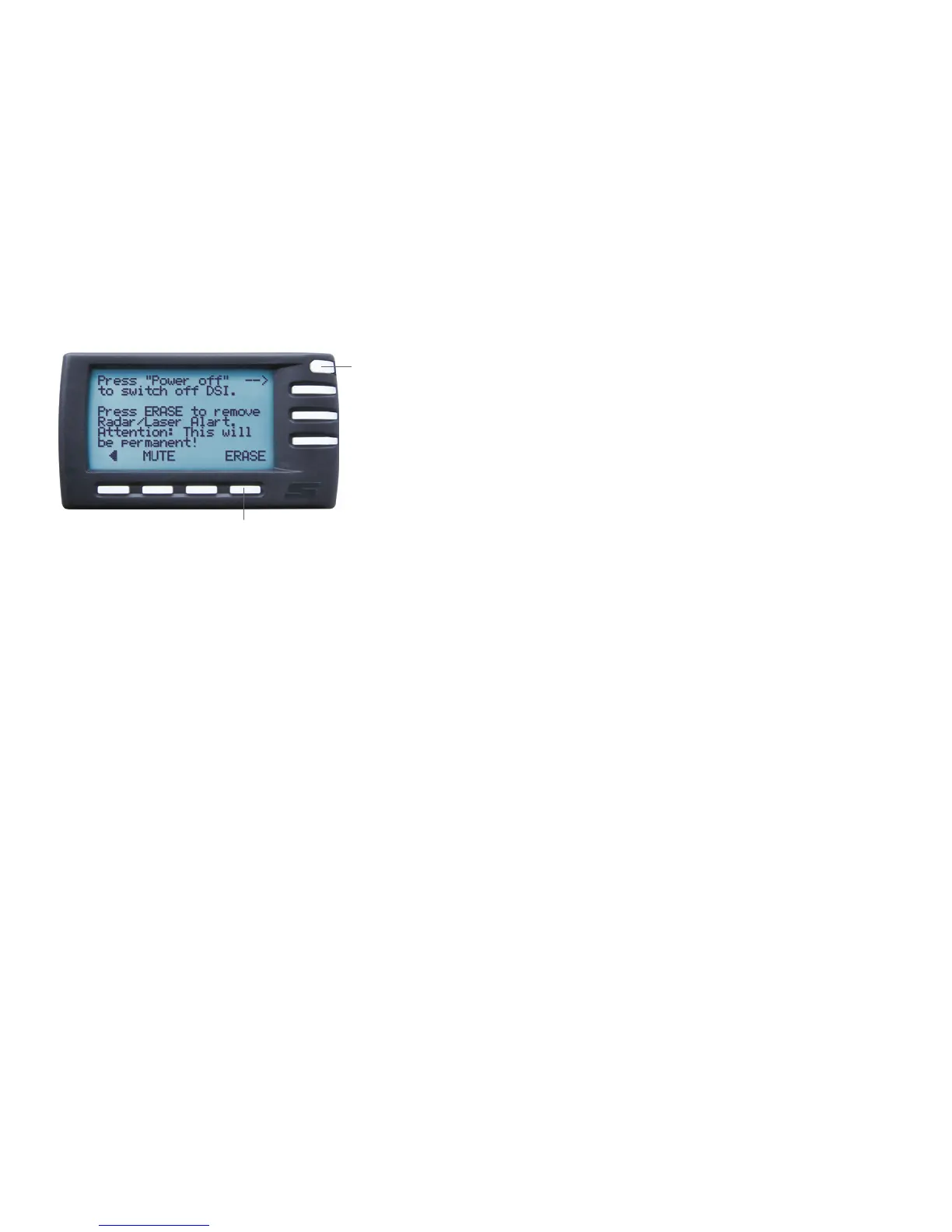
local legislation whenever entering a country that does not allow for Radar and/or Laser Alerting. Erasing is achieved by first pressing the
OFF key. In the subsequent screen just choose ERASE. This will turn your DSI in a version that is incapable of Radar Alerting, Laser Alerting
and LaserShield
®
. A new software download and installation (available where allowed) is required in order to change the version of your
DSI (see page 18).
Note: Under no circumstance does your Stinger constitute a license to exceed the posted speed limits. Alerts from your Stinger serve as
an effective reminder to mind your speed. Always drive responsibly and pay full attention to traffic.
1
2
1. If you are leaving a country where Radar Alerting is
allowed and now drive into a country where that is not
allowed, pressing the OFF button will take you to ERASE
screen.
2. Here, pressing the ERASE button, will immediately erase
the Radar Alerting, Laser Alerting and LaserShield
®
functions – instantly bringing you into compliance with
local regulations.
Legal6


 To Next Page