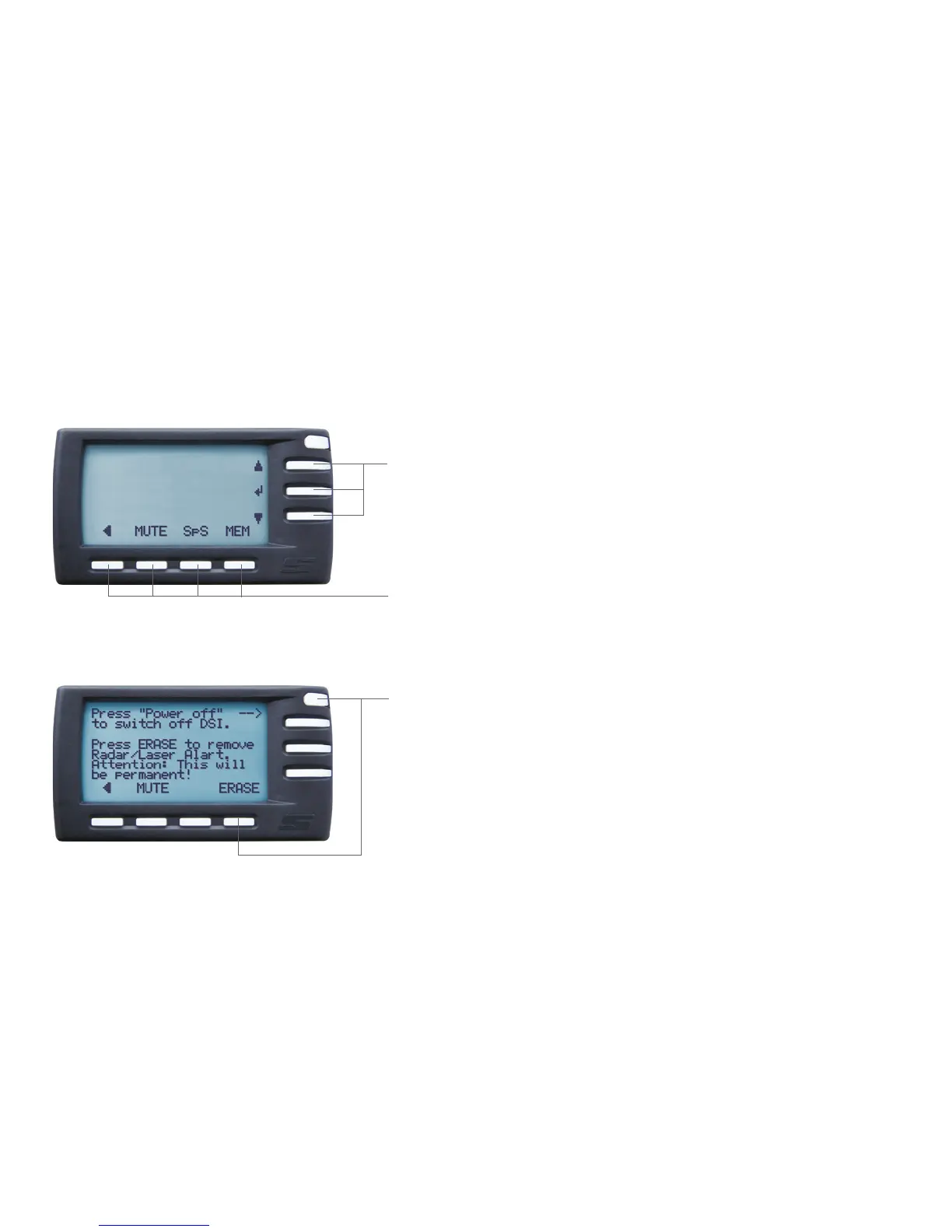
Function buttons at the right side
The three larger buttons to the right are usually used to select functions or choose settings. The top and
bottom buttons of the three are mostly used for navigating up and down between options and to change
value settings. The middle button functions as the ‘enter’ button.
Lower function buttons
The actual functions of the lower four buttons are described directly above them on the LCD screen and may
vary from one screen to another.
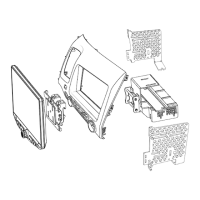
The OFF and ERASE button
The slightly smaller button in the topmost right corner at the front is the OFF button. If you have driven in a
country where Radar Alerting is allowed and now drive into a country where that is not allowed, pressing the
OFF button will take you to the ERASE screen. Here, pressing the ERASE button (the rightmost of the lower
four function buttons), will immediately erase the Radar Alerting, Laser Alerting and LaserShield
®
functions
– instantly bringing you into compliance with local regulations.
Your DSI will automatically switch on and off along with the ignition of your vehicle and you can control the DSI by means of the eight
keys on the Memory Display.
Controls4


 To Next Page