®
®
stingersolutions.com
stingersolutions.com
6
7
SRK-JW18HX
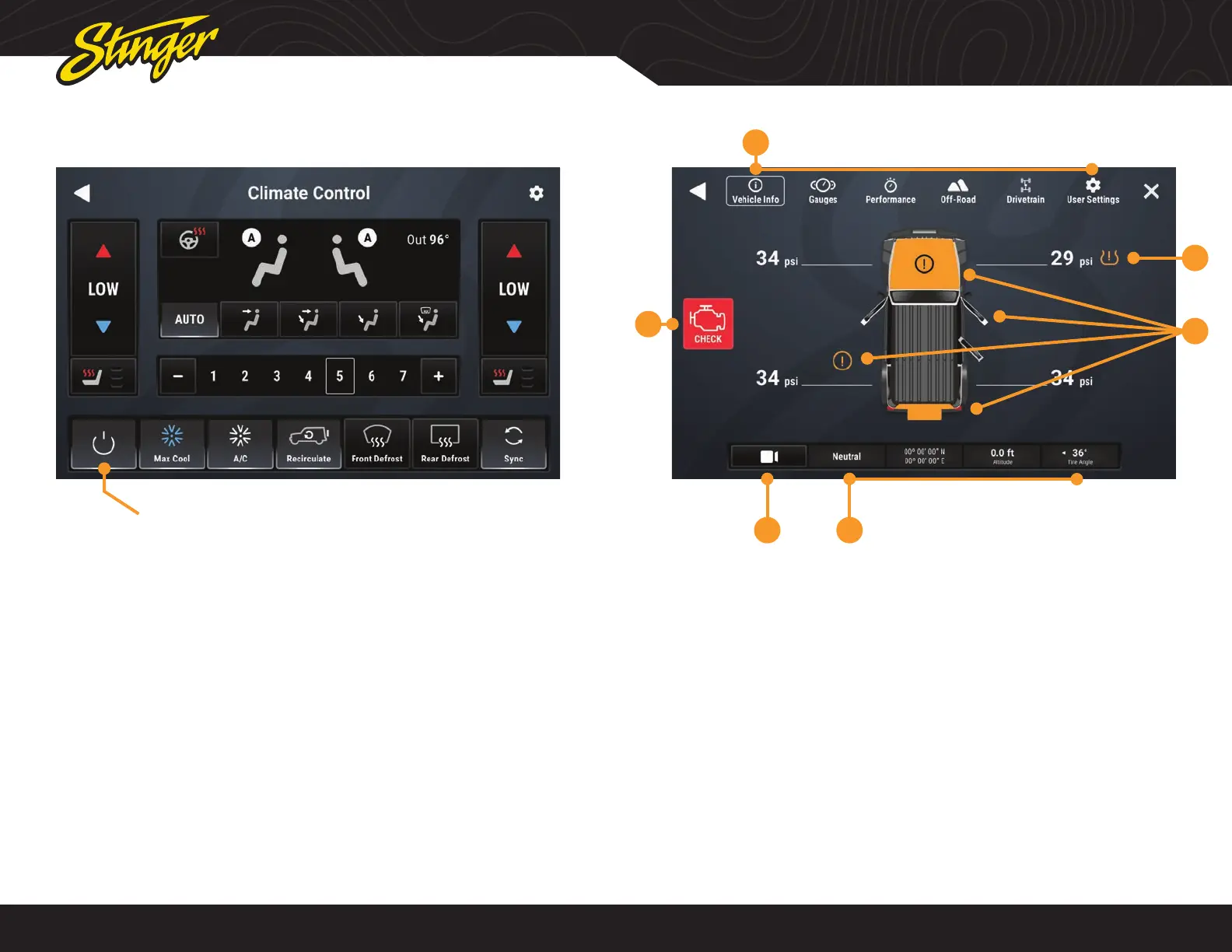
If your Jeep is equipped with Radio
Integrated Climate Controls, you can
view and adjust the climate control
settings from the touchscreen display
as well as operate the heated seats
and heated steering wheel, if equipped.
The factory climate controls located
below the display continues to function,
and any changes made with the factory
controls are refl ected on the screen.
All climate control functions are
explained in your Jeep Owner’s Manual
if you need more information.
CLIMATE CONTROL VEHICLE INFO
Press the HOME BUTTON > Climate to access the Climate Control function.
Press the HOME BUTTON > Vehicle Info to access the Vehicle Info functions.
Current active items will be highlighted. You can change highlight
color settings in HOME > Settings > Display > System Highlights.
6
2
3
1
45
1. Vehicle Info Menu
Access various vehicle info display
modes.
2. Tire Pressure
Low pressure warnings can be
customized in User Settings.
3. Door Closed / Opened / Off
Indicates door, hood, and rear gate
statuses.
4. Vehicle Info Footer
Available on all vehicle information
displays. Shows Transfer Case status,
GPS Coordinates, Altitude, and current
Tire Angle
5. Default Off-Road Camera
Activate default camera, can be
changed in User Settings
6. Malfunction Indicator
Displays current malfunction indicators.
Touch indicator for more information
and to clear codes.












 To Next Page