®
®
stingersolutions.com
stingersolutions.com
14
15
SRK-JW18HX
CAMERA OVERLAY
4
Press the HOME BUTTON > Camera to access Camera views.
The factory rear camera will continue to
automatically display when in reverse
and can also be activated at any time
by selecting Cameras from the HOME
Menu or Tabs.
When the camera is fi rst activated, there
will be menu bars at the top and bottom
of the display. These bars contents
will vary depending on your installed
equipment. These bars will auto-hide
after 5 seconds
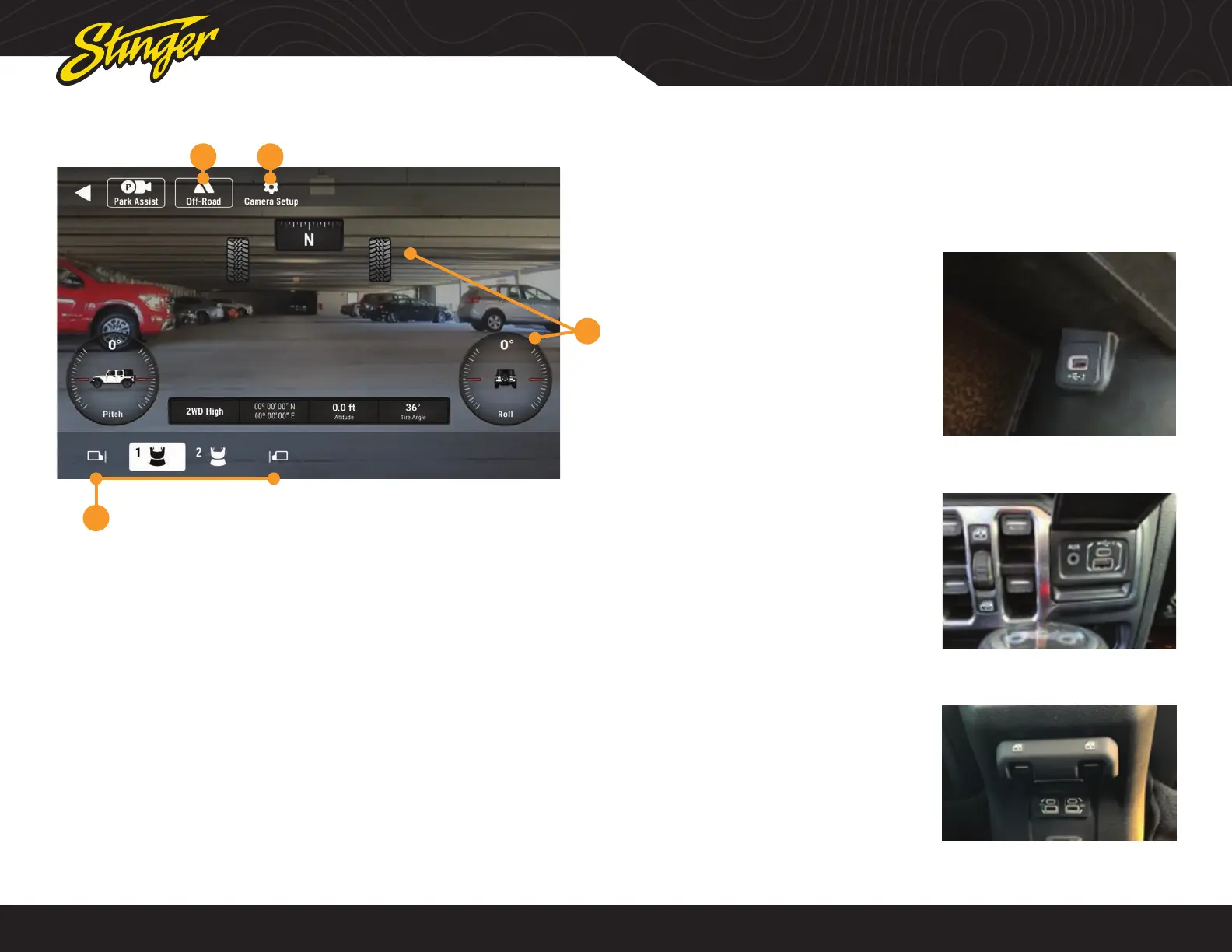
1. Off-Road Mode
Activating Off-Road Mode will display
heading, tire angle, pitch, roll, and the
Factory Center Console Port [2]:
Apple Carplay
Android Auto
USB Drive Media
Charging
Factory Dashboard Part [1]:
USB Drive Media
Charging
The AUX Input can be accessed by
selecting A/V Input from the HOME Menu
Factory Rear Console Port [3]:
USB Drive Media
Charging
vehicle information toolbar.
2. Camera Setup
Access your camera setup from this
control. Turn triggers on, off, and adjust
advanced camera features
3. Off-Road Overlay Elements
4. Camera Selection
Tap a camera icon to change cameras.
Contents of this area will change based
on your installed equipment
1 2
3
FACTORY USB PORTS
Apple CarPlay and Android Auto require a dedicated USB port. The factory USB port
inside the center console will function for Apple Carplay/Android Auto, and all other
USB ports can be used for USB thumb drives and charging only.












 To Next Page