®
®
stingersolutions.com
stingersolutions.com
8
9
SRK-JW18HX
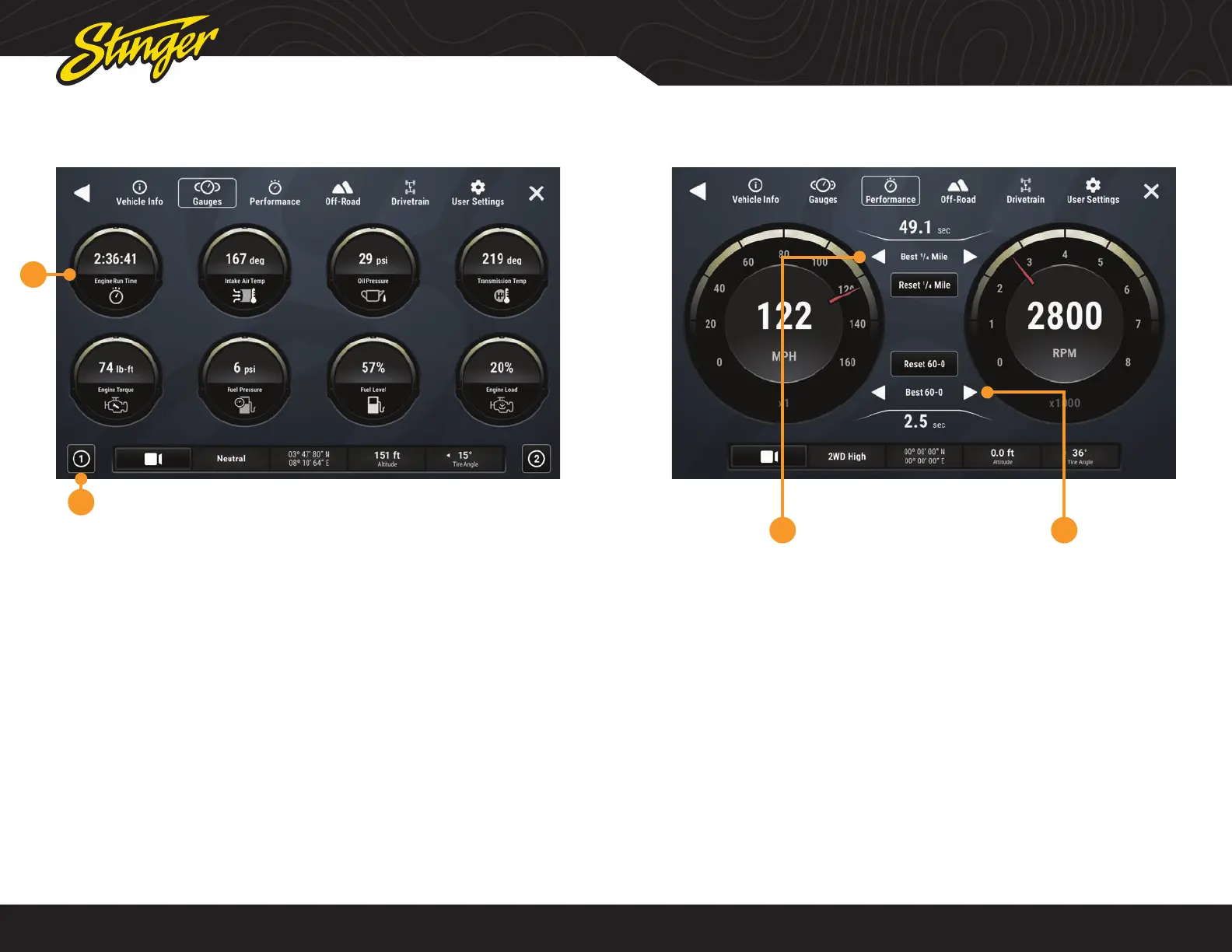
1. Gauges
Tap a gauge to cycle through available
gauge types.
2. Gauge Setup Preset
There are two preset gauges setups.
Press and hold to save a gauge
combination and then tap that setup
again to recall that combination.
Change colors in HOME > Setting >
Display > System Highlights
Change gauge units in User Settings.
VEHICLE INFO > GAUGES
Press the HOME BUTTON > Vehicle Info > Gauges to access Gauges.
1
2
Available Gauges:
Battery Voltage
Oil Temperature
Oil Pressure
Transmission Temperature
Coolant Temperature
Fuel Pressure
Intake Air Temperature
Engine Calculated Load
Barometric Pressure
Intake Manifold
Fuel Pressure
Absolute Load
Ignition Timing
Engine Run Time
VEHICLE INFO > PERFORMANCE
Press the HOME BUTTON > Vehicle Info > Performance to access Performance.
Selecting Performance will display a
digital speedometer and tachometer
along with performance measurements.
1. Best 0-60 / ¼ Mile / 60-0
Whenever a new best performance
measurement is achieved, the results
will be displayed. Use left / right arrows
to recall best measurements. Reset best
measurements with the reset button.
2. Last 0-60 / ¼ Mile / 60-0
Use left / right arrows to recall last
measurements for each performance
metric.
1 2












 To Next Page