®
®
stingersolutions.com
stingersolutions.com
12
13
SRK-JW18HX
NOTE: Items on this screen may vary
according to your installed equipment.
For example, Hill Start Assist may not
appear depending on your equipment.
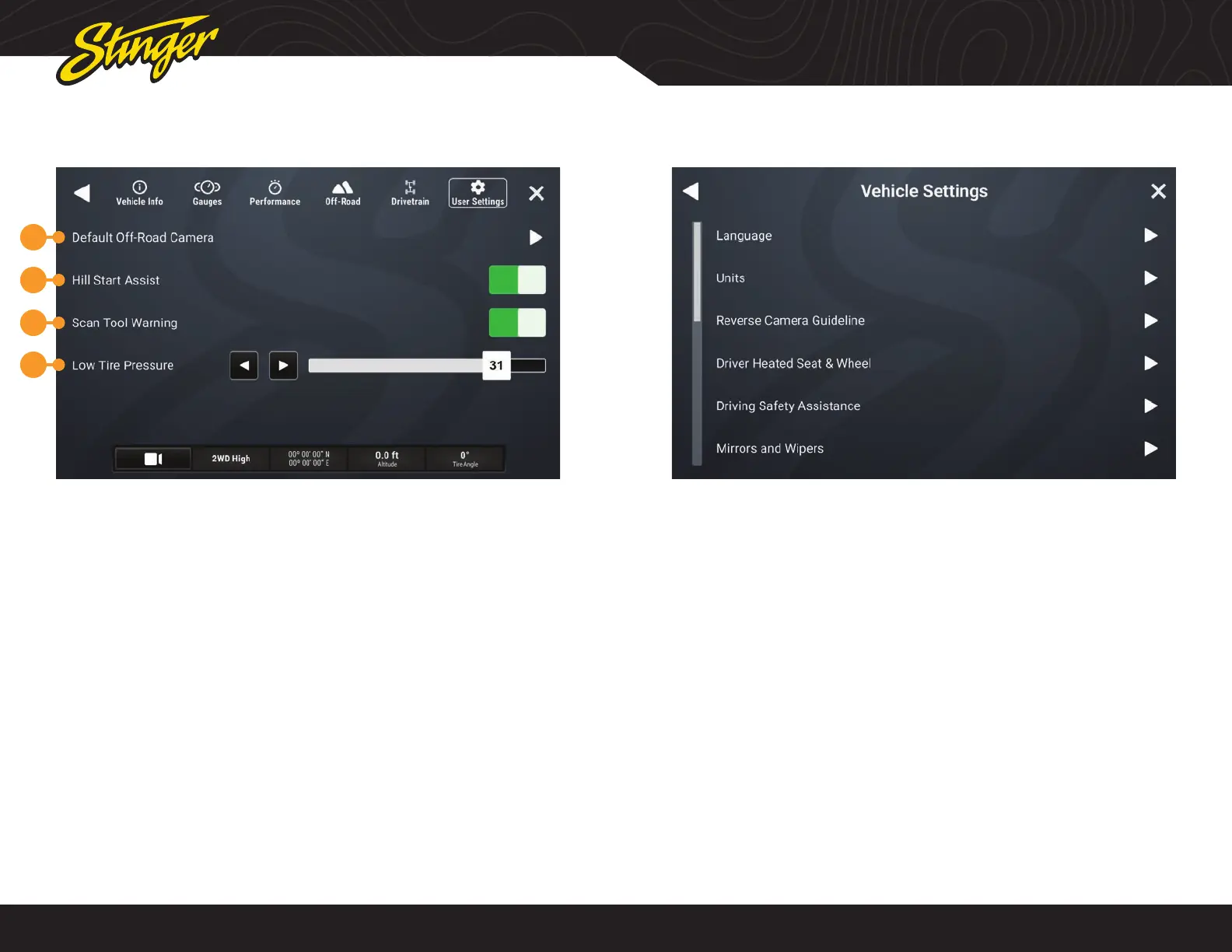
1. Default Off-Road Camera
Select which camera activates when
you press the camera button
2.Hill Start Assist
You can toggle hill start assist on / off.
3. Scan Tool Warning
It’s possible that you might have an
accessory installed that makes gauge
operation unreliable. If so, this control
will enable or disable the scan tool
warning on the gauge cluster.
4. Low Tire Pressure
Set the threshold, for the low tire
pressure warning shown on the vehicle
info display.
VEHICLE INFO > USER SETTINGS
1
2
3
4
Press the HOME BUTTON > Vehicle Info > User Settings to access Settings.
VEHICLE SETTINGS
Press the HOME BUTTON > Vehicle Settings to access Vehicle Settings
The Vehicle Settings are all the factory
vehicle settings retained from the
factory radio.
Since these are factory settings, with the
exception of the PAC Enabled Settings,
these are all explained in detail in the
uConnect section of the Jeep Owner’s
Manual.
NOTE: The listed settings are based
on how the vehicle is equipped. For
example, Aux Switches will not be
present if the vehicle is not equippped
with Aux Switches.
NOTE: Auto Start / Stop Memory will
retain adjusted Start / Stop status when
the vehicle is turned off.












 To Next Page