OPERATING INSTRUCTIONS
Front Panel
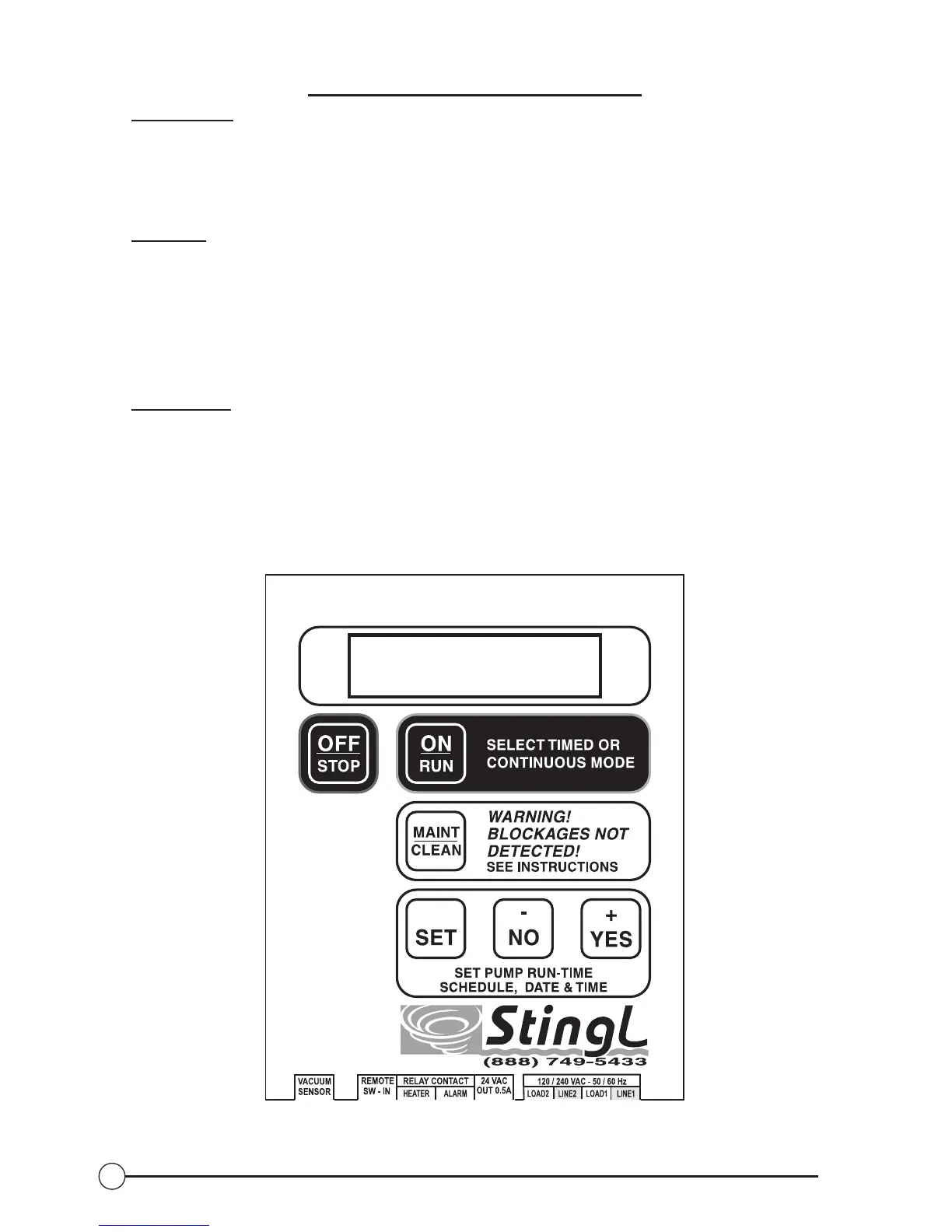
The SR-500 front panel features a two-line by 16-character backlit liquid crystal
display and six momentary pushbutton switches implemented in a membrane label.
Switches
OFF/STOP – Immediately stops pump operation. Also silences any active alarms.
ON/RUN – Toggles between timed, continuous run, and remote modes.
MAINT/CLEAN – Initiate Maintenance/Cleaning mode, where the pump will
operate continuously for 30 minutes.
W
ARNING: DURING MAINTENANCE/CLEANING MODE VACUUM IS
NOT MONITORED. A BLOCKAGE WILL GO UNDETECTED DURING
THE 30-MINUTE CYCLE, INCREASING THE RISK OF ENTRAPMENT.
SET – Used to initiate set-up modes for time, date, and pump operating schedule.
+/YES and -/NO – Used to answer yes/no questions, and increment or decrement
the value of a displayed selection, (i.e. date and time).
Fig. 5: Membrane Switch
16


 To Next Page