32
9. SE5000CS – Configuration System
Tap and a message “Determining the Tacho Type” is displayed whilst Optimo confirms
an SE5000 tachograph is connected. This enables configuration of KRM
tachographs to parameters of different vehicle types.
A valid workshop card must be inserted and PIN authenticated to reconfigure all activated
tachographs.
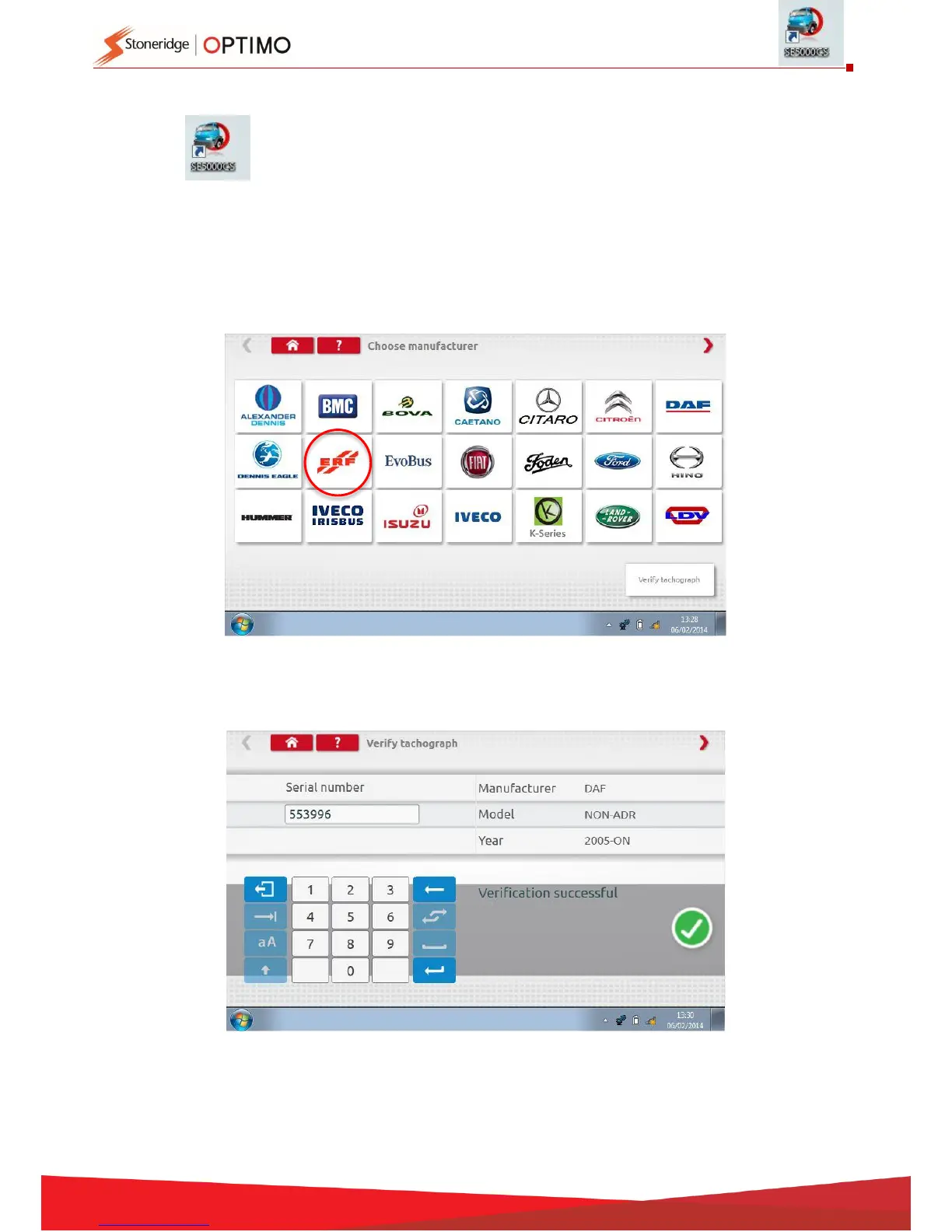
Choose manufacturer by tapping appropriate icon, or tap “Verify Tachograph” to input a serial
number.
If verification successful, make and model of a configured tachograph is displayed.



 To Next Page