46
16. Product Upgrade
With links supplied from Stoneridge, download upgrades from the Web to a USB storage device.
Connect the Upgrade USB stick to an external port. When Optimo recognises the USB it may open a
pop up window, close this window.
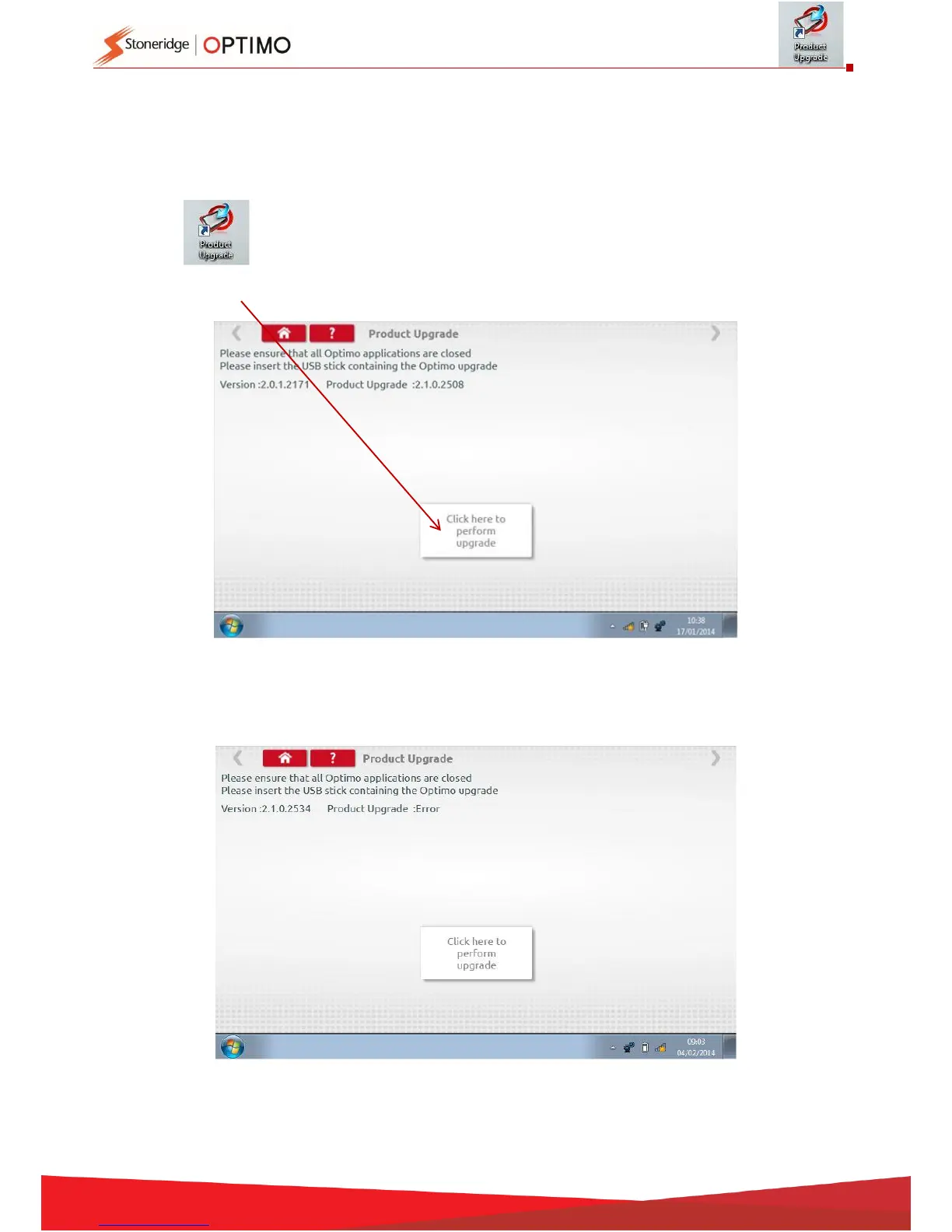
Tap and both current version and new version is displayed.
Tap the “upgrade” button and follow prompts.
“Error” is displayed if Optimo does not recognise the USB device, if no device present, or if it is the
wrong update. If this occurs, check the USB device inserted correctly and correct upgrade present.



 To Next Page