8
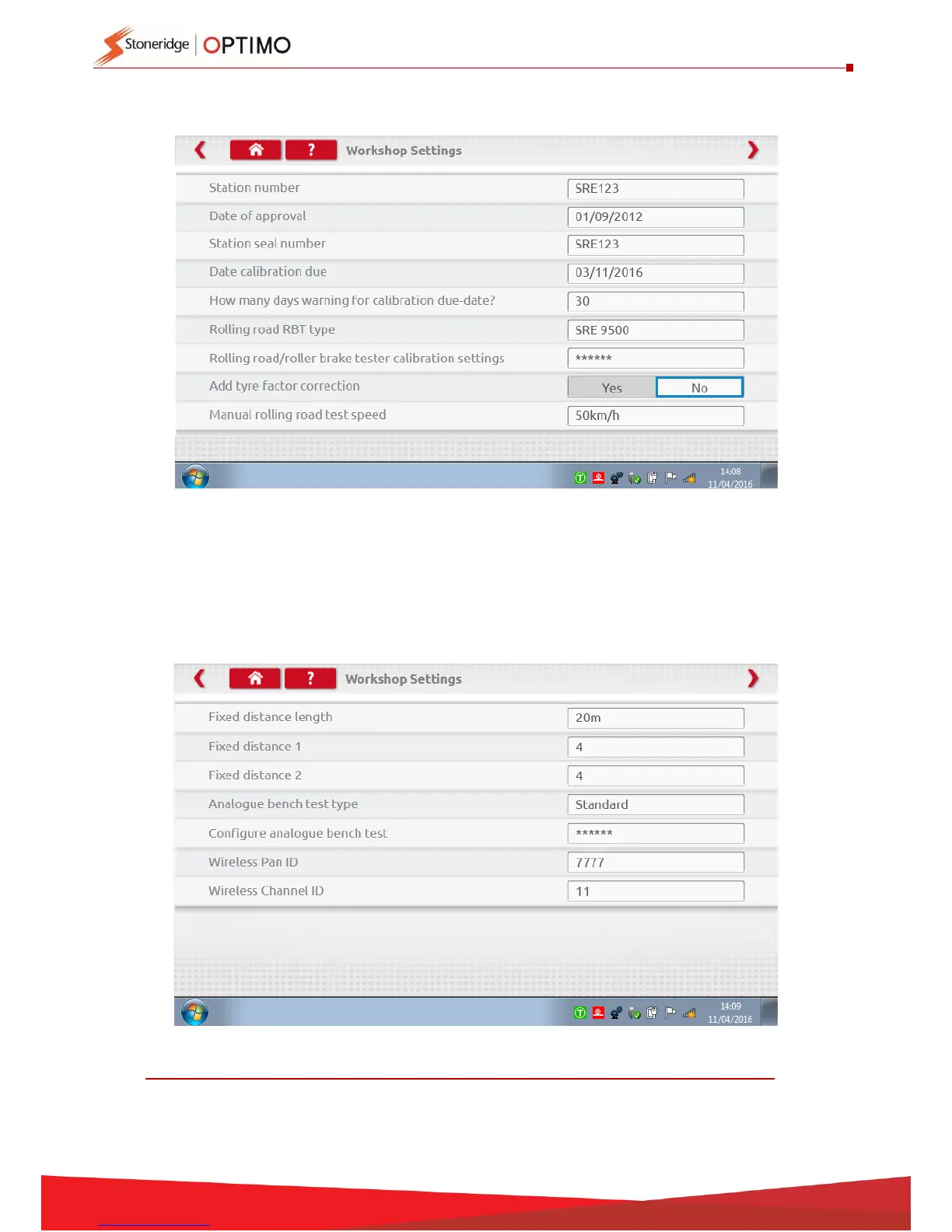
This screen displays various details about your workshop, and enables selection
and settings for Rolling Roads. Complete all fields.
x
The next screen sets Fixed distance length and number of runs, plus options for
“Standard” or “Custom” bench tests. For Custom Bench test see Chapter 8, page 28
DETAILS ON ALL THESE SCREENS MUST BE COMPLETED BEFORE FIRST USE OF OPTIMO.



 To Next Page