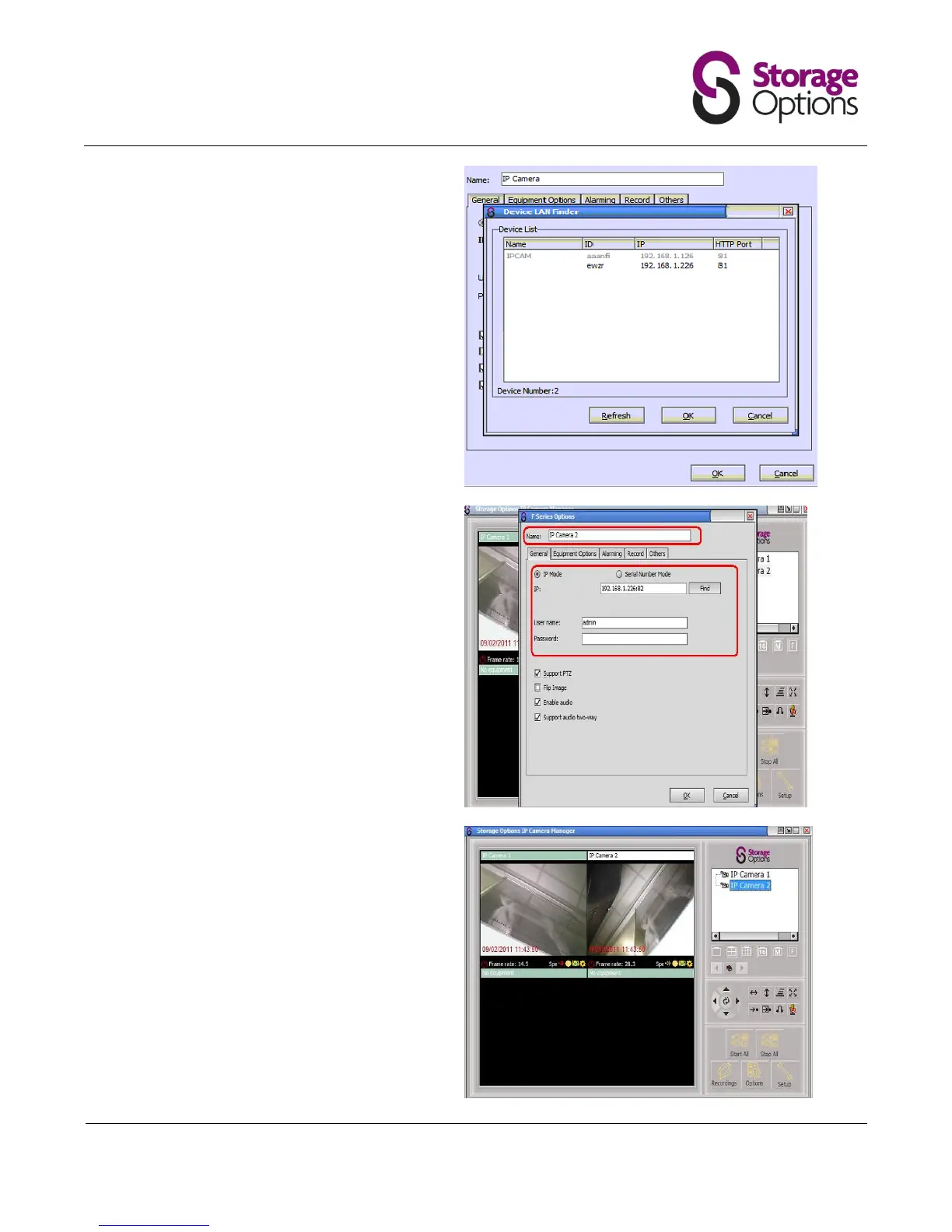
Enter the username and password.
You can also rename the camera.
Note options for enabling audio, flipping the
image and turn on/off PTZ suport (this
allows you to turn off the green light
function through the web browser if
required – See Web Browser section).
You can switch between cameras, and stop
and start cameras using the navigation
buttons.
Right click on the camera name to stop or
start an individual camera.


 To Next Page