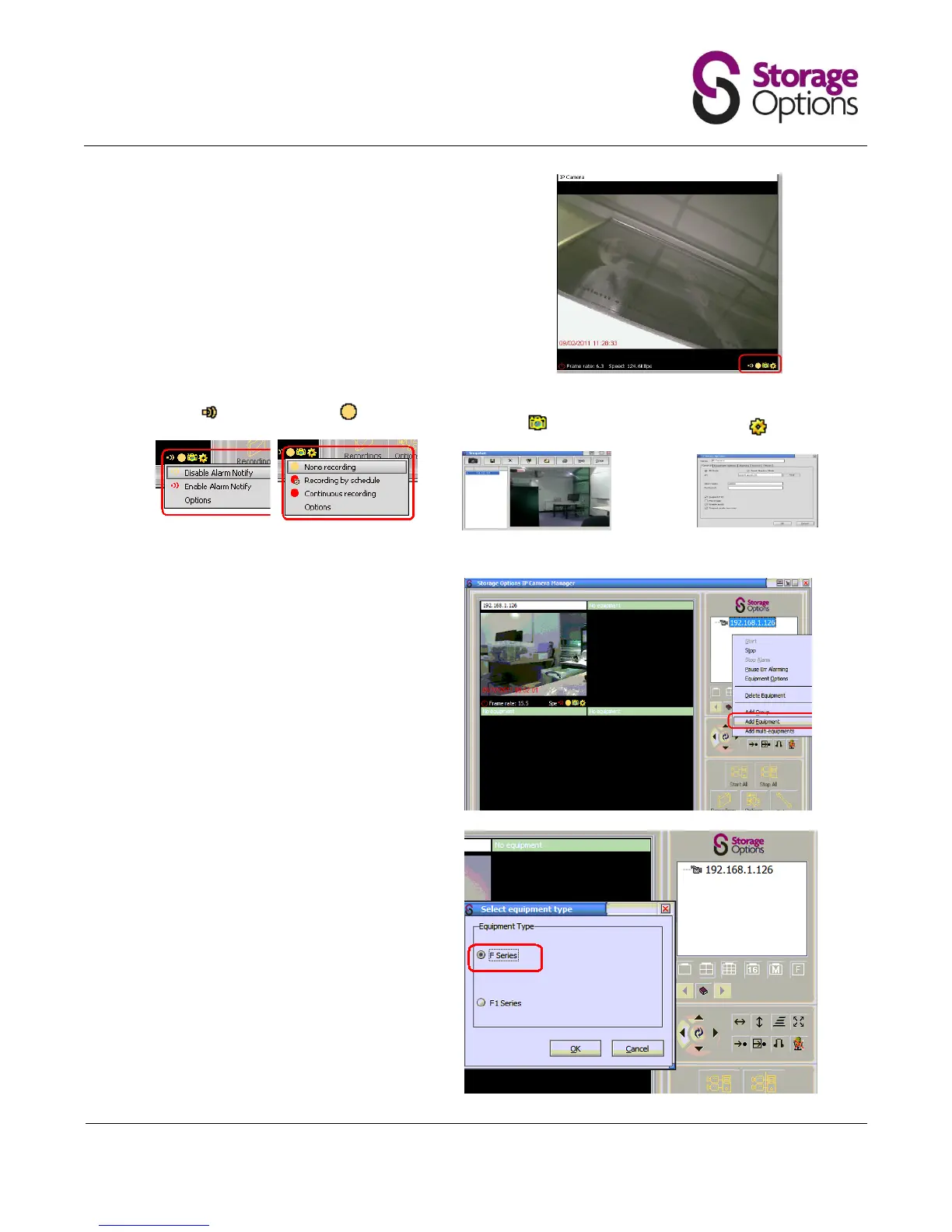
Each camera has four options to choose from,
located in the bottom right of its window.
You can use them to set up alarm notification,
start or stop continuous recording, take a
snapshot image from the camera feed, or
adjust advanced options. It is important to get
familiar with these options before continuing.
Tip: Click on each icon to see the options
available and to shortcut to their functions.
NB Before adding another camera to the
viewable window, configure the camera
through the Camera Finder as shown in
Section 2.
Right click in the camera window box to add
another camera.


 To Next Page