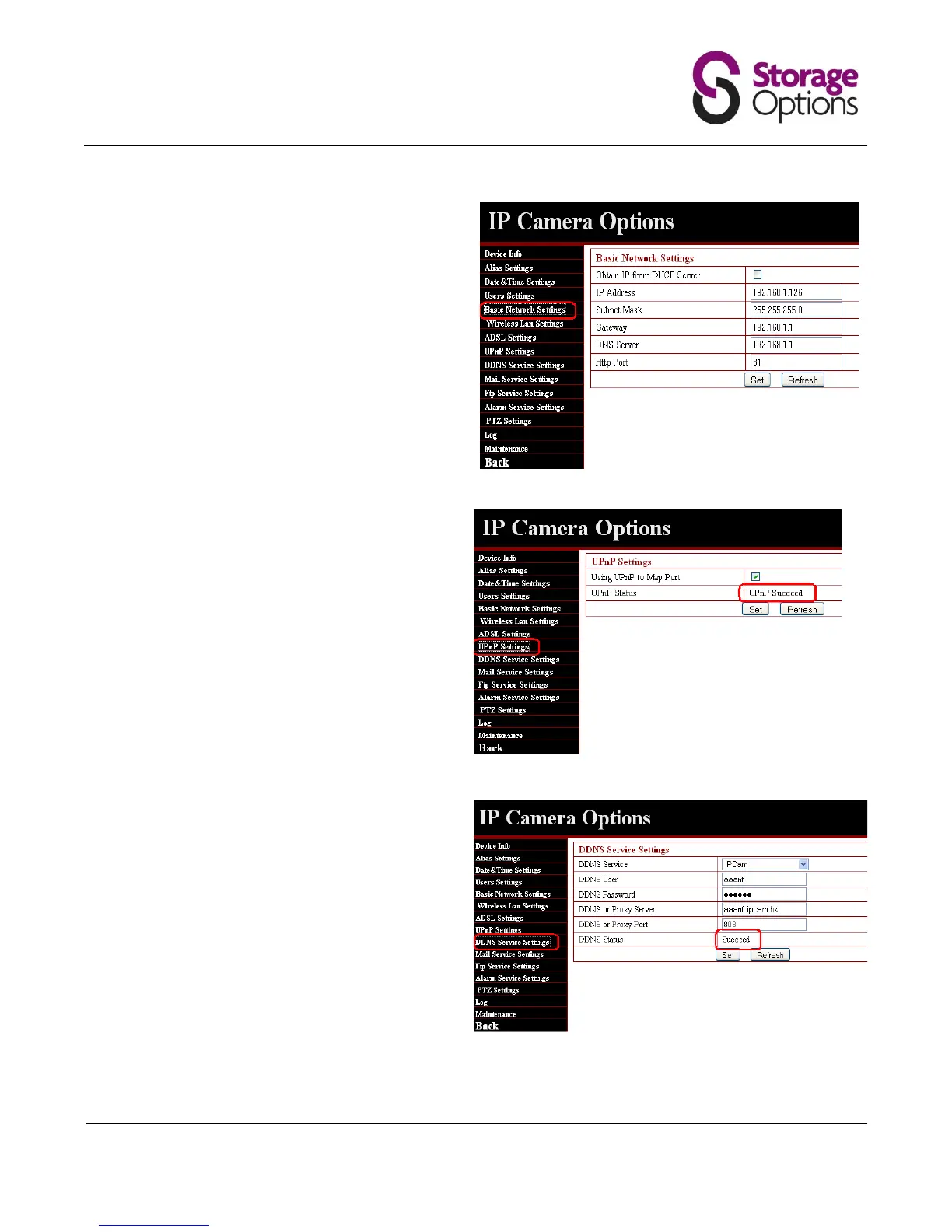
4.8 Basic Network Settings
It is always preferable to use a “static” rather than
dynamic IP address to ensure a consistent IP
address.
The gateway and DNS address should always
agree with those your PC/laptop is using.
IMPORTANT: Do NOT use Port 80 for the camera
if you intend to use port forwarding.
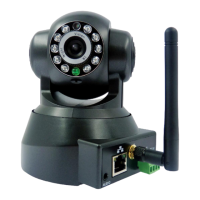
UPnP or Universal Plug & Play allows your camera
to communicate with your router. Click “Set” and
refresh to check UPnP compatibility.
IMPORTANT: If you router is not UPnP
compatible you will not be able to use the
“Remote Access” link as listed on the silver
sticky on the packaging box or in the DDNS
address window (http:// xxxxx.ipcam.hk).
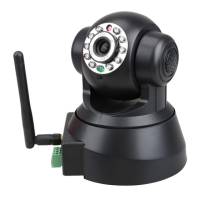
4.10 DDNS Service Settings
This option shows the current DDNS settings.
The DDNS Status needs to show “Succeed” for
remote access to work.


 To Next Page