You can access your IP camera via any
computer with a Web browser
installed. To do this, you must open
your browser (e.g. Internet Explorer /
Firefox) and point it to your IP
camera’s IP address.
See “IP Camera Finder”, for your
camera’s IP address and port number,
e.g. http://192.168.1.126:81
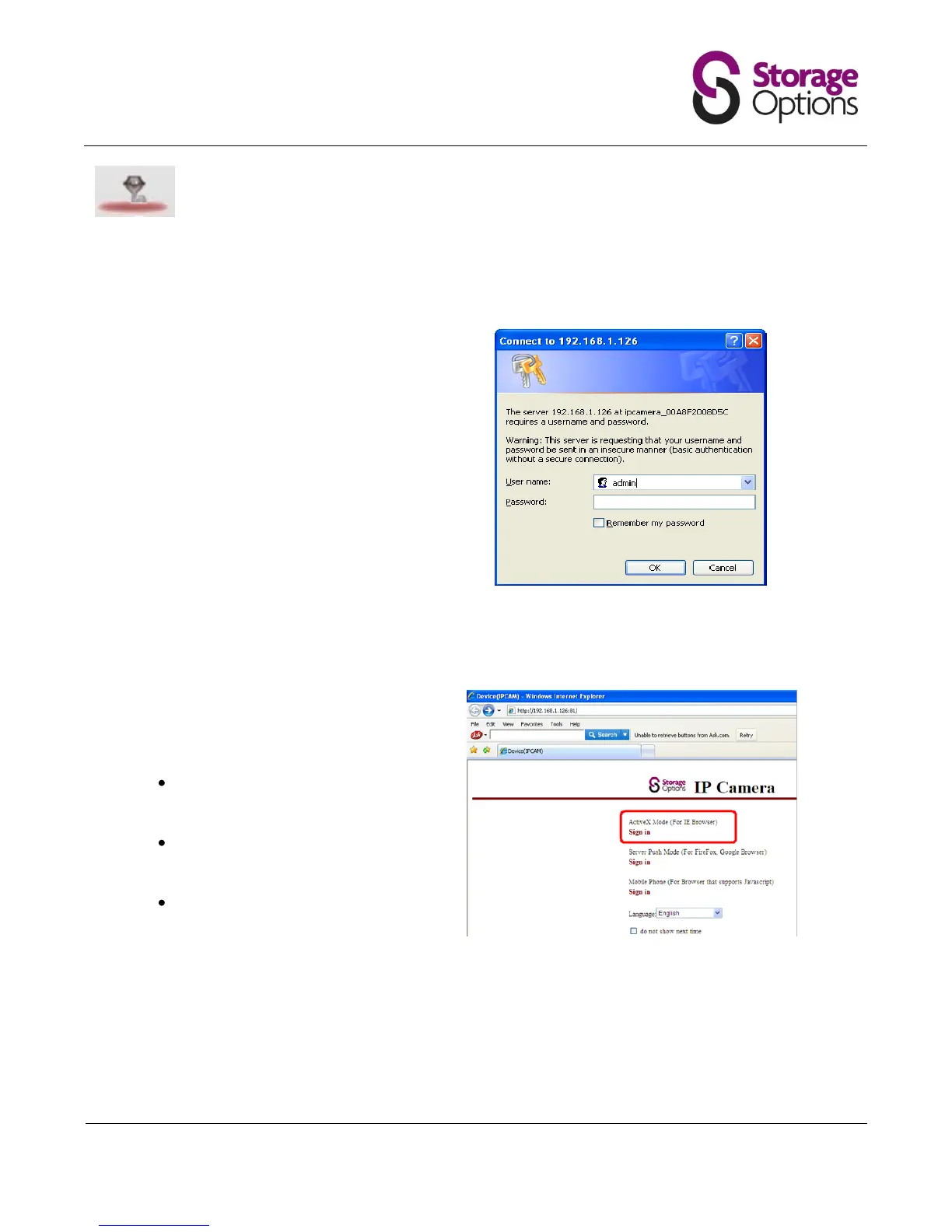
You will be prompted for a user name
and password:
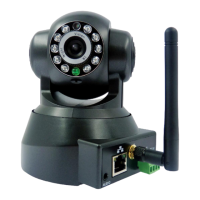
Next you are given three options to
sign in to the camera, depending on
which browser you are using. Choose
the correct one to continue.
ActiveX Mode
(for Internet Explorer)
Server Push Mode
(for Firefox, Chrome)
Mobile Phone Mode
(for browser supporting
JavaScript)


 To Next Page