Page 10 Strand 100 Console Manual
Quick Guide
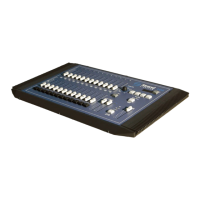
Grand Master – an inhibitive fader that proportionately controls all other faders.
This determines maximum output of all faders at all times. The grand master is
always active.
Playback A – an inhibitive fader that proportionately controls all faders for the A
scene.
Playback B / Effect Master – when not running the effect, an inhibitive fader that
proportionately controls all faders for the B scene. When running the effect, the
fader is a inhibitive master for the effect.
Channel Faders – a fader that controls the output of the corresponding dimmer
number.
Fader Flash Buttons – a momentary button that flashes the level of the
corresponding fader to full. Which fader is corresponding depends on the setting of
the FLASH BUTTON. See below.
Mode Button – toggles between the two modes of operation of the console. 1
scene 24 channel mode or 2 scene 12 channel mode. The default is two scene
mode.
Hold Button – this button will freeze the output of the faders so that the operator can
reset the channel faders for a different look. This is only available in single scene
mode.
Flash Button Mode Button – there are only 12 fader flash buttons and this button
toggles the fader flash buttons between OFF, faders 1 – 12 and faders 13 – 24.
Fade Time / Effect Speed Dial – when not running the effect, this will allow the
operator to set the fade time of the scene masters. When running the effect, this will
allow the operator to set the rate at which the effect is running. See the LED display
for time / speed readout.


 To Next Page