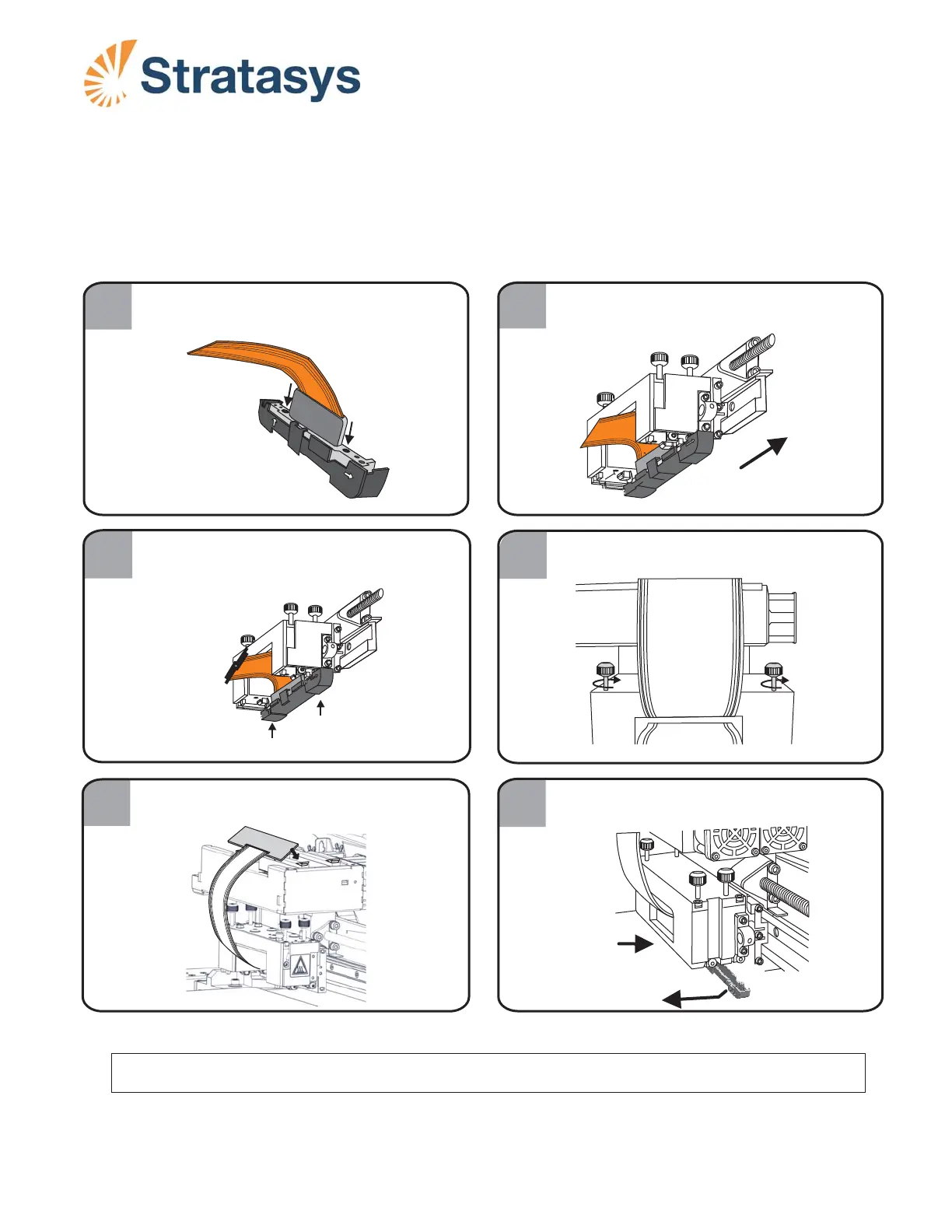
Installing the Model Print Head
Page 4
DOC-34032
Rev. A
After you replace the Model print-head, re-install the Support head (see page 2).
B.
Push on the tab and then pull the jig
downwards to remove it.
4
6
5
Tighten the print head thumb screws.
Press down firmly on the Model print
head card to attach it to the print block.
FRONT
PUSH
FIRST
1
2
2
Make sure the O-ring seals
are installed on the print head.
FRONT
FRO
N
T
With the print head in the positioning jig,
align it as shown.
3
A. Push jig upwards where marked “Push First.”
B. Push jig upwards where marked “Front.”
A
B
FRONT
Remove
Push tab













 To Previous Page