EasyManua.ls Logo

Stratasys Fortus 450mc - User Manual

Stratasys Fortus 450mc
258 pages
Print Icon
To Next Page IconTo Next Page
Loading...
www.stratasys.com | c-support@stratasys.com
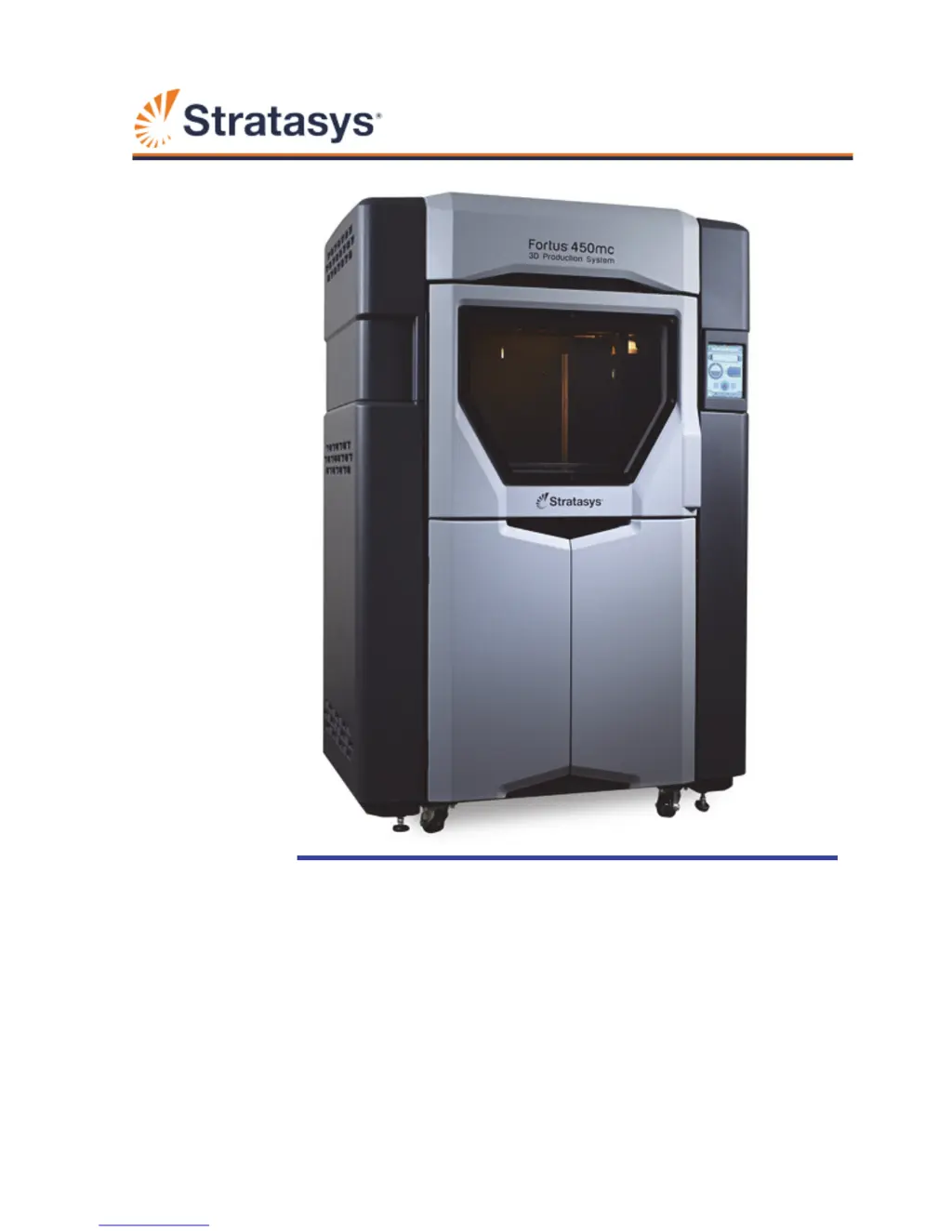
Fortus
®
450mc
3D Production System
User Guide
Part No. 821357-0002 Rev. A

Table of Contents

Other manuals for Stratasys Fortus 450mc

Questions and Answers

  • L
    Lisa WestSep 13, 2025
    Why does my Stratasys 3D Printer say support material does not match selected job?
    • B
      Breanna PattersonSep 13, 2025
      The type of support material loaded in the printer does not match the support material required to build the selected job. Change the support material loaded in the printer to the type of support material required to build the job.
  • A
    Anthony RoblesAug 25, 2025
    What to do if my Stratasys 3D Printer says 'Insert a build sheet'?
    • J
      James OwensAug 25, 2025
      The message 'Insert a build sheet' indicates that a build sheet has not been placed onto the platen. To fix this, open the oven door and place a build sheet onto the platen.
  • M
    Megan HornAug 25, 2025
    What to do if my Stratasys 3D Printer displays 'Remove part'?
    • S
      Sara FaulknerAug 26, 2025
      The message 'Remove part' indicates that the completed part from the previously built job is still in the printer’s oven. Open the oven door and remove the completed part.
  • D
    drewgriffinSep 23, 2025
    What to do if my Stratasys 3D printer displays 'Unknown abort'?
    • O
      oharperSep 23, 2025
      An unexpected error occurred in which the printer was unable to map the cause of the error to a known abort reason. Attempt to restart the build.
  • C
    Chloe OwensSep 13, 2025
    Why does my Stratasys 3D Printer say model tip does not match selected job?
    • E
      Emily CampbellSep 13, 2025
      The currently installed model tip does not match the model tip configuration of the selected job. Change tips by removing the incorrect model tip and installing a model tip matching the job’s tip configuration.
  • W
    wongsavannahSep 23, 2025
    What to do if my Stratasys 3D printer displays 'Toolpath data feed failure'?
    • A
      Anthony MartinezSep 23, 2025
      Printer unexpectedly lost job information during the build. Reprocess, reorient, and resend the job file to the printer using Insight.
  • H
    hharrisSep 6, 2025
    What to do if Stratasys 3D Printer shows 'Support canister removed during build'?
    • J
      Juan FernandezSep 6, 2025
      The message 'Support canister removed during build' indicates that the printer lost contact with the canister’s memory chip or the canister drive inadvertently lifted. Ensure that the canister is seated correctly within the canister drive.
  • A
    Ashley FosterSep 7, 2025
    What to do if Stratasys 3D Printer displays 'Detected end of model filament'?
    • M
      Marvin MoodySep 7, 2025
      The message 'Detected end of model filament' indicates that the canister may have run out of model material (is empty) or filament may have broken within the filament tubes. Remove the empty canister(s) and replace as needed.
  • C
    cindyhallSep 23, 2025
    What to do if my Stratasys 3D printer displays 'Canister removed'?
    • E
      Eddie RobertsSep 23, 2025
      The message 'Canister removed' indicates that the printer lost contact with the canister’s memory chip or the canister drive inadvertently lifted. Ensure that the canister is seated correctly within the canister drive.
  • L
    lmillerAug 30, 2025
    How to troubleshoot 'Filament detected in head too soon' on Stratasys 3D Printers?
    • A
      Alan BellAug 31, 2025
      The message 'Filament detected in head too soon' indicates that the printer’s controller is detecting filament in the head too soon. Remove the canister and reload the canister.

Summary

FORTUS 450 mc Printer Overview

Printer Components, Features, and Materials

Details the printer's components, key features, and available material options.

Available Material Options

Lists the material types compatible with the 450mc printer and their associated options.

Setup, Installation, and Support

Installation Preparation and Welcome Kit

Covers welcome kit contents, facility preparation, and basic printer setup steps.

Service and Support Channels

Provides contact information for Stratasys printer hardware and software support.

System Components and User Interface

Printer Overview and Subsystems

Describes printer parts, access points, subsystems like gantry, head, and material handling.

User Interface Structure and Navigation

Explains the UI layout, information bars, dashboard, navigation, and build/queue pages.

Tips and Material Management Interface

Details the Tips page, status indicators, load controls, and tip management wizards.

Operating the Printer

Basic Operations and Material Handling

Covers powering on/off, material loading, canister installation, and tip changes.

Job Build Process and Controls

Guides on preparing the printer, selecting jobs, and managing build states like pausing/aborting.

Calibration and Maintenance

Printer Calibration Procedures

Details XYZ tip offset, touchscreen, XY home, and Z zero calibration processes.

Maintenance Tasks and Software Updates

Covers connecting to Control Center, license management, and software updates.

Troubleshooting Printer Issues

Getting Help and Understanding Warnings

How to contact support and interpret system warnings and errors.

Common Errors and Finding Remedies

Identifies build start, load, pause/abort errors, and provides troubleshooting remedies.

Stratasys Fortus 450mc Specifications

General IconGeneral
Build Size406 x 355 x 406 mm (16 x 14 x 16 in)
Print TechnologyFused Deposition Modeling (FDM)
Layer Thickness0.127 - 0.330 mm (0.005 - 0.013 in)
MaterialsABS-M30, ABS-M30i, ABS-ESD7, PC, PC-ABS, ULTEM 9085, ULTEM 1010
ConnectivityEthernet, USB
Accuracy± 0.127 mm (± 0.005 in) or ± 0.0015 mm/mm (± 0.0015 in/in), whichever is greater
Power Requirements200-240 VAC, 50/60 Hz
Operating SystemWindows 7 or later

Related product manuals