9
1
2
3
4
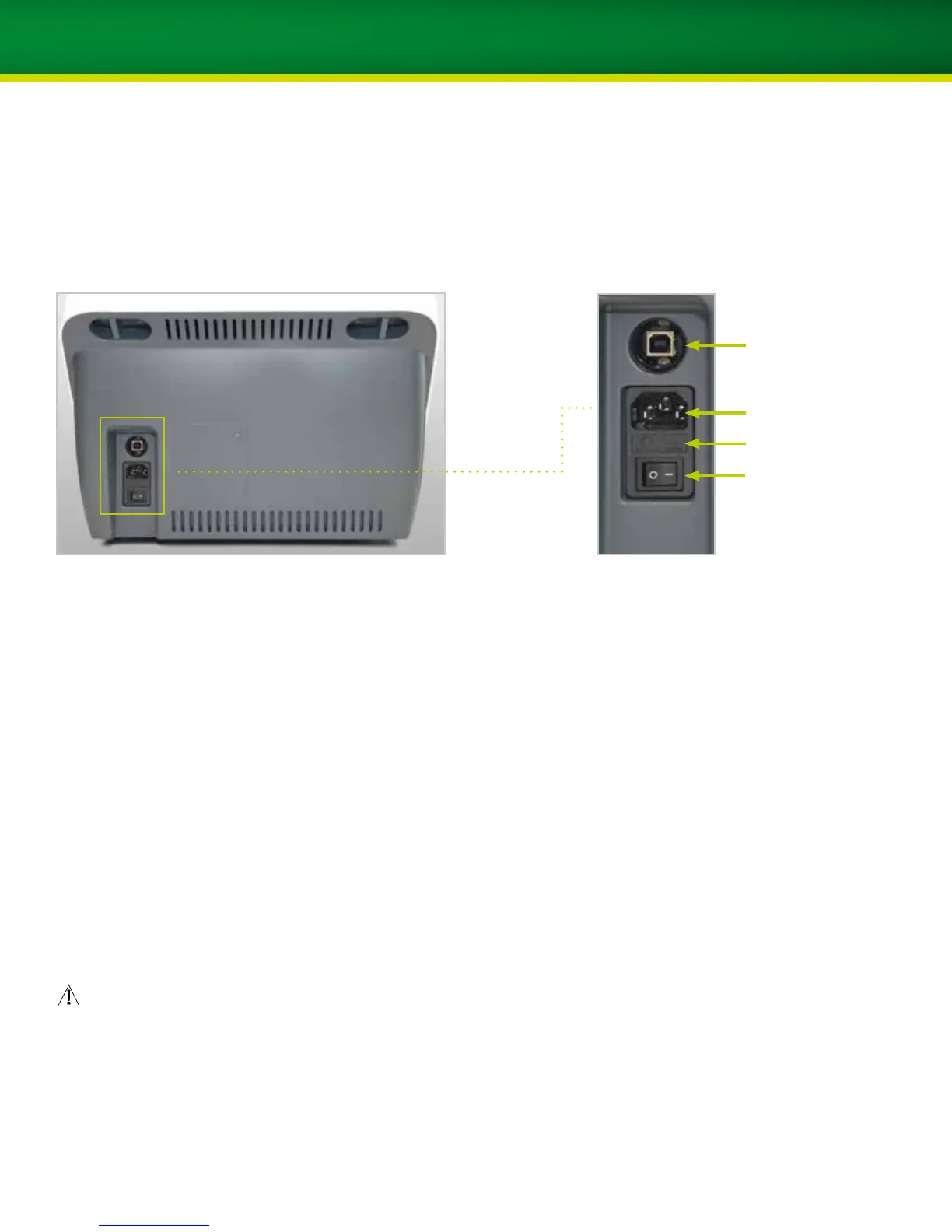
Description of ports
Ports on the back of the scanner
(1) USB connection to computer
USB connection for scanner control which must be
connected to the computer with the supplied serial
cable.
(2) Port of power supply
This port of the scanner must be connected to the power
supply with the supplied main power cable.
(3) Fine fuse holder
For changing the fine fuses (insert), please refer to
chapter 10.
(4) On/off switch for scanner power supply
Rocker switch for switching the scanner on and off
Warning
p The fine fuse insert may be opened only with the main
power cable pulled out.
p If the line voltage is selected incorrectly, the unit may
be destroyed and there is a risk of fire.


 To Next Page