8
5.1 Description of operating elements
5. OPERATING ELEMENTS AND CONNECTIONS OF THE SCANNER
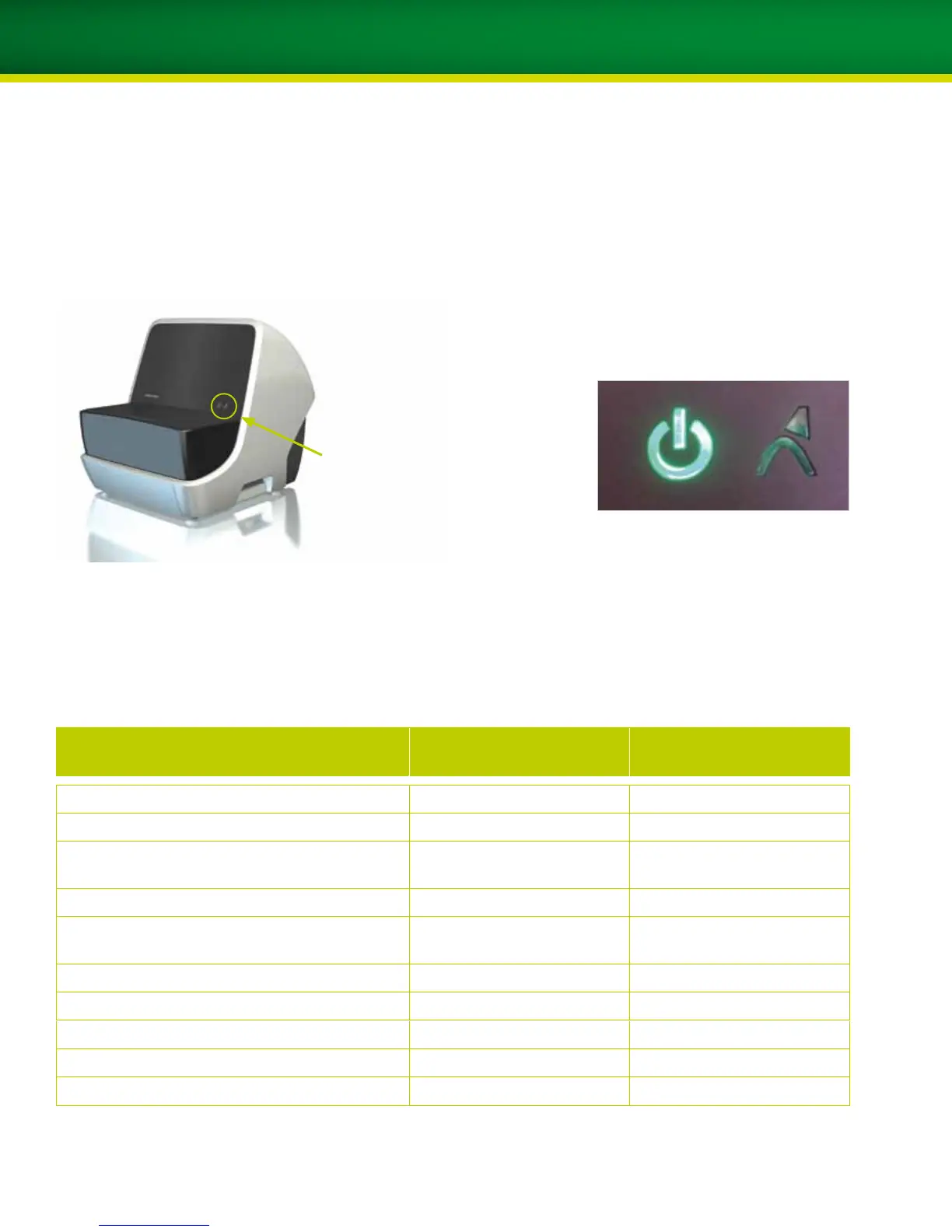
Scanner status Laser status
Position of indication lights
Status of scanner and laser based on indication lights
Indication lights and meanings:
Status Scanner status LED
(left)
Laser status LED
(right)
Scanner off Off Off
Scanner and PC turned on, setting up the connection Yellow, flashing slowly Off
Connection established and HighSpeed
USB active
Green Off
Scanner in standby Yellow Green
Ready to load/unload scanner
(loading position, unloading position)
Green Green
Scanning Green Yellow, flashing
Referencing Green Yellow, flashing
Positioning Green Yellow, flashing
Stop Green Off
Problem, please contact service support Red, flashing Red, flashing
Scanner as illustrated from the front


 To Next Page