11
6.3 Setup of the scanner
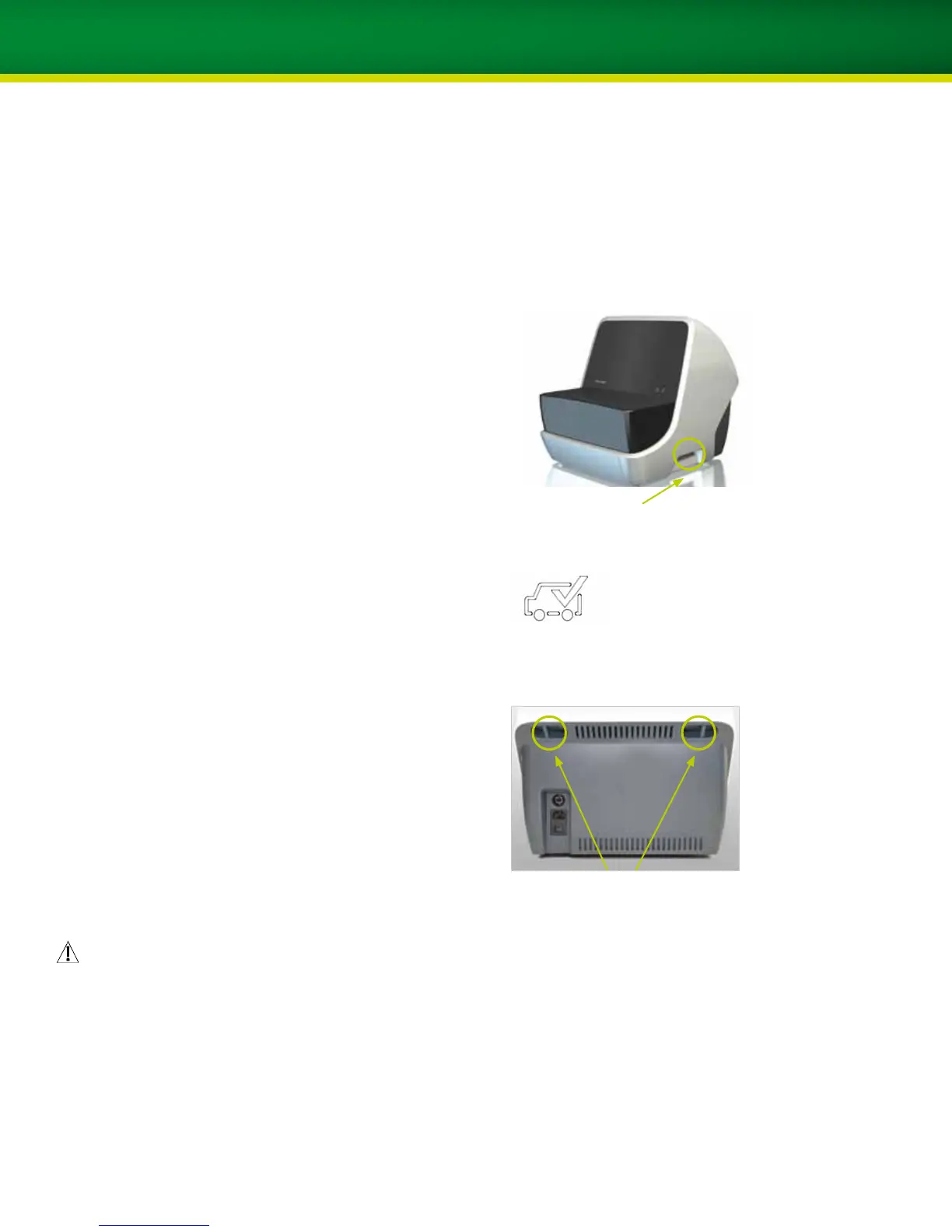
Follow these steps to set up the scanner (refer to the
illustration on the right):
1. Release the transportation lock on the right side
of the scanner and the two transportation locks on
the back before the scanner is turned on.
Important: All transportation locks have to be
released before operation.
This symbol indicates that the scanner is in a locked position.
2. Use the supplied USB cable to connect the scanner
to the computer (port 3 on the back of the computer).
3. Connect the scanner to the power outlet with the
enclosed
main power cable.
For more information regarding the connections and operat-
ing
elements of the scanner, please refer to chapter 5.
Caution
Place the scanner on a stable and flat surface. Ensure
that no external vibration is influencing the scanner
while in operation. Do not continue operation in the
event of scan objects or any other objects being lost inside
the scanner.
Transportation locks:
One lock on the side of the scanner
Transportation locks:
Two locks on the back of the scanner


 To Next Page