10
6. SETUP AND INSTALLATION
The scanner works within a voltage range of 100–240 V AC.
Arrangement/setup of the system
p All plug connections should be easily accessible.
6.1 Unpacking of the scanner
Please remove the individual components (foam parts) while
unpacking the scanner. Store the foam components in a safe
place in case you need to ship the scanner in the future.
Please refer to chapter 12 to see the individual packaging
components.
6.2 Setup of the computer and monitor
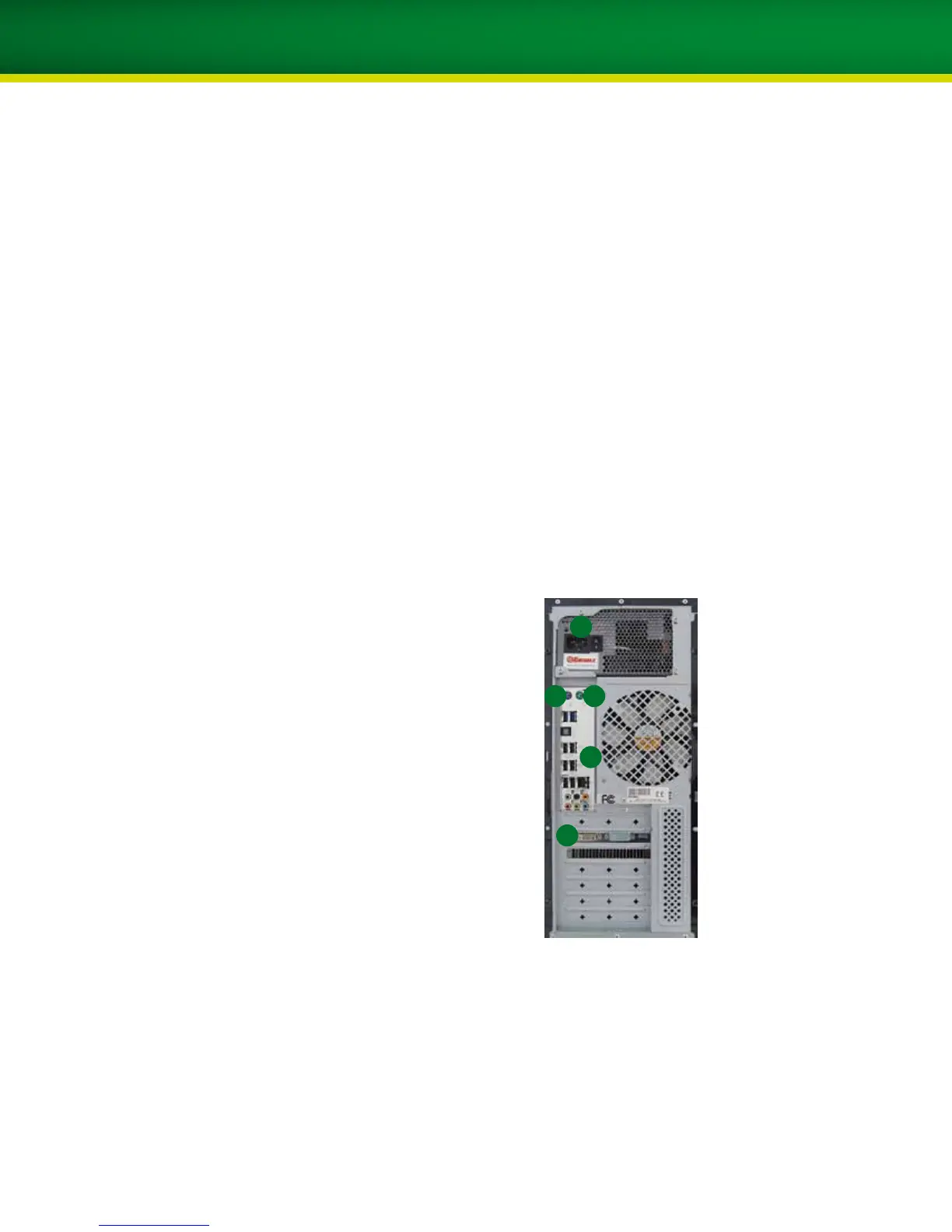
1. Plug the keyboard (preferably via the PS/2 connector)
into the designated port on the back of the computer.
2. Plug the mouse (preferably via the PS/2 connector) into
the designated port on the back of the
computer.
3. Plug the scanner into the designated port on the back of
the computer (USB).
4. Plug the monitor signal cable (preferably the
supplied DVI cable) into the designated port on the back
of the computer.
5. Connect the computer to a power outlet with the
enclosed main power cable.
1 2
3
4
5


 To Next Page