15
8.3 Configuration of an internet connection with a
static IP address
1. Log into the Windows operating system.
2. Click on the Start button.
3. Enter Network connections in the search field and
then click on Show network connections.
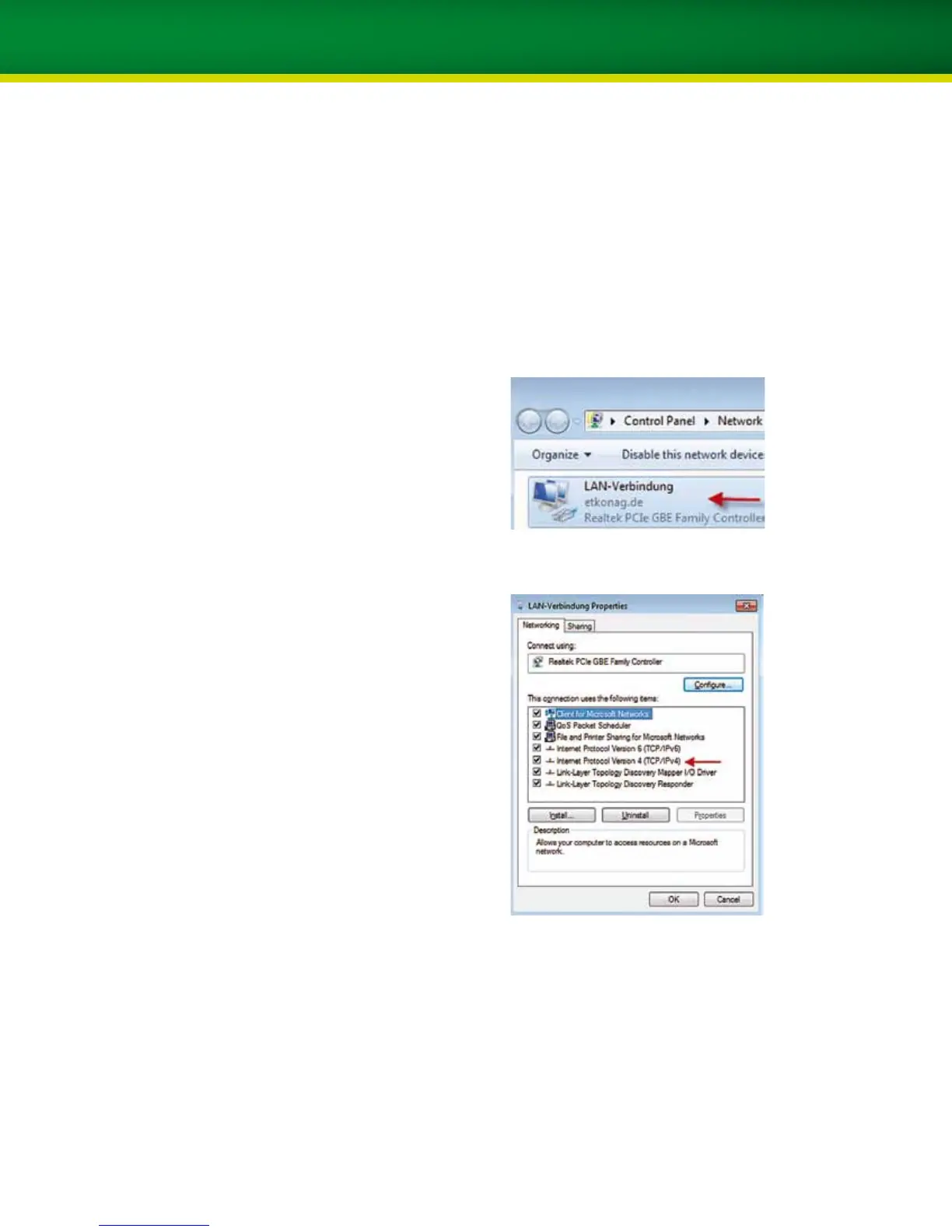
4. Right-click on Local Area Connection and then select
Properties.
5. Select Internet Protocol (TCP/IPv4) using the left
mouse key and then click on Properties.


 To Next Page