14
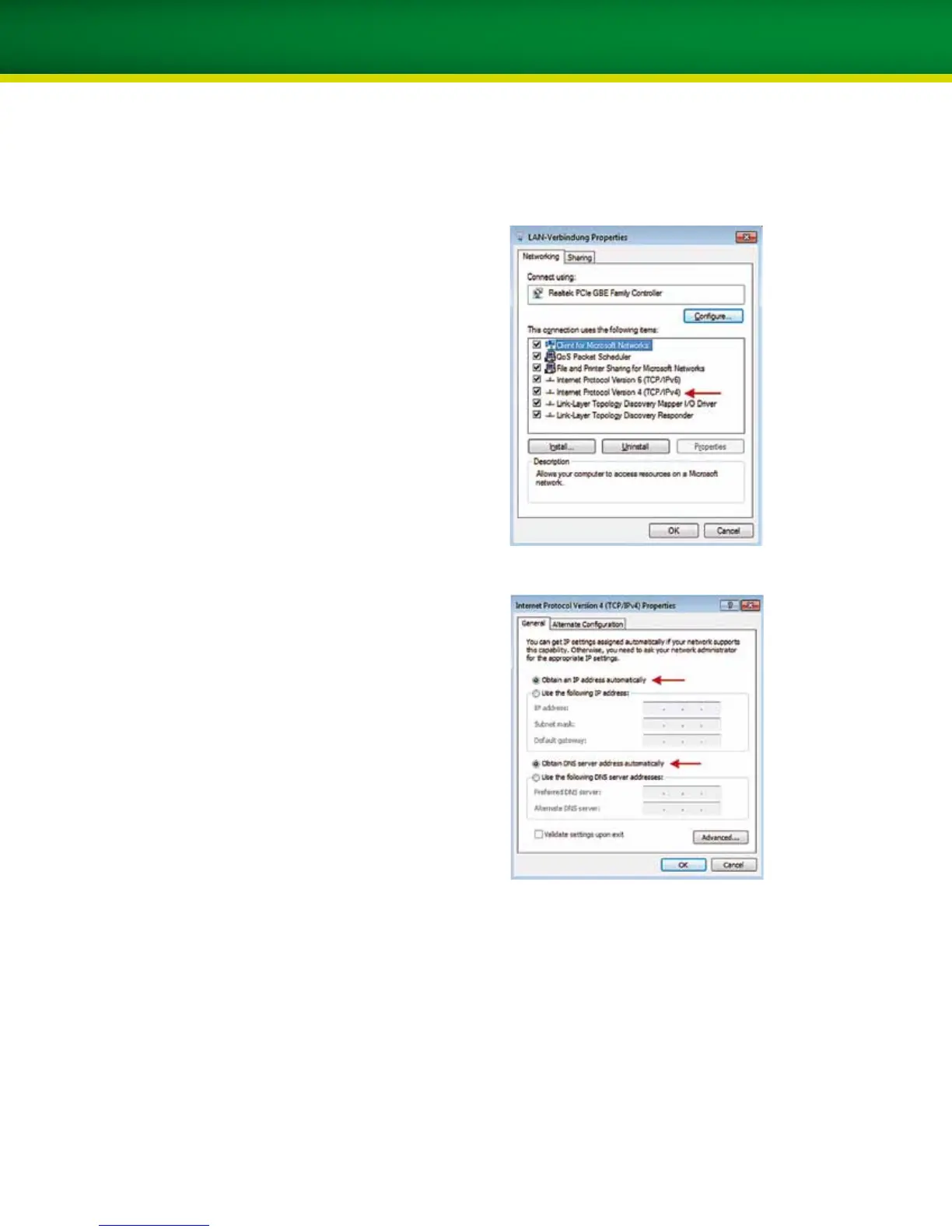
5. Select Internet Protocol (TCP/IPv4) using the left
mouse key and then click on Properties.
6. Select both Obtain an IP address automatically
and Obtain DNS server address automatically.
7. Then click OK.
8. Start Internet Explorer to test the connection; if the
home page is displayed, your computer is connected
to the internet.


 To Next Page