
 Need help?
Do you have a question about the Streamit Lisa Compact and is the answer not in the manual?
Welcome and overview of the Lisa Compact device and its capabilities.
Details the different versions of Lisa Compact and Lisa LCD products available.
Describes the intended use cases for Lisa devices, focusing on in-store audio.
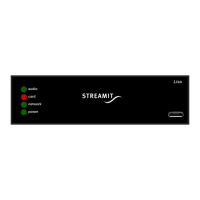
Instructions for unboxing, checking components, and identifying device parts.
Details how to connect the power supply, Ethernet, audio output, and USB.
Guide for powering on the device and initial configuration steps.
Explains the process of activating device capabilities based on purchased editions.
Discusses remote configuration sources like Device portal, ADP, and custom platforms.
Explains the conditions and modes under which the Lisa's configuration is updated.
Lists alternative methods for configuring the Lisa, like LCT, SD card, and Telnet.
Details how to load configuration settings from an SD card for multiple devices.
Explains the status indications for the Power and Network LEDs.
Explains the status indications for the Card and Audio LEDs.
Describes methods to change the currently playing stream or playlist.
Explains how to use online playlists as presets for playback.
Lists requirements for online playlists to be compatible with the Lisa.
Lists the types of SD cards supported by the Lisa and formatting requirements.
Steps to prepare and place playlists and tracks on the SD card.
Describes options for initiating playback from the SD card.
Specifies rules for storing audio tracks on the SD card.
Details how the Lisa switches to SD card playback when internet streams fail.
Provides steps for configuring the Lisa to enable fallback to the SD card.
Instructions on how to test the fallback functionality.
Methods to verify that fallback playback is working correctly.
Outlines the requirements and steps to configure the Lisa for Store-and-Forward.
Presents an example task schedule for implementing Store-and-Forward.
Explains the conditions under which commercials and announcements are played.
Details how to program commercials and announcements for playback.
Lists and explains commands used for the content update process.
Explains how to configure content updates to run in the background.
Describes the automatic process for cleaning up the SD card space.
Explains how tasks are scheduled and handled, including interruptions.
Addresses planning and execution of multiple tasks simultaneously.
Describes how to handle task failures due to power or other issues.
Explains how to use the monitoring server for remote control and logging.
Details the Live Communication feature for real-time device interaction.
Introduces the LCT software for programming and controlling the Lisa.
Describes using Telnet for command interface and remote access.
Provides a comprehensive list of available commands for the Lisa.
Provides practical examples of sending commands to the Lisa device.
Explains how to read the current settings of the Lisa via commands.
Explains how to use remote monitoring via platforms like Device portal.
Shows examples of log messages displayed on monitoring platforms.
Details periodic log messages, focusing on player status and content update.
Introduces the gateway platform for Live Communication.
Steps to enable and use the Live Communication feature on the Lisa.
Explains the different volume levels and how they are calculated.
Details how volume levels are applied to different audio sources.
Guide to configuring the network settings using the Lisa Configuration Tool.
Details how to configure and use proxy servers with the Lisa.
Instructions for setting the proxy server URL in the Lisa.
Steps to enable the proxy server functionality on the Lisa.
How to test network connections for troubleshooting.
Details how to initiate a connection test on the Lisa device.
Guide to understanding the results of network connection tests.
Lists the network ports required for Lisa devices to function correctly.
Specifies ports for device configuration, monitoring, and other activities.
Lists ports required for streaming audio and Store-and-Forward.
Details how the Lisa establishes secure connections using TLS/HTTPS.
Explains the support for basic authentication with proxy servers.
How RSU is managed via the Streamit Device portal.
Explains the conditions for automatic software updates.
How to manually force a software update to a specific version.
Methods to force updates when Remote Software Update is disabled.
Recommendations for software update procedures and testing.
Explains the encryption technique for audio files on the SD card.
Steps for generating encryption keys using the Streamit toolkit.
Instructions for loading the encryption key onto the Lisa device.
Detailed overview of the Lisa Configuration Tool's features and usage.
Information about the Streamit Card & Scheduler Toolkit for various operations.
High-level overview of the Lisa device's operational flow and functions.
Describes the automatic initialization steps performed when the Lisa powers up.
Explains how playlists are played sequentially or with transitions.
Details the factors influencing random playback behavior.
Explains the function and capacity of the Lisa's audio buffer.
Describes the power down state and remaining functions.
Lists the audio formats and streams supported by the Lisa devices.
Discusses the Lisa's compliance with PCI DSS standards and network security.
Instructions for performing a self-test on the Lisa Compact.
How to test and interpret network connections for troubleshooting.
Covers serial number, forcing updates, and manual activation.
Explains platform logging and detailed logging.
Lists and explains various error codes encountered on the Lisa device.
Links to Streamit's support site, knowledge base, and additional manuals.
Instructions on how to contact support for technical assistance.
 General
| Brand | Streamit |
|---|---|
| Model | Lisa Compact |
| Category | Media Converter |
| Language | English |

 To Next Page
